Rply Review: The Ultimate AI Messaging Assistant for Mac Users

Overview & Purpose

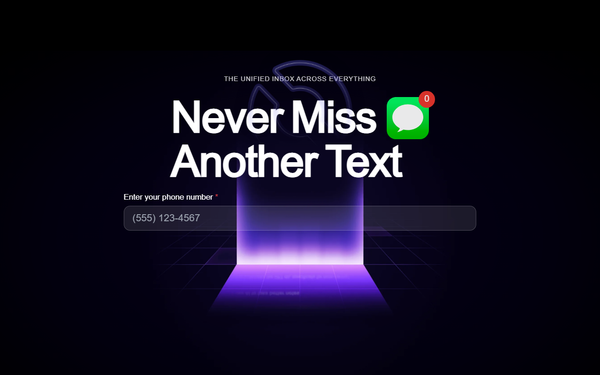
RPLY is a macOS-native AI messaging assistant developed by Heynox (also known as NOX) that unifies conversations from iMessage, WhatsApp, Slack, email, and other platforms into a single intelligent inbox. It monitors incoming messages, intelligently triages them by urgency and relevance, drafts contextual replies in the user's personal writing style and tone, and helps users achieve "inbox zero" by surfacing must-read texts while filtering noise. Additional capabilities include semantic search across all messages, auto-drafting for unanswered conversations (older than 24 hours), relationship insights (such as response time patterns, "inbox zero streaks," and who you tend to reply to fastest or "ghost"), and bulk actions like archiving or ignoring threads.
Primary use cases center on reducing "text debt"—the mental burden of unread or unanswered messages—for professionals overwhelmed by communication overload. It targets busy executives, founders, creators, real estate agents, recruiters, and college students who juggle multiple messaging apps and struggle with timely replies while maintaining authentic connections. The tool integrates seamlessly into the Apple ecosystem via a Mac app (requiring iMessage access) and has expanded beyond pure iMessage focus since its February 2025 launch. As of March 2026 research, RPLY positions itself as a productivity enhancer rather than a full automation replacement, emphasizing replies that "sound like you" without robotic phrasing.
Key Features & Capabilities
Core functionality revolves around the unified inbox with AI-powered drafting: messages are ranked by who matters most and what's urgent, pre-written reply drafts appear instantly (editable, sendable, or ignorable), and full conversation memory enables context-aware suggestions. Standout differentiators include semantic search (finding messages by meaning, not keywords), on-device AI processing options (using local Llama models for privacy), cross-device sync, spam filtering, and an AI chat companion in higher tiers. Early features like automatic replies to missed texts and texting habit analytics (weekly response averages, ghosting patterns) remain central.
Compared to competitors (such as basic smart replies in iMessage or third-party email tools), RPLY stands out for its Mac-first unification across apps and personalization trained on your actual chat history—without using your data to train generalized models. It offers 100% on-device mode and strict zero-retention policies.
Limitations include macOS exclusivity (no iOS or Windows version), occasional need for reply proofreading due to imperfect tone-matching or missing emojis in some generations, and rigid early categorization that doesn't always adapt to evolving conversations. No enterprise plans are offered, and full automation (unsupervised sending) is limited to avoid errors. Privacy-conscious users must grant broad permissions (full disk access, contacts, iMessage read/send, automation), though data never leaves the device in local mode.
User Experience
Setup involves downloading the Mac app, granting several system permissions (which some users find intrusive but are necessary for full access), and optional AI model selection (cloud for quality or on-device for privacy). Once running, the interface earns praise for its clean, modern design with smooth animations, easy navigation, and intuitive triage views—making the learning curve gentle for Mac users familiar with native apps. Bulk actions and one-click draft insertion into iMessage feel seamless.
Documentation is minimal (primarily in-app tooltips and the website), with no extensive video tutorials or knowledge base; support is priority for Pro users via email. Community feedback highlights the polished feel but notes the initial permission hurdle and occasional AI quirks requiring edits. Overall, it's accessible for non-technical users seeking productivity gains without steep onboarding.
Performance & Reliability
Reply drafting is described as "blazingly fast" with instant suggestions, and semantic search performs reliably across unified inboxes. Triage and insights update dynamically, helping users maintain response streaks. The app runs locally on macOS with minimal resource impact when using on-device models.
Known issues from early 2025 reviews include AI occasionally producing unnatural elongations (e.g., extra letters like "hypedddd") or missing context, leading to required proofreading that can slow workflows instead of speeding them. Categorization sometimes locks messages into outdated buckets, and early versions lacked emoji support. No widespread 2026 complaints surfaced in major sources; performance has reportedly improved with model updates, though users with highly dynamic or multi-topic inboxes may still need manual oversight. Reliability is high for triage and search, with zero data retention ensuring privacy compliance.
Pricing & Value
RPLY offers a clear two-tier structure with no enterprise options:
- Free: $0/month — 10 AI-drafted replies, unlimited semantic search, full unified inbox, all platforms supported.
- Pro: $30/month or yearly (20% savings) — unlimited AI-powered replies, perfect tone matching, instant drafts, cross-device sync, priority support, full conversation memory, spam filtering, AI chat, and more.
Value is strong for heavy texters (founders/executives handling dozens of daily messages), where Pro quickly pays for itself in time saved toward inbox zero. The generous Free tier suits light users for testing. Compared to alternatives like manual management or generic AI chat tools, RPLY's Mac-native integration, personalization, and multi-app unification provide superior efficiency without data-selling risks. Early traction (1,000+ paid users shortly after launch) underscores its appeal for productivity-focused professionals.
Practical Tutorial
No official step-by-step video tutorials exist on the site (documentation remains lightweight), but the following walkthrough for a common task—drafting and sending an AI-powered reply to an unanswered iMessage—is synthesized from official feature descriptions, setup requirements, and user-reported flows as of March 2026. This assumes a Mac with macOS compatible with the app.
-
Download and Install: Visit https://www.heynox.com/, click "Download for Mac," and install the app. Open it and sign up/log in (Free or Pro).
-
Grant Permissions: Allow full disk access, contacts, iMessage read/write, and automation privileges when prompted (required for inbox unification and drafting). Choose on-device Llama model for maximum privacy or cloud for best quality.
-
View Unified Inbox: The app opens to your combined inbox (iMessage + WhatsApp + Slack etc.). Use the triage view to see "Unanswered" or "Urgent" filters—messages older than 24 hours are auto-highlighted.
-
Select a Message: Browse ranked threads or search semantically (e.g., type "meeting next week" to surface relevant chats). Click an unanswered conversation; RPLY instantly generates a draft reply based on your past tone and history.
-
Review and Edit Draft: Example: Incoming message from a colleague: "Hey, did you see the Q3 report? Let's chat tomorrow." AI draft might read: "Yeah saw it—looks solid. Tomorrow 10am works for me, or whenever you're free." Edit for emojis or specifics if needed (AI improves with usage as it learns your voice).
-
Send or Act: Hit "Send" to insert directly into iMessage (one-click). Alternatively, archive, ignore, or mark as read. Check the stats panel afterward for updated response time insights.
-
Monitor Habits: After a week, review the Relationship Audit dashboard for patterns like "Those You Answer Quickest" or your inbox zero streak to refine habits.
For best results, start with Pro for unlimited drafts. Test with low-stakes messages first. Official download and privacy details are at heynox.com.
Final Verdict
Overall rating: 4.2/5 — excellent concept and execution for unification and speed, tempered by occasional AI polishing needs and macOS-only limitation.
Who should use this tool: Busy Mac users (executives, founders, creators) drowning in cross-platform messages who want personalized, context-aware assistance to reclaim time and reduce stress without sacrificing authenticity.
Who should avoid this tool: Non-Mac users, those highly sensitive to broad system permissions, or anyone expecting flawless zero-effort automation (manual review is still recommended).
One-sentence recommendation: If you're a Mac power user tired of text debt, RPLY is the smartest way to unify and conquer your inboxes with AI that actually sounds like you.