Saima Review: Boost Video Learning with AI Adaptive Speed
Overview & Purpose
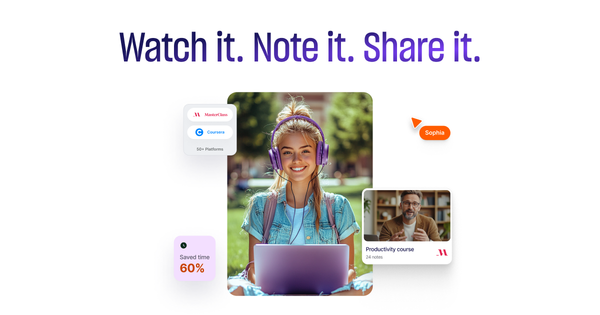
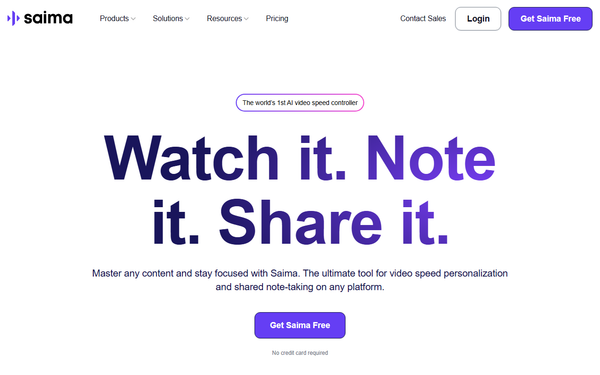
Saima is the world’s first AI-powered adaptive video speed controller, available primarily as a browser extension for Chrome, Edge, Brave, and Arc. It transforms passive video watching into an optimized, personalized learning experience by dynamically adjusting playback speed to match a user’s individual comprehension rate (calibrated via words-per-minute analysis), automatically removing silences and filler words, boosting voice clarity, enabling real-time timestamped note-taking, and providing a collaborative workspace for organizing, sharing, and exporting notes as PDFs.
Primary use cases include accelerating online courses, training videos, lectures, and webinars while improving retention and focus. It integrates seamlessly with major platforms such as YouTube, Coursera, Udemy, edX, LinkedIn Learning, and Skillshare. The target audience spans individual learners (especially students, non-native English speakers, and those with ADHD), educators and educational institutions seeking better engagement tools, and enterprises for employee onboarding and professional development. By combining neuroscience-backed AI with interactive features, Saima aims to deliver measurable productivity gains for anyone consuming video-based educational or training content. (Research conducted as of March 10, 2026.)
Key Features & Capabilities
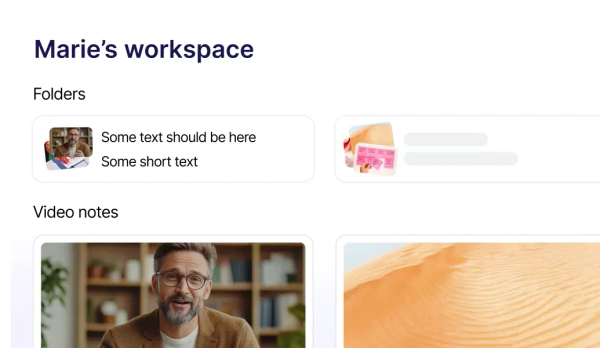
Core functionality revolves around real-time AI personalization: the adaptive speed controller learns a user’s optimal pace through a quick calibration test and adjusts video playback accordingly. Additional capabilities include automatic silence/filler-word skipping, consistent voice volume boosting, smart note-taking with video timestamps, PDF export, reactions/comments, and a dedicated “Saima HUB” workspace for saving videos, creating folders, and real-time collaboration with teammates.
Standout features that differentiate Saima from competitors (such as manual speed controls in YouTube or basic note apps like Notion) include its neuroscience- and data-science-driven adaptive algorithm (claimed to improve comprehension and memorization by 30% while saving 65% of viewing time), integrated time-savings analytics, and seamless shift from passive consumption to active, shareable engagement within the same tool. No separate apps or logins are needed beyond the extension.
Limitations include restricted support for certain proprietary video players or niche websites, potential over-automation where users who prefer fully manual speed control may feel the AI adjustments intrusive, and occasional inaccuracies in silence removal (e.g., skipping brief but meaningful pauses in lecture-style content). The free tier caps usage of advanced features, and there is no native mobile or offline version.
User Experience
Installation is straightforward: users simply add the free extension from the Chrome Web Store and grant permissions for supported video sites. A short AI calibration test sets up personalization, resulting in an extremely low learning curve—most users are productive within minutes. The interface overlays clean controls directly on video players (speed indicator, toggle buttons, note panel) without cluttering the screen, plus a polished dashboard/workspace for organization.
Documentation consists of helpful blog guides, privacy policy, terms, and direct support contact; no extensive knowledge base exists, but the intuitive design reduces the need for it. User feedback on the Chrome Store (4.5/5 from 112 ratings) and independent sources praises the simplicity and immediate productivity boost, with no widespread complaints about complexity. Support responsiveness is noted positively in available testimonials.

Performance & Reliability
The extension operates efficiently and lightly, delivering real-time speed adjustments, silence skipping, and note syncing with minimal latency on supported platforms. Users consistently report 30–65% time savings and higher retention, with built-in analytics tracking reclaimed hours. Over 10,000 Chrome users and claims of 100,000+ downloads underscore broad adoption; the extension was last updated in April 2025 to improve performance.
Known issues are minor and infrequent: occasional incompatibility with non-standard video players and rare AI inaccuracies in silence detection or speed changes. No major outages, security breaches, or widespread bugs appear in reviews or forums as of March 2026. Reliability is strong for core platforms like YouTube and Coursera, making it dependable for daily learning workflows.

Pricing & Value
Saima offers a generous free plan with basic access (unlimited adaptive speed on supported videos but limited hours for silence skipping, voice boosting, and note-taking restricted to 5 videos). The Premium plan unlocks unlimited everything—including full collaboration and workspace features—for approximately $3.99–$4.99 per month (billed monthly or annually with up to 50% savings), plus a first-month-free trial when upgrading. Students can qualify for up to 100% off a yearly Premium subscription; educational institutions receive volume discounts. Enterprise plans are custom-priced with added security, compliance, centralized management, unlimited licenses, and usage insights—contact sales required.
Value is excellent for frequent video learners: the low cost (often less than a single coffee per month) delivers outsized productivity gains compared to free manual tools or separate paid note-taking subscriptions. The combination of time savings and collaboration features provides clear ROI for students, teams, and organizations, especially versus alternatives lacking true adaptive AI.
Practical Tutorial
Official guidance is available via Saima’s blog posts (e.g., “Transforming Your YouTube Experience” and “Mastering the Coursera Experience” at saima.ai/blog). Below is a step-by-step walkthrough for a common task—optimizing a Coursera lecture with collaborative notes—based on the extension’s documented workflow.
-
Install and set up: Visit the Chrome Web Store, search “Saima AI Video Speed Controller,” click “Add to Chrome,” and confirm. Create a free account or sign in via the extension popup. Complete the quick AI calibration test (watch a short sample clip while the tool learns your optimal speed).
-
Open your video: Navigate to a Coursera lecture (or YouTube/Udemy equivalent). Saima automatically activates and displays its control bar.
-
Enable adaptive features: Click the Saima icon to toggle “Adaptive Speed” on. The AI instantly adjusts playback to your personal WPM rate. Turn on “Skip Silence” and “Voice Booster” for cleaner audio.
-
Take real-time notes: While watching, click the note icon or use the keyboard shortcut to add timestamped comments. Type insights, highlight key moments, or add reactions—the notes sync automatically.
-
Save and organize: Pause or finish the video; click “Save to Workspace.” Create or select a folder (e.g., “Coursera – Machine Learning”), add tags, and export as PDF if needed.
-
Collaborate: Share the video + notes link with teammates or classmates. They receive real-time updates, can comment, react, or co-edit in the shared workspace.
-
Review analytics: In the dashboard, check time-saved stats to track weekly productivity gains.
This process typically takes under 5 minutes to start and turns a 60-minute lecture into a focused 20–30-minute session with reusable, shareable notes. For video demos, see the official Chrome Store listing.
Final Verdict
Overall rating: 4.5/5 — Excellent for its innovative adaptive technology and seamless integration of speed control with collaboration, though slightly limited by platform scope and sparse third-party reviews.
Students, online learners, educators, and enterprises dealing with video-heavy content should use Saima to reclaim hours weekly, boost comprehension, and enable effortless teamwork. Avoid it if you primarily use mobile devices, unsupported video players, or strictly prefer manual controls without AI intervention.
Saima is a smart, affordable investment that genuinely makes online learning faster and more engaging—highly recommended for anyone who watches educational videos regularly.