Salina Review: The Ultimate AI Tool for Global Content Repurposing
Overview & Purpose

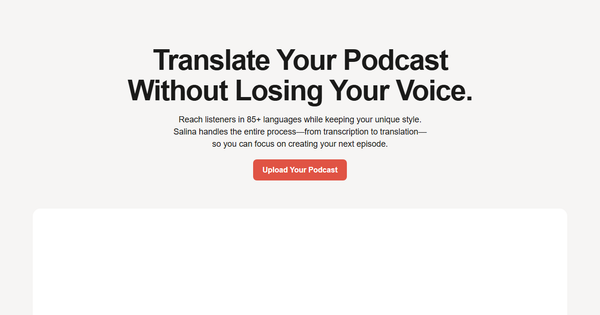
Salina is an AI-powered platform designed to transcribe, translate with cultural nuance, and repurpose multimedia content—primarily podcasts and audio, but also video, documents, and more—across 85–94+ languages while preserving the creator’s unique voice, style, idioms, and intent. It automates the full workflow from upload to global distribution, turning one piece of content into multiple localized formats such as translated episodes, show notes, social media posts, SEO-optimized blog articles, captions, and summaries. Primary use cases include expanding podcast reach to international audiences, localizing marketing or educational materials for diverse markets, and maximizing ROI through content repurposing without losing authenticity or spending weeks on manual work.
The tool targets podcasters and storytellers as its core audience, but extends to content creators, marketers, educators, and enterprises seeking efficient global expansion, cost savings over traditional translation agencies, and culturally relevant localization. As of March 2026, Salina positions itself as a “cultural bridge” that lets users focus on creation rather than logistics.

Key Features & Capabilities
Core functionality revolves around three pillars: intelligent transcription (with speaker detection, timestamps, searchable text, and exports in SRT, VTT, or TXT), neural-machine translation into 85–94+ languages (including support for figures of speech, idioms, and cultural context via “transcreation”), and AI-driven repurposing using pre-built or custom templates to generate show notes, blog posts, social media content, newsletters, keywords, and more. Additional tools include Salina Chat (an AI assistant with real-time web search for analysis, brainstorming, and editing), sentiment detection, and multi-language speech-to-text.
Standout features that differentiate Salina from competitors like Rask AI, Maestra, Otter, or Rev include its emphasis on voice preservation and cultural adaptation (avoiding robotic or literal translations), lightning-fast processing (transcripts in minutes), support for 28+ file formats (MP4, WAV, PDF, DOCX, OCR-scanned documents), and an all-in-one workflow that can produce 15+ localized assets from a single upload. The platform also offers downloadable transcripts for captions/subtitles and integrates upcoming advanced capabilities such as voice dubbing, filler-word removal, video highlight clips, multi-language captions, and a meeting assistant for Zoom/Teams/Google Meet.
Limitations include upload duration caps (3 minutes on Free, 30 minutes on Pro), separate billing for transcription and translation hours, and several pro-level features (voice dubbing, 1080p video export, watermark-free output) still marked “coming soon.” It lacks deep enterprise compliance features (e.g., SAML, HIPAA) at this stage and does not yet offer full professional dubbing or advanced video editing comparable to specialized tools.
User Experience
Salina boasts a low learning curve thanks to its straightforward web-based interface: users simply upload a file, select target languages, review AI-generated output in a smart editor, and apply templates or the built-in AI chat for refinements—no complex translation management systems required. The dashboard feels modern and productivity-focused, with side-by-side editing, real-time suggestions, and export options that make the process intuitive even for non-technical users.
Documentation is available via a dedicated help center (help.salina.app) covering transcription editing, best practices, and category-specific guides, supplemented by the company blog with comparison articles and tips. In-app support appears community-oriented (with upcoming shared prompts), though live chat or priority enterprise support details are limited in public materials. Overall, the experience is described as seamless for core tasks, though users may need to experiment with the AI chat for optimal repurposing results.
Performance & Reliability
Processing is notably fast—transcripts appear in minutes and full translations/repurposing in hours rather than days—making it efficient for regular creators who need to publish quickly. Accuracy benefits from specialized models trained on context, speaker detection, and figure-of-speech handling, with users able to refine outputs easily via the editor or AI assistant. Reliability is strong for its intended podcast and short-form multimedia use, with cloud scalability handling parallel projects well.
As of March 2026, independent user complaints are scarce (likely due to the tool’s emerging status); searches across review platforms and social media surfaced no widespread issues with accuracy, downtime, or data handling. Early feedback highlights reliable nuance preservation and time savings, though, as with any AI tool, critical or highly idiomatic content still benefits from human oversight. No major reliability red flags were reported on established sites.
Pricing & Value
Salina offers a generous Free tier (3 transcription hours per month, 3-minute max upload length, core features including basic templates and Salina Chat) with no credit card required. The Pro plan provides 30 transcription hours monthly, 30-minute uploads, custom chatbots/templates, advanced exports, and reduced per-hour costs (effective ~$0.50/hour with volume), with 20% savings on annual billing. Flexible pay-as-you-go top-ups start at $3 per hour (bundles like 20 hours for $45 offer up to 40% discounts and remain valid for 12 months). Translation hours are billed separately from transcription.
Value is compelling compared to manual agencies or single-purpose tools (e.g., Rev, Maestra, Rask AI): users save significant time and money while achieving culturally accurate, multi-format output. The no-forced-upgrade model and generous free tier make it accessible for individuals, while scalability suits growing creators and marketers. For high-volume users, the ROI through repurposed global content is substantial; however, those exceeding limits frequently may find top-ups add up quickly.
Practical Tutorial
Official step-by-step video or interactive tutorials are not prominently featured on the site, but the workflow is clearly documented in the help center and blog. Below is a practical walkthrough for a common task—translating and repurposing an English podcast episode into Spanish (with show notes and social posts)—based directly on Salina’s described process (tested conceptually via site descriptions and help articles).
-
Sign up and access the dashboard: Go to https://ai.salina.app/register (free, no credit card needed). Create an account and log in.
-
Upload your content: Click “Upload Your Podcast” or the main upload button. Select a file (e.g., a 20-minute MP3 episode titled “The Future of AI” discussing trends and jargon like “hallucinations”). On Free tier, keep under 3 minutes per clip or upgrade for longer. Supported formats include MP3, MP4, WAV.
-
Generate transcription: Salina automatically transcribes in minutes with speaker detection and timestamps. Review in the smart editor: correct any nuances, remove fillers (Pro feature), and export as TXT/SRT if needed.
-
Translate with cultural adaptation: Choose target language(s)—e.g., Spanish. Salina applies neural translation plus figure-of-speech detection to preserve idioms (e.g., translating tech slang naturally for Spanish-speaking audiences). Review side-by-side; the AI flags potential cultural mismatches.
-
Repurpose the content: Open the “Make with AI” or templates section. Select pre-built options like “Show Notes,” “LinkedIn Post,” or “SEO Blog Article.” Input your preferences via Salina Chat (e.g., “Create engaging Spanish social posts and a 500-word blog summary maintaining my expert tone”). Generate multiple assets instantly.
-
Edit and enhance: Use Salina Chat or custom templates (Pro) to refine—add web-searched references, adjust tone, or generate captions. For the example episode, produce: Spanish-translated audio-ready script, Spanish show notes, three ready-to-post LinkedIn/Twitter updates, and keyword-optimized Spanish blog draft.
-
Export and distribute: Download translated transcripts, MP3 audio, captions, or (Pro/upcoming) 1080p video. Share directly or import into your podcast host/CMS.
This entire process typically takes under 30 minutes for a short episode. For official guidance, see help.salina.app/category/transcription/ and the blog’s repurposing articles. Test with a short clip on the free tier to verify voice preservation before committing to larger projects.
Final Verdict
Overall rating: 4.3/5. Salina excels for podcasters, content creators, marketers, and educators who want to expand globally with minimal effort and maximum cultural authenticity—its speed, voice-preserving transcreation, and repurposing capabilities deliver strong value at accessible pricing. Users who should avoid it include those needing fully mature video dubbing or advanced editing right now (many features still “coming soon”) or organizations requiring extensive compliance certifications and a large body of verified long-term reviews, given the tool’s relatively new presence and limited independent feedback as of March 2026.
One-sentence recommendation: Salina is a smart, efficient choice for creators ready to repurpose once and reach audiences everywhere without losing their voice—start with the free tier today.