Scop Ai Review: Optimize and Test Production-Ready Prompts
Overview & Purpose
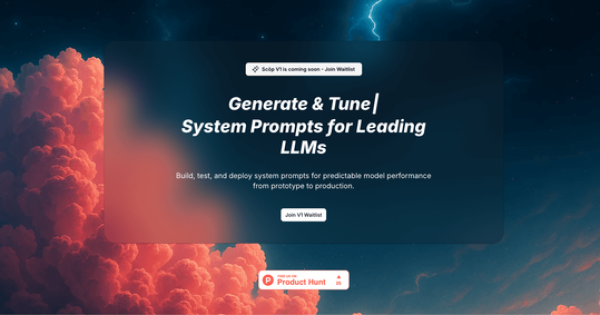
Scōp.ai (styled as Scōp with a macron) is a prompt optimization platform designed to help users create, test, refine, and deploy production-ready system prompts for large language models (LLMs). It streamlines the process of generating task- and model-specific instructions that deliver more consistent, accurate, and token-efficient outputs across providers like OpenAI (GPT series), Anthropic (Claude), Google (Gemini), xAI (Grok), and Mistral.
The tool addresses common pain points in AI workflows—such as inconsistent results, high token costs, hallucinations, and the time sink of manual prompt engineering—by combining quick template-based generation with advanced testing and monitoring capabilities. Primary use cases include building reliable AI features for SaaS applications, customer support agents, content generation pipelines, sales automation, and any production LLM deployment where predictability and cost control matter. It supports both rapid prototyping and full lifecycle management, from initial creation to deployment with versioning and quality gates.
Target audience spans prompt engineers, AI developers, product teams, GTM experts, and cross-functional groups in SaaS, AI development, marketing, sales ops, and research. While accessible for intermediate users via templates and guided optimization, its depth (e.g., automated scoring and multi-model comparisons) appeals most to professionals who integrate LLMs into scalable applications rather than casual chat users.

Key Features & Capabilities
Core functionality revolves around a unified workbench: users start with 250+ pre-optimized prompt templates or generate custom system prompts tailored to a specific task and model. They then inject dynamic custom variables, test variations in real-time via an in-app chat interface supporting 10+ LLMs side-by-side, and evaluate outputs using built-in frameworks for accuracy, latency, token usage, and automated quality scoring (catching issues like formatting errors or hallucinations). Prompts are versioned automatically, with rollback options, and can be monitored for production costs before deployment.
Standout differentiators include true multi-model optimization (prompts adapt automatically to each LLM's strengths), real-time token and cost analytics, pre-deployment quality gates, and production-focused tools like API/webhook support (Enterprise). Built-in advanced patterns (Chain-of-Thought, Few-Shot, ReAct) and team collaboration features (shared collections, real-time editing, role-based access) go beyond basic prompt libraries. The searchable template gallery and export options align with simpler use cases, enabling quick pasting into tools like ChatGPT or Claude without expertise.
Limitations include tiered restrictions—Free offers only 10 generations and 3 evaluations per month; Pro caps at 250 generations and 150 evaluations—plus some models listed as "coming soon." No native third-party app integrations beyond LLM providers are detailed yet, and full CI/CD/Enterprise features require custom pricing. As an early-stage tool (V1 with waitlist elements noted on the site despite "try free" availability), advanced production monitoring may feel incomplete for ultra-large-scale deployments.

User Experience
Scōp.ai emphasizes a low learning curve with a clean, unified interface featuring side-by-side model comparisons, real-time analytics dashboards, and conversational testing. Users report it feels intuitive for daily prompt work, replacing scattered Notion docs or Slack threads with organized collections by project or client. Early testimonials highlight it as a "time saver" that removes guesswork, with mobile-friendliness implied as an improvement over competitors.
Documentation is limited to an on-site FAQ covering basics like plan changes, data ownership, security (encrypted with role-based controls), and model support; no dedicated public tutorials, blog, or comprehensive knowledge base exist as of research. Support scales with plan: email for Free, 48-hour priority for Pro, and 2-hour for Enterprise. Overall, the interface quality suits professionals, though newcomers to production LLM ops may need initial experimentation.

Performance & Reliability
The platform claims fast generation (seconds for optimized prompts) and real-time testing with latency tracking, helping users optimize before incurring production costs. Automated quality scoring and token monitoring provide reliable insights, with versioning ensuring no lost progress. No widespread performance complaints or outages appear in user forums, Reddit, or social mentions—likely due to its recent Product Hunt launch (around mid-2025) and controlled access.
Common feedback praises consistent, model-specific outputs that reduce hallucinations and improve quality. As an early tool, long-term reliability data is sparse; potential issues (e.g., evaluation limits during heavy testing) stem from tier caps rather than bugs. Data security is emphasized with full user ownership and encryption.
Pricing & Value
Pricing is straightforward and tiered:
- Free: $0/month – 10 prompt generations, 250+ templates, basic patterns, chat with 3 models, 3 evaluations, email support. No credit card required.
- Pro: $39/month – 250 generations, full 10+ model access, custom variables, unlimited versioning, advanced patterns, 150 evaluations, automated scoring, token analytics, 5 team members, 48-hour priority support.
- Enterprise: Custom – unlimited everything, API/webhooks/CI/CD, custom integrations, unlimited users, 2-hour support, dedicated onboarding.
Value is strong for teams deploying LLM features: the Pro plan's cost-tracking and quality tools can quickly offset subscription fees through token savings and fewer failed iterations. Compared to manual engineering or simpler alternatives (e.g., generic template galleries), it offers superior production readiness. Early adopters on Product Hunt and X call it a "huge time saver," though casual solo users may find Free sufficient or Pro steep if not maximizing evaluations. No hidden fees; plans are flexible with easy changes.
Practical Tutorial
No official video or step-by-step tutorials are publicly available on the site or linked resources (only high-level "how it works" descriptions and FAQs). Below is a practical, self-contained walkthrough based directly on the platform's documented workflow, using a common task: creating an optimized system prompt for a customer support refund agent in an e-commerce SaaS tool. This example assumes you have signed up (free tier works for basics) and selected a target model like Claude 4 Sonnet.
-
Access the Dashboard and Generate a Base Prompt: Log in and navigate to the prompt builder. Choose "Generate New" or browse the 250+ template gallery—search for "customer support" or "refund handling." Select a relevant starter template (e.g., one with built-in Chain-of-Thought). Specify your task ("Handle refund requests politely, verify order details, follow company policy") and target model (Claude). Click Generate—Scōp produces a model-optimized system prompt in seconds.
-
Add Custom Variables and Fine-Tune: In the editor, inject dynamic variables (Pro+), such as {{order_id}}, {{refund_reason}}, and {{user_tier}}. Test variations side-by-side: tweak phrasing for tone or add Few-Shot examples (e.g., "Example 1: Full refund approved for premium users"). Use the live preview pane to iterate instantly.
-
Test in Multi-Model Chat: Open the in-app chat tester. Paste or load your prompt, then converse across models (e.g., compare Claude vs. GPT-5 responses to "User wants refund for delayed shipment"). Monitor real-time metrics: token count, latency, and initial quality score. Run up to your plan's evaluations (e.g., automated scoring for consistency/hallucinations).
-
Evaluate, Score, and Optimize: Trigger automated quality scoring to flag issues (e.g., "Inconsistent policy adherence"). View cost-per-quality analysis. If needed, version the prompt (automatic save) and rollback. Compare outputs side-by-side for your chosen models.
-
Save, Collaborate, and Deploy: Organize into a project collection (e.g., "E-commerce Client X"). Share with team members for real-time edits (Pro+). Export the final prompt for direct use in ChatGPT/Claude API or production code. Monitor token usage post-deployment via analytics.
This process typically takes under 10 minutes versus hours of manual tweaking. For official updates, check https://scop.ai/ or the in-app help.
Final Verdict
Overall rating: 8.5/10. Scōp.ai excels as a comprehensive LLMOps toolkit that bridges quick prompt creation with production-grade testing, making it highly valuable for serious AI workflows—especially given positive early feedback on time savings and output consistency.
Who should use this tool: AI developers, prompt engineers, product teams, and organizations building scalable LLM features who need model-specific optimization, cost control, and collaboration to achieve reliable, production-ready results.
Who should avoid this tool: Complete beginners or casual hobbyists seeking unlimited free use, one-off simple chats without multi-model testing, or those unwilling to commit to Pro pricing for heavy workflows—Free tier limitations and the tool's professional focus may feel restrictive.
One-sentence recommendation: If you're serious about consistent, cost-efficient LLM outputs at scale, Scōp.ai is worth the waitlist or Pro investment—research conducted as of March 6, 2026.