Secbrain Review: The Ultimate AI Second Brain for Quick Ideas?
Overview & Purpose
SecBrain is an AI-powered mobile application designed primarily as an intelligent voice recorder that captures raw ideas, meetings, or video content and automatically transforms them into organized, actionable notes. It processes audio recordings (and supports text or video links from platforms like YouTube, TikTok, and Instagram) using AI to generate titles, optimized transcriptions, tags, and even emojis for easy retrieval and organization. The core purpose is to prevent idea loss during busy workflows by enabling one-tap capture followed by automatic summarization, text enhancement, task generation, and reformatting into useful outputs like emails, social media posts, video scripts, or summaries.
Primary use cases include quick voice-note capture during commutes or meetings, turning spoken thoughts into structured tasks or content, reviewing daily AI-generated insights on past notes, and organizing video-based ideas without manual editing. It appeals to professionals who deal with frequent idea generation or content consumption, such as marketing managers needing social post drafts, software developers documenting feature ideas, psychologists capturing session reflections, writers brainstorming plots, or anyone in fast-paced roles requiring seamless idea-to-action conversion. The tool positions itself as a "second brain" for mobile users, emphasizing productivity through minimal effort.
Key Features & Capabilities
Core functionality revolves around voice recording with instant AI processing: the app automatically titles notes, optimizes and summarizes text, adds relevant tags and emojis, and stores everything in the cloud for searchable access. Users can speak tasks directly into a to-do list, combine up to five notes into one cohesive entry via AI, view original transcriptions, and rewrite content in multiple formats (e.g., structured summaries, emails, social posts, or video scripts) with a single tap or additional paragraph generation. A standout "ReBrain" feature delivers daily private posts with insightful comments from themed AIs (such as Einstein AI, Crazy Man, or Tech Guy) for creative feedback on stored ideas. It also supports over 40 languages for transcription and translation, note merging, drag-and-rearrange tasks, and video note creation from external links.
Differentiating elements include the seamless voice-to-action pipeline (e.g., auto-task creation and multi-format rewriting), the playful yet useful ReBrain daily insights, and integration of video content alongside audio/text—features that go beyond basic voice memos or note apps by turning passive capture into proactive productivity tools. Free users get unlimited notes, with premium unlocking potentially enhanced limits or features.
Limitations include a practical recording cap of around 15 minutes (even on paid plans per user reports), absence of pause/resume or append functionality during recording, and inconsistent transcription accuracy for longer or interrupted sessions. There are no desktop or web versions confirmed, no advanced integrations (e.g., calendar or CRM exports), and multi-platform support appears limited primarily to iOS (with possible Android availability unverified in sources). The app lacks robust collaboration tools or enterprise-level security beyond basic privacy claims.
User Experience
The app boasts a low learning curve thanks to its one-tap recording interface and intuitive AI automation—users simply hit record, speak, and let the system handle organization and enhancement. The interface was revamped in late 2024 for better usability, supporting English, Portuguese, Italian, French, and Spanish, with a clean, mobile-first design optimized for iPhone, iPad, Mac (Apple Silicon), and even visionOS. Drag-and-drop task rearrangement and quick rewrite buttons contribute to a fluid workflow.
However, real-user feedback highlights frustrations with core reliability that undermine the experience, such as incomplete transcriptions or unexpected language switches (e.g., English input yielding Portuguese outputs). Documentation is minimal, consisting mainly of in-app descriptions and a privacy policy link; no comprehensive help center, video tutorials, or community forums were found. Support resources appear limited to standard App Store channels, with no dedicated email or chat mentioned. Overall, it's accessible for casual use but may frustrate power users due to functional gaps.
Performance & Reliability
For short recordings (under a few minutes), the app performs efficiently, delivering quick AI processing powered by models like GPT-4o, with fast title/summary generation and searchable storage. Cloud syncing ensures notes are accessible across compatible Apple devices, and features like note combination or ReBrain insights add value without noticeable lag in light usage.
Common complaints from the limited user base center on reliability issues: transcriptions often cut off after 2-3 minutes in longer sessions, missing significant content; no support for pausing or appending recordings leads to fragmented workflows; and occasional language or formatting errors persist despite updates. The app received its last major update in April 2025 (version 2.2.0), with prior releases addressing bugs and adding languages. With only a handful of App Store ratings, widespread performance data is scarce, but existing feedback suggests it's unsuitable for critical or extended professional recordings. No major outages or security incidents were reported in available sources.
Pricing & Value
SecBrain follows a freemium model with a generous free tier offering unlimited note creation and basic AI features. Premium options include a one-time or monthly SecBrain Premium at $4.99 and an annual plan at $49.99, which reportedly unlock extended recording capabilities (though users note the 15-minute limit remains). There are no enterprise options or custom pricing visible.
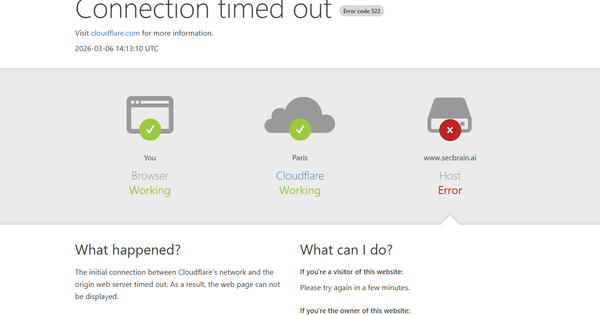
Value is mixed: the low entry cost and innovative automation (rewrites, ReBrain, video support) make it appealing for light personal use compared to pricier alternatives like Otter.ai or Notion AI. However, reliability shortcomings and sparse user validation reduce perceived worth for serious workflows, especially given the domain's current for-sale status (as of March 2026), which may signal limited ongoing development. It provides solid bang-for-buck for casual idea capturers but lags behind competitors in robustness and ecosystem integration.
Practical Tutorial
No official tutorials or documentation videos are currently available on the inactive main website or App Store page (research date: March 12, 2026). Below is a step-by-step walkthrough for a common task—recording a quick meeting idea and converting it into an actionable email draft—based on the app's described flow and features. This assumes iOS installation from the App Store.
- Download and open SecBrain - AI Voice Memos from the App Store (free to start; sign in via Apple or Google if prompted).
- On the main screen, tap the prominent record button to start capturing your voice note (e.g., "Discuss Q3 marketing campaign: focus on social ads, budget $5K, target millennials").
- Speak clearly for 1-2 minutes (keep under 15 minutes for best results). Stop recording with the tap button.
- Wait briefly for AI processing: the app auto-generates a title (e.g., "Q3 Campaign Brainstorm"), optimized transcription, tags (e.g., #marketing #budget), and an emoji.
- Tap the "Enhance" or rewrite option. Select "Email" mode and add 1-2 extra paragraphs via the single-tap feature if desired.
- Review the output: view the original transcription if needed, then tap to generate the full email draft (AI will format it professionally with subject line, body, and call-to-action).
- Optionally, convert to a task by selecting "Create Task"—drag items into your to-do list or speak additions like "Follow up with team Friday."
- Save and search later via title/tags. For daily insights, check the ReBrain section the next day for AI comments (e.g., Einstein AI suggesting refinements).
- To combine with another note: select up to five entries and use the merge tool for a unified summary.
This process typically takes under 5 minutes end-to-end for short ideas. Test with a sample voice note first to calibrate language settings (over 40 supported).
Final Verdict
Overall rating: 2.5/5. SecBrain excels at lightweight, creative idea capture for iOS users who value instant AI magic and daily insights but struggles with core recording reliability and limited adoption. It suits casual professionals like writers or marketers needing quick mobile brainstorming sessions on the go. Avoid it if you require dependable long-form transcription, cross-platform access, or robust support—better alternatives exist for mission-critical workflows. SecBrain sparks productivity potential but needs polishing to be a must-have tool.