Sendsteps AI Review: Create Interactive Presentations in Minutes
Overview & Purpose
Sendsteps.ai is an AI-powered presentation maker that automates the creation of visually appealing, interactive slides by handling writing, design, and storytelling. Users input a topic description, upload a document (PDF, Word, PowerPoint, or TXT), or start from scratch, and the tool generates a complete deck—including content, images, layouts, and interactive elements—in minutes. Its primary use cases include turning static lectures or reports into engaging experiences for classrooms, corporate training sessions, investor pitches, and live events, with built-in real-time audience participation via polls, quizzes, and Q&A. It also excels at summarizing long documents into concise, interactive presentations, making it ideal for educators condensing academic papers or professionals repurposing brochures.
The target audience spans educators and students (for lesson plans and group projects), business trainers and event organizers (for workshops and conferences), and marketers or executives needing quick pitch decks. It is particularly suited for non-designers who prioritize speed and engagement over advanced customization, supporting 86 languages and operating in over 125 countries with more than 1,000,000 users. Research conducted as of March 2026 draws from the official website and third-party reviews.
Key Features & Capabilities
Core functionality revolves around AI-driven generation: describe a topic or upload content, specify parameters (language, audience, slide count, tone), and receive a ready-to-present deck with automatic visuals and interactive slides. Standout features include real-time audience tools (live polls, quizzes, word clouds, Q&A sessions where participants join via code or link), document-to-presentation conversion that extracts and summarizes key information, an AI Quiz Maker, seamless PowerPoint export and add-in integration, and plagiarism-free content that passes checks with 99.9% accuracy. The tool claims up to 10x faster creation than manual methods and includes daily-learning AI models for improving outputs over time. It is ISO 27001 certified and GDPR-compliant for data security.
Differentiators from competitors like Gamma or Beautiful.ai include mandatory interactive elements in every deck, broad document support, and a focus on live audience engagement during presentations (not just creation). Limitations include fixed templates with minimal branding customization (no custom fonts or full color control), occasional AI inaccuracies (vague content or factual errors requiring manual edits), no built-in AI image generation (users must source visuals), and translation quirks in less common languages. Free tier restrictions and export glitches reported by some users further constrain advanced workflows.
User Experience
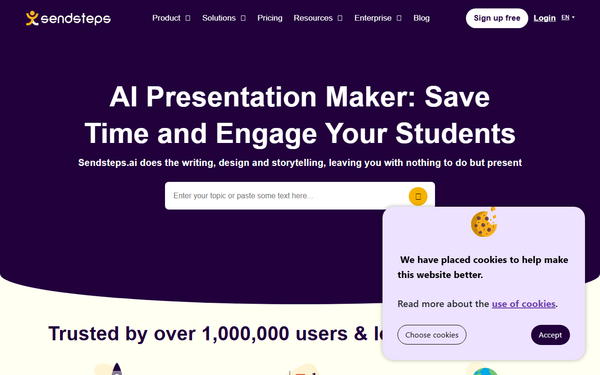
Sendsteps.ai offers a low learning curve with an intuitive web-based interface: drag-and-drop editing, simple prompt fields, and one-click generation make it accessible for beginners. The dashboard is clean, with clear options for starting from text, document upload, or existing PowerPoint files, and real-time previews during live sessions. Most users praise the simplicity—no design skills needed—and quick onboarding via free sign-up.
Documentation includes an official support portal with knowledge base articles, a YouTube channel featuring walkthrough videos, and an FAQ section. However, customer support receives mixed feedback: some praise responsive chats for custom needs, while others report unresponsiveness, especially with billing or technical issues. Interface quality is solid for quick tasks but can feel limiting due to rigid templates. Overall, the experience suits time-pressed educators and trainers, though professionals may find it less polished than premium alternatives.
Performance & Reliability
Generation is impressively fast—most decks complete in under a minute, delivering structured slides, speaker notes, and interactive elements as promised. Efficiency shines for simple educational or training content, with strong real-time engagement during live sessions (up to 250+ participants in paid plans). The AI handles multilingual output well for major languages and produces unique, non-repetitive content.
Known issues include occasional glitches (failed image uploads, layout disruptions, or export failures to PowerPoint with missing animations), AI content that sometimes misses nuance or requires significant editing, and intermittent slowdowns in the PowerPoint add-in. User complaints highlight reliability gaps in high-stakes scenarios, such as irrelevant generated content or abrupt session interruptions. Trustpilot reviews frequently mention technical frustrations, though smaller samples on G2 (4.2/5) and Capterra (4.0/5) rate functionality higher. Performance is reliable for low-to-medium complexity tasks but demands post-generation review.
Pricing & Value
Sendsteps.ai offers a freemium structure with clear tiers:
- Free: 2 AI-generated presentations per month (English only), up to 10 audience members, basic interactivity, no exports.
- Starter (billed annually at ~$6.50/month): 5 AI presentations, support for 85+ languages, up to 10 interactive slides, 250 audience members.
- Professional (billed annually at ~$13.50/month): Unlimited presentations, full PowerPoint export, all features, advanced support.
- Enterprise: Custom plans for large organizations with dedicated services.
Annual billing saves up to 31%, and a free trial or start-without-card option eases entry. Value is strong for budget-conscious educators and small teams needing interactive tools quickly—far cheaper and faster than hiring designers. Compared to alternatives (e.g., Gamma at higher tiers or manual PowerPoint), it delivers excellent speed and engagement at low cost, though limited free features and occasional reliability issues reduce perceived value for heavy users or those requiring polished branding. Promo codes and enterprise scaling add flexibility.
Practical Tutorial
A common task—creating an interactive presentation from a document—is straightforward. Here is a step-by-step walkthrough (based on official process, verifiable via support articles or YouTube tutorials on the Sendsteps channel):
- Sign up for free at sendsteps.com/en/signup/ and access the AI dashboard.
- Click “Generate with AI” or “Start new presentation.”
- Choose your method: select “Upload document” (supports PDF, Word, PPT, or TXT) or “Describe topic” for text input.
- Upload a sample file (e.g., a 10-page business report on “Sustainable Energy Solutions”) or type a prompt: “Create an 8-slide interactive deck for executives on sustainable energy, professional tone, 12-minute duration.”
- Configure details: select language (e.g., English or Spanish), audience size, slide count, and any custom focus areas. Approve layout preferences.
- Generate: AI processes in seconds to minutes, producing slides with summarized content, images, speaker notes, and suggested interactive elements (e.g., a poll on “Preferred renewable sources?”).
- Edit in the built-in editor: drag-and-drop to rearrange, tweak text, add or refine quizzes/polls via the AI Quiz Maker, and insert real-time Q&A slides.
- Preview and test interactivity: rehearse, then start a live session—share a code/link so audience members join via browser or phone to respond in real time.
- Export to PowerPoint (paid plans) or present directly. Save and share the link for ongoing sessions.
Example output from a university lecture document might include auto-generated multiple-choice quizzes and word-cloud feedback slides. For visuals, watch the official YouTube video “How to generate an interactive AI presentation using AI Presentation Maker Sendsteps.ai” or the support article “How to generate a presentation using Sendsteps AI.” This process typically takes 5–10 minutes total, versus hours manually.
Final Verdict
Overall rating: 7.5/10. Strengths in lightning-fast generation, built-in interactivity, and accessibility outweigh limitations for many users, though mixed reviews on support and polish temper the score.
Educators, students, and corporate trainers should use this tool for its speed in creating engaging, audience-responsive presentations on tight deadlines. Avoid it if you need deep branding customization, flawless high-stakes output without editing, or premium support, as glitches and billing frustrations have frustrated some.
Sendsteps.ai is a powerful time-saver for interactive education and training presentations—start with the free tier to experience the magic yourself.