Serif AI Review: The Ultimate AI Executive Assistant for Email

Overview & Purpose
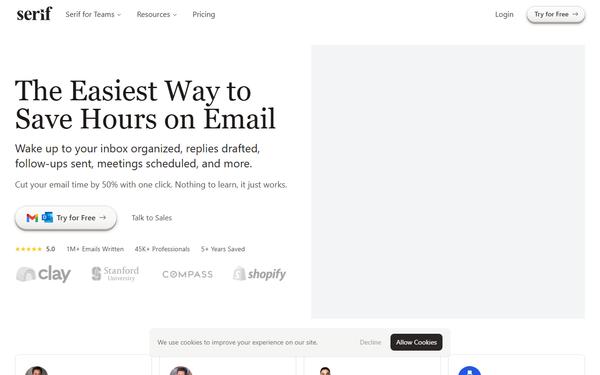
Serif.ai is an AI-powered executive assistant that connects directly to Gmail or Outlook to automatically organize your inbox with smart labels, draft personalized replies in your unique writing style, handle follow-ups, schedule meetings, and filter out spam, promotions, and low-priority messages. Its primary purpose is to reclaim 10+ hours per week by preparing your inbox for action before you even open it—drafts appear ready in your native email client, but you retain full control over editing and sending. Primary use cases include managing high-volume inboxes (100+ emails daily), scaling sales outreach, coordinating back-and-forth scheduling, and clearing mental clutter for founders, sales teams, agencies, and professionals who want to focus on high-value work instead of email triage.
The target audience is busy professionals, solo operators, small teams, and deal-makers (such as business brokers, land investors, and sales leaders) rather than developers, marketers, or designers specifically—anyone spending more than an hour daily on email who values privacy and a personal touch. As of March 2026 research, it serves over 45,000 professionals and has helped process over 1 million emails.
Key Features & Capabilities
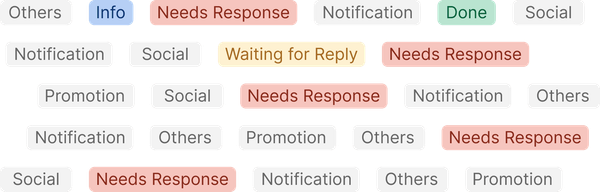
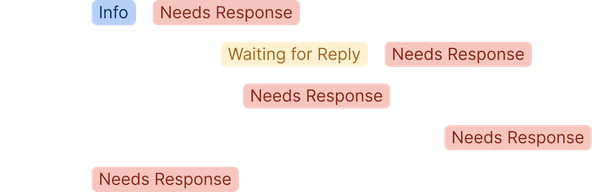
Core functionality revolves around seamless inbox organization and intelligent drafting: emails are auto-labeled (e.g., “Needs Response,” “Info,” “Waiting for Reply,” “Done,” “Promotions”), spam and junk are filtered, and AI-generated drafts appear directly in your Gmail/Outlook Drafts folder. Standout features that differentiate it from competitors include its private, user-specific AI (emails never train general models; you can upload PDFs, tone guides, and past threads for deep personalization), one-click forwarding to [email protected] for autonomous conversation handling (including calendar checks for scheduling via Zoom integration), and continuous learning from every accepted or edited draft—often achieving “0 edits” replies that sound exactly like you.
Unlike broader tools, it works entirely inside your existing email client with no new dashboard or extension required, preserving your workflow. Limitations include usage caps (e.g., processed emails and accepted drafts per plan), no shared inboxes or team collaboration features yet, pending full GDPR/HIPAA compliance (SOC 2 Type 2 and CASA Tier 2 already achieved), and no auto-send capability—everything requires your final approval. Missing for some users: advanced CRM integrations or team routing.
User Experience
Setup takes under five minutes (or literally 10 seconds per official claims) with Google/Outlook sign-in and optional calendar/Zoom connections—no complex permissions or learning curve. The interface is invisible by design: labels appear in your inbox, drafts land in the native Drafts folder, and everything feels like a human assistant quietly working in the background. Users and reviewers consistently praise the “nothing to learn, it just works” approach and minimal mental friction.
Documentation is solid via an active Help Center (articles on label fixes, draft acceptance, and integrations) plus free tools like email generators. Support receives high marks for responsiveness. Overall, the experience is lightweight, intuitive, and non-intrusive—ideal for non-technical users.
Performance & Reliability
Serif.ai delivers fast background processing: drafts typically appear within an hour of setup, organization is accurate after a short learning period, and scheduling replies are reliable once calendar access is granted. Reviewers report saving 2+ hours daily and achieving an empty inbox, with accuracy improving rapidly as the AI learns from accepted drafts and uploaded context (e.g., company policies or client rates).
No widespread outages or major reliability complaints surfaced in available reviews; it filters junk effectively and prioritizes real conversations. Common early feedback notes that drafts are “impressively close” but may need minor tweaks initially—performance scales with user training. As a newer tool, public review volume is still low, but existing testers highlight consistent, privacy-respecting operation.
Pricing & Value
Serif.ai offers a 7–14 day free trial (sometimes extended via referral codes), followed by two main plans: Essentials at $20/month (4,000 processed emails, 100 accepted drafts, up to 5 accounts) and Pro at $45–50/month (7,500 emails, 300 drafts, unlimited accounts), with annual discounts available. Enterprise custom pricing exists for teams.
Value is strong for individuals or small teams handling moderate-to-high volume—the low entry price and usage-based model beat expensive alternatives like Superhuman while delivering comparable drafting inside your existing client. It outperforms basic filters (SaneBox) by adding personalized replies and scheduling. Heavy users may need Pro, but for most professionals it pays for itself in reclaimed time within the first month.
Practical Tutorial
Official resources include the “Serif-101” guide and several YouTube walkthroughs; below is a real-world step-by-step for the most common task—setting up and letting Serif draft & schedule a meeting reply (tested workflow from reviewer examples and help center).
-
Sign up and connect: Go to https://www.serif.ai/, click “Try for Free,” sign in with your Google/Outlook account, and grant standard email/calendar permissions. (Takes <5 minutes; no extension needed.)
-
Complete quick training (optional but recommended): In the confirmation email or dashboard, upload sample emails, tone guides, PDFs (e.g., pricing sheets or company policies), and client details. Serif begins learning immediately.
-
Wait for initial organization: Within ~1 hour, open Gmail/Outlook. You’ll see new smart labels applied automatically and draft replies in your Drafts folder for emails needing responses.
-
Handle a scheduling request (real example): Receive an email thread: “Can we hop on a quick call next week to discuss the proposal?” Forward the entire thread to [email protected]. Serif instantly replies with 2–3 suggested time slots based on your connected calendar, drafts a polite confirmation, and labels the original as “Waiting for Reply.” Review the draft, tweak if needed, and send.
-
Review, accept, and train: Open any draft in Gmail, edit if desired (e.g., add personal flair), send it. Serif automatically improves from every accepted/edited draft. For incorrect labels, simply move or relabel the email once—Serif learns.
-
Monitor & refine: Check the Help Center (https://www.serif.ai/help-center/serif-101) or manually trigger a redraft via the provided shortcut. For ongoing conversations, keep forwarding to [email protected] for fully autonomous threading.
See the official walkthrough video for visuals: search “Serif AI Walkthrough” on YouTube or visit the Help Center for label-fixing tips.
Final Verdict
Overall rating: 4.3 out of 5. Serif.ai shines for solo professionals and small teams who want a privacy-first AI that feels like a real executive assistant without forcing workflow changes or risking data in public models. Use it if you’re drowning in email but want to keep the personal touch and full control. Avoid it if you need robust team collaboration, shared inboxes, or fully automated sending, or if your volume consistently exceeds Pro limits without wanting to upgrade.
Serif.ai is the effortless inbox upgrade busy professionals have been waiting for—try the free trial and watch your email stress disappear.