Shadow Review: The Invisible AI Meeting Assistant for Mac Users
Overview & Purpose

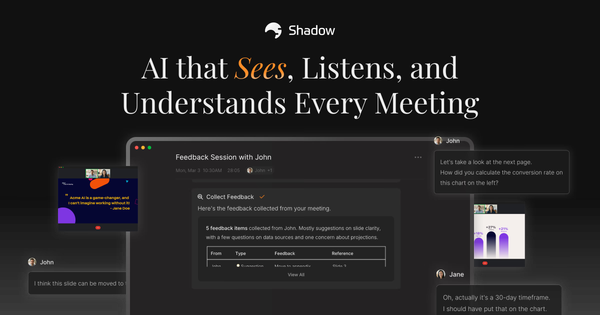
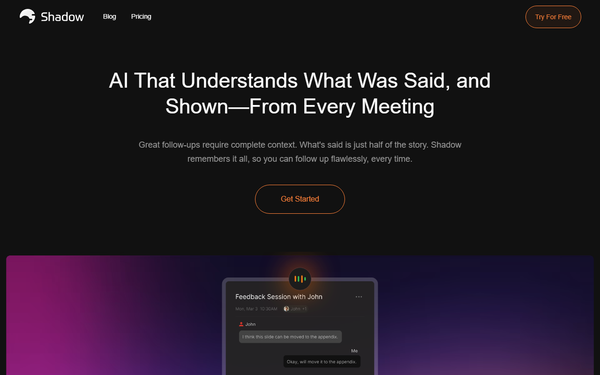
Shadow is a bot-free, Mac-native AI meeting assistant that runs invisibly in the background on your device to capture audio discussions, screen content via smart screenshots, and spoken context from virtual meetings. It automatically transcribes conversations, generates structured summaries with timestamps, identifies speakers in real time, extracts action items (with assignees and deadlines), drafts follow-up emails, and automates repetitive post-meeting tasks—eliminating manual recaps and turning meetings into a searchable, actionable knowledge base. Primary use cases include drafting client emails after sales calls, logging decisions and blockers from product syncs, creating task lists for engineering reviews, updating project tools, and querying past meetings for quick insights like “What was decided on the Q3 budget?” It stands out by capturing both what was said and shown on screen (slides, code, dashboards), providing richer context than audio-only tools.
The tool targets Mac-using professionals who spend significant time in meetings and prioritize privacy, focus, and efficiency—such as salespeople, product managers, marketers, engineers, consultants, and executives. It is particularly valuable for teams in high-trust or client-facing roles where visible bots could disrupt dynamics or raise concerns.
Key Features & Capabilities
Core functionality revolves around seamless, automatic capture: autopilot mode detects when you join meetings on Zoom, Microsoft Teams, Google Meet (or similar platforms via system audio and screen sharing), records locally, transcribes (optimized for English across ~100 languages), and processes everything post-meeting into notes, insights, and deliverables. Standout features include real-time speaker identification, an in-app “Ask Shadow” chat for instant queries against captured data, custom “Skills” (prompt-based AI automations that run automatically after meetings), webhook/Zapier integration for exporting to tools like Notion, Slack, or CRMs, and Markdown export. The local-first architecture ensures transcription and storage happen on-device, with full user control over any cloud AI processing (which can be disabled entirely).
What differentiates Shadow from competitors like Fireflies.ai, Otter.ai, or Fathom is its complete invisibility—no bot joins the call, no participant notifications, and unique screen-capture intelligence that understands visuals alongside speech. Privacy is emphasized: data never leaves your Mac without explicit permission and is never used for model training. Limitations include Mac-only availability (no Windows or cross-platform support yet), no native multi-device sync (on roadmap), and reliance on device hardware for local processing. Missing features noted in feedback include deeper native CRM plugins (Zapier/webhook required) and advanced team collaboration dashboards for enterprises.

User Experience
Shadow offers an exceptionally low learning curve: download the Mac app, grant standard screen recording and microphone permissions once, connect your calendar for autopilot detection, and it works silently thereafter—no manual start/stop or bot setup required. The interface is clean and intuitive, centered on a post-meeting dashboard with editable transcripts, collapsible summaries, action-item lists, draft outputs, and a conversational AI chat—feels more like a personal assistant than traditional note-taking software.
Documentation consists of helpful blog guides, an in-app FAQ, and a dedicated Slack community for tips and feature requests; the development team is frequently praised for responsiveness and rapid updates. Support resources are sufficient for most users, with no steep barriers even for non-technical professionals. Overall, the experience is seamless and “invisible,” with users reporting it integrates effortlessly into daily workflows.
Performance & Reliability
Performance is strong thanks to local processing: transcription and initial structuring happen quickly post-meeting, with AI-generated outputs (summaries, emails, Skills) delivered almost instantly on modern Macs. Autopilot reliably detects and captures across supported platforms, and screen-screenshot intelligence adds valuable context that improves accuracy on visual-heavy calls (e.g., demos or code reviews). Reliability is high in user tests across Zoom standups, client calls, and internal brainstorms, with no widespread reports of missed action items or crashes.
Known issues are minimal: occasional language gaps in non-English meetings and hardware-dependent speed on older Macs. Common user feedback highlights consistent updates and strong accuracy due to visual capture; no major bugs or downtime complaints surfaced in 2026 reviews. Enterprise IT teams note general “shadow AI” governance considerations, but Shadow’s local-first design and consent requirements mitigate these risks effectively.
Pricing & Value
Shadow uses a generous freemium model. The Free plan ($0) offers unlimited recording, transcription, audio capture, and smart screenshots, plus AI features (Skills, chat, notes) for your first 25 meetings lifetime. The Plus plan unlocks unlimited AI Meeting Notes, unlimited custom Skills, and unlimited AI Chat for $8 per month (with annual billing options available; custom enterprise/team plans via contact). Sign-up and upgrades happen in-app.
Value is excellent compared to alternatives: cheaper than Fireflies Pro ($10+/month) while offering superior privacy and visual context without bots. Heavy meeting users recoup the cost quickly through time saved on follow-ups (often hours per week), making it a strong proposition for individuals and small teams. Free tier allows thorough testing; Plus delivers high ROI for power users.
Practical Tutorial
Shadow provides practical automation via its blog and in-app Skills Catalog. Below is a step-by-step walkthrough for a common task—creating a custom AI Skill to automatically draft personalized sales follow-up emails after client calls (based on official guidance; see the full article for visuals and variations).
- Open the Shadow Mac app and navigate to the Skills section (or catalog of pre-built examples for sales, product, etc.).
- Click “Create New Skill” (or start from a sales template). Give it a name like “Auto Draft Client Follow-Up Email.”
- Write a plain-English prompt defining the output: “Review this meeting transcript and screenshots. Draft a professional follow-up email in my voice (friendly yet concise). Include: key pain points discussed, proposed next steps with deadlines, personalized value recap from what was shown on screen, and a clear call-to-action. Format as ready-to-copy email with subject line.”
- Attach the Skill to specific calendar events or let it run on all meetings. Preview and refine on a past meeting recording—test outputs and tweak the prompt (e.g., add “Reference slide 3 budget numbers”).
- Save and activate. Next time you finish a sales call, Shadow runs the Skill automatically and delivers the draft email in the app.
- Optional advanced step: Add a webhook output to push the email draft or extracted deal data directly into your CRM via Zapier (no code needed).
Real example: After a demo call, the Skill produced: “Subject: Next Steps on Q3 Campaign Budget — Hi Sarah, Great discussion today on the dashboard metrics we reviewed. I’ve attached the updated proposal reflecting the 15% discount we discussed. Let’s schedule a quick 15-min review next Tuesday—here’s my Calendly link…” Users report this cuts follow-up time from 20+ minutes to seconds. Full official tutorial and catalog: https://www.shadow.do/blog/how-to-automate-post-meeting-workflows-with-custom-ai-skills-no-coding-required.
Final Verdict
Shadow earns a strong 4.8 out of 5 rating for its elegant combination of invisibility, visual intelligence, and automation in a privacy-first package. It is ideal for Mac-based professionals and teams drowning in meetings who want seamless, bot-free productivity gains and richer meeting memory—especially sales, product, and consulting roles. Avoid it if you use Windows, need heavy enterprise collaboration features out of the box, or have minimal post-meeting workload where basic transcription suffices. One-sentence recommendation: Shadow transforms meetings from time sinks into effortless progress engines—download the free version today if you’re on Mac and value privacy above all.