SkedPal Review: Automate Your Schedule with AI Productivity
Overview & Purpose

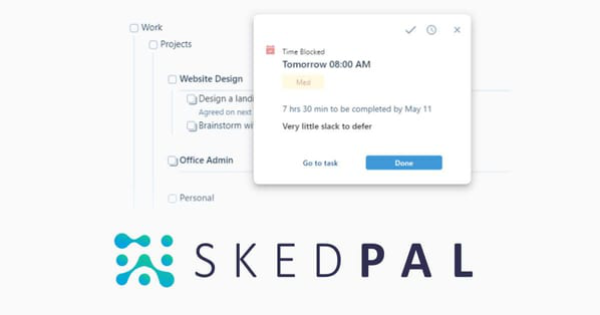
SkedPal is an AI-powered productivity software that integrates a flexible to-do list (called the Outline) with your calendar, automatically generating realistic daily and weekly schedules based on your tasks, priorities, deadlines, goals, routines, and existing commitments. It functions like a virtual personal assistant that handles interruptions, shifting priorities, and changing calendars by intelligently time-blocking tasks while respecting your preferences and constraints, ensuring you always know what to do next without constant manual planning. Primary use cases include dynamic time management for knowledge workers overwhelmed by endless lists, habit building that sticks amid life changes, structuring large projects without overwhelm, and adapting on-the-fly to maintain productivity. It shines for personal planning but supports light collaboration via integrations. The target audience encompasses busy professionals, freelancers, academics, project managers, and individuals from any field struggling with manual scheduling—such as those with ADHD or variable workloads—not limited to specific roles like developers or designers. Trusted by users from over 4,000 organizations and having curated more than 10 million schedules, it appeals to anyone seeking smarter, automated time allocation rather than basic list-keeping.
This review is based on research conducted in March 2026, drawing from the official website, pricing page, comprehensive knowledge base, and aggregated user reviews on established platforms.
Key Features & Capabilities
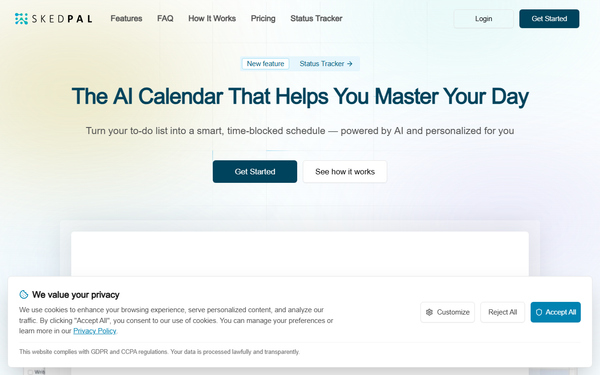
Core functionality centers on building an Outline with infinite nested lists for tasks, projects, habits, and sub-tasks; a Prioritization Board for visual ranking; Time Budgeting/Maps to define work zones (e.g., deep focus or admin time); and AI-powered auto-scheduling that places tasks into your calendar around fixed events. Users triage via natural properties (duration, deadlines, energy levels), set recurring routines, and let the algorithm optimize plans. Standout features that differentiate SkedPal include dynamic rescheduling with one-click updates (instant in Pro), the Status Tracker for real-time feedback on progress, delays, and plan realism, feasibility checks against deadlines, and smart adaptations to interruptions—making it more flexible and customizable than many competitors like simpler AI schedulers or rigid time-blockers. Integrations add power: two-way sync with Google Calendar, Office 365, Outlook, and iCloud (1 account in Core, unlimited in Pro); seamless Asana linkage for team projects; and Zapier for automating inflows from email, notes, CRMs, and more. All data is cloud-based for access across devices.
Limitations include a focus on individual use rather than robust enterprise team collaboration or full project management (no advanced workload analytics or multi-user editing), a shorter scheduling horizon in the base plan (21 days vs. 60 in Pro), and no ongoing free tier—only a 14-day trial. Recurring tasks and breaks can sometimes require manual tweaks, and it is not designed as a replacement for dedicated PM tools.
User Experience
SkedPal has a moderate-to-steep learning curve: initial setup of the Outline, task properties, Time Maps, and preferences takes 30–60 minutes or more, and some users report still puzzling over scheduling logic after months. Once mastered, it feels empowering and effortless, with the AI handling heavy lifting. The interface is functional and powerful, featuring clean views for Outline, Board, Calendar, and Tracker, plus keyboard shortcuts and natural language elements—but reviewers often describe it as dense, cluttered, or dated compared to modern apps, lacking polish in visuals or mobile responsiveness. Mobile apps (iOS and desktop companions) serve well for quick checks and notifications but feel less intuitive with occasional glitches. Documentation and support resources are excellent: a comprehensive knowledge base at docs.skedpal.com offers categorized guides, getting-started walkthroughs, troubleshooting, and an AI assistant (Skyler) for queries; official YouTube videos demonstrate workflows; and customer support earns high marks for responsiveness. Overall, it rewards users willing to invest upfront time.
Performance & Reliability
Scheduling and rescheduling execute quickly and efficiently, with calendar sync generally reliable and fast to prevent double-bookings; many users report saving hours weekly through automation and consistent daily adherence. The system handles complex scenarios, shifting priorities, and feasibility checks without crashing. Known issues include occasional lag or slowness on the web version and mobile apps (especially during heavy use or updates), minor sync hiccups with certain Outlook setups, and rare cases where recurring tasks or edge-case constraints need manual intervention. Common complaints center on these performance quirks rather than outright failures, with overall reliability praised in long-term use. No widespread outages or data concerns were noted in recent reviews.
Pricing & Value
SkedPal offers a 14-day free trial (no credit card required for signup) with no perpetual free plan. Two subscription tiers are available, billed annually for the listed rates (monthly billing options exist at higher equivalents, such as around $14.95 for entry-level):
- Core: $9.95 per month (billed annually)—includes AI scheduling (21-day window), 1 calendar sync, infinite nested lists, prioritization board, and time budgeting.
- Pro: $14.95 per month (billed annually)—adds everything in Core plus 60-day scheduling window, unlimited calendar syncs, instant updates, Status Tracker, smart notifications, and integrated time tracking.
Cancel anytime. Enterprise or custom options are not offered, keeping it accessible for individuals. Value is strong for power users: the automation and time savings often outweigh the modest cost compared to alternatives like Motion (typically higher-priced) or manual tools, especially once the learning curve pays off. Reviewers rate value for money highly at 4.5/5, noting it as a "long-standing, very good value" virtual PA.
Practical Tutorial
Official resources provide excellent guidance, including the knowledge base at https://docs.skedpal.com/ and explanatory videos on the site/YouTube. Below is a practical, step-by-step walkthrough for a common task: setting up and auto-scheduling a weekly plan (based on the official Outline-to-Schedule flow, tested conceptually via documentation and user demos).
Step-by-Step: Creating and Auto-Scheduling Your Weekly Tasks (Example for a Freelance Marketer)
-
Sign Up and Connect Your Calendar: Go to skedpal.com, create an account, and start the 14-day trial. In Settings > Preferences, connect your primary calendar (Google Calendar, for example). Choose which events to sync—Core limits to one account; upgrade to Pro for multiple. This ensures no overlaps.
-
Build Your Task Outline with Details: Switch to the Outline view (left sidebar). Create nested lists: Add a parent project like "Q2 Marketing Campaign." Under it, create sub-tasks with properties: e.g., "Research competitors" (duration: 2 hours, deadline: Friday, priority: medium, Time Map tag: "deep work," recurring: no). Use natural language or the detail pane for energy levels or notes. Add habits like "Email triage" (30 minutes daily). This takes 10–15 minutes initially.
-
Set Priorities and Time Maps: Open the Prioritization Board (left menu). Drag tasks to rank them visually (highest importance first). In Preferences > Time Maps, define your zones—e.g., Deep Work 9–11 AM, Admin 2–3 PM, No Work After 6 PM. Set default budgets to guide the AI toward balanced, realistic placement.
-
Auto-Schedule the Plan: Click the "Update Schedule" button (or enable instant updates in Pro). SkedPal's AI analyzes your Outline, calendar, priorities, and Time Maps, then populates available slots (e.g., placing the 2-hour research task Tuesday morning in a free block). Review the resulting Calendar view—tasks appear as color-coded blocks.
-
Monitor, Adjust, and Track: Open the Status Tracker for instant feedback: It shows completed items, what's falling behind, and plan realism. If an interruption arises (e.g., urgent meeting), drag it in or hit Update Schedule—the AI reshuffles everything intelligently. Use integrated time tracking (Pro) or smart mobile notifications to stay on track throughout the day.
Example outcome: Your "Research competitors" task slots perfectly around meetings; daily habits fill gaps without overload. Initial setup pays off immediately, and tweaks become quick. For deeper dives, follow the official "Introduction to Planning" and "Using the Board" articles at https://docs.skedpal.com/ or watch "SkedPal - The Smart Calendar app that Schedules Your To-Do's" on YouTube.
Final Verdict
Overall rating: 4.5 out of 5. SkedPal is ideal for productivity enthusiasts, freelancers, knowledge workers, or anyone with complex, changing schedules who is willing to invest initial time in setup—it delivers unmatched intelligent automation, adaptability, and time savings that make daily planning feel effortless and guilt-free. Users who should avoid it include beginners seeking instant plug-and-play simplicity, heavy mobile-first users frustrated by app polish, or teams needing deep collaboration and enterprise features, as the learning curve and individual focus may feel overwhelming. In one sentence: If you're ready to let smart AI turn your chaotic to-do list into a realistic, adaptive calendar that actually sticks, SkedPal is a powerful, worthwhile investment worth trying today.