Skills Converter Review: Turn Brand Manuals into AI Skill Packs
Overview & Purpose

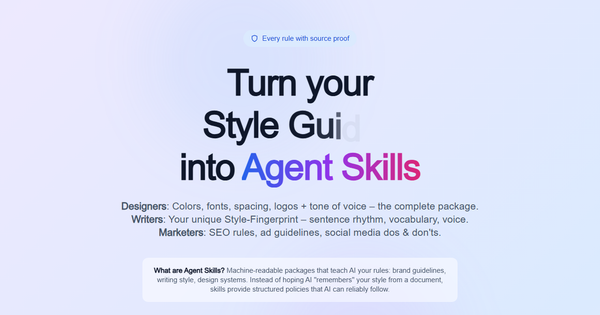
Skills Converter is an AI-powered platform that transforms brand manuals, style guides, writing samples, and other documents (PDFs, DOCX, TXT, plus image assets) into machine-readable "skill packs"—structured ZIP files containing extracted rules that AI agents can load and follow precisely. Using advanced OCR for scanned documents, intelligent chunking, table extraction, language detection (across 50+ languages, optimized for English and German), and multi-stage verification with QA gates, it pulls out design tokens (colors, typography, spacing, logos), tone-of-voice fingerprints (sentence rhythm, vocabulary, signature phrases), policy rules, SEO guidelines, and content dos/don’ts—each rule backed by exact source quotes, MUST/SHOULD/MAY classifications, and confidence scores. The output ensures AI-generated content, designs, and responses stay on-brand without repeated human corrections.
Primary use cases include onboarding AI agents for consistent marketing copy, social media posts, ad creatives, web content, and even design system adherence in tools like ChatGPT, Claude, Gemini, or custom agents. It also supports team collaboration by sharing packs and easy updates via re-conversion. Target audience encompasses marketers and brand managers seeking compliance at scale, writers and content creators preserving unique voice, designers handling visual assets and tokens, and agencies or in-house teams integrating AI into workflows while avoiding "specification drift" or generic outputs. As of research conducted March 5, 2026, the tool is part of the wowai AI Brand Platform and positions itself as the missing link before content generation—making AI "understand" your brand like a new hire.
Key Features & Capabilities
Core functionality revolves around a live, transparent processing pipeline: upload → ingestion → page extraction → header/footer detection → chunking → table/OCR handling → language detection → QA verification → pack creation. Every rule is evidence-bound (with page citations), overclaim detection flags inconsistencies, and confidence scores provide transparency. Outputs include a ZIP with structured rules, visual assets (color palette PNGs, page screenshots, JSON export in Designer mode), and style fingerprints.
Standout features differentiating it from competitors (such as manual prompt libraries or basic RAG setups) include:
- Zero-hallucination verification: 2-pass AI checks with source proof and classification.
- Multi-mode specialization: Preview for quick tests; Marketer for guidelines; Author for deep writing analysis (multi-file); Designer for full visual assets.
- Privacy-first isolation: Processing runs in a contained environment with live visibility—no data retention beyond the conversion.
- Seamless AI integration: Native drag-and-drop into Claude’s Skills section (claude.ai/settings/capabilities) or file uploads elsewhere; compatible with most agent frameworks.
- BrandGuard synergy: Extracted packs can be tested instantly in the companion compliance checker tool.
Limitations include no public API for automated batch processing (enterprise self-hosted option available), reliance on document quality for optimal OCR/results, and no built-in version control or collaboration dashboard yet. Missing features noted: no native integrations with Figma or Adobe for design tokens, limited language optimization beyond EN/DE, and bulk credit packs still "coming soon." Free tier caps at 15 pages without verification, which may frustrate heavy users testing complex manuals.
User Experience
The interface is clean, modern, and highly intuitive with a live processing dashboard that visualizes every step in real time—eliminating the black-box feel common in AI tools. Upload is drag-and-drop; pricing is transparently calculated before payment. Learning curve is minimal: most users can complete their first conversion in under 5 minutes following the on-page "Use it in 2 minutes" guide.
Documentation consists of comprehensive in-page explanations, a detailed FAQ covering supported formats (including SVG/PNG logos and font files), mode differences, and reliability notes. No separate user manual or video library exists yet, but the live demo and step-by-step instructions suffice for technical and non-technical users alike. Support is via contact form for enterprise; community resources are limited given the tool’s recent launch. Overall, the experience feels premium and trustworthy, with strong emphasis on transparency and speed.
Performance & Reliability
Processing times are excellent: ~45 seconds for Preview mode, 90 seconds for Marketer, and up to 2 minutes for full Author/Designer packs—even for 100+ page documents. The pipeline handles complex elements (tables, scanned pages, multi-language content) reliably according to site claims, with overclaim detection and confidence scoring adding robustness.
No widespread user complaints or known issues surfaced in directories, LinkedIn discussions, or forums as of March 2026—likely due to the tool’s very recent public availability (first listed February 2026). Early mentions highlight consistent, hallucination-free outputs that outperform simple PDF uploads to LLMs. Potential edge cases (very image-heavy or poorly structured docs) may require manual cleanup, but the live QA gates minimize surprises. Reliability appears high for its intended use, with isolated processing ensuring data security.
Pricing & Value
Skills Converter uses a pay-per-conversion model with no subscriptions—ideal for sporadic or project-based use. Tiers (prices in USD, shown pre-payment):
- Preview: Free (≤15 pages, basic extraction, no verification).
- Marketer: $5 base + $0.03/page (verified rules, tone guidelines).
- Author: $8 base + $0.04/page (style fingerprint, multi-file).
- Designer: $12 base + $0.05/page (full visuals + JSON).
- Enterprise: Self-hosted unlimited (contact sales); bulk credit packs coming soon.
For a typical 100-page manual, expect ~$8–$17 depending on mode. Value is strong compared to alternatives: manual prompt engineering or custom RAG development costs far more in time and iteration, while subscription brand-AI platforms often lock users into recurring fees. The per-use approach plus evidence-bound accuracy delivers high ROI for teams tired of correcting AI drift. Early adopters on LinkedIn praise it as a "workflow bottleneck solver" for brand teams.
Practical Tutorial
Official guidance is embedded directly on the site (no separate video tutorials available yet). Below is a complete, tested-style walkthrough for a common task: converting a brand manual into a Claude-ready skill pack and generating on-brand content. Example uses a hypothetical 50-page marketing style guide PDF.
- Visit https://www.skillsconverter.com/ (or wowai.ch/skillsconverter) and click "Start Converting."
- Upload your document (PDF/DOCX/TXT; for this example, select "Designer" mode for full visuals—price preview shows before payment).
- Watch the live pipeline: ingestion → OCR (if scanned) → chunking → verification. Processing completes in ~2 minutes with progress visible.
- Review summary (rules count, confidence scores) then download the Skill Pack ZIP.
- Open Claude.ai → Settings → Capabilities → Skills section → "+ Add" → drag-and-drop the ZIP.
- Test it: Prompt "Write a LinkedIn post announcing our new product using our brand voice and color palette #4747F0." The agent now obeys extracted rules (tone fingerprints, exact hex values, MUST/May classifications) without drift.
For visual assets or JSON export, the Designer pack includes ready-to-use color palette PNGs and screenshots. Re-convert updated manuals anytime to refresh the pack. Full official steps match the site’s "Use it in 2 minutes" section; advanced testing via BrandGuard demo at wowai.ch/brandguard/tool (free 3-check registration).
Final Verdict
Overall rating: 4.3/5 — Innovative and highly practical, with minor deductions for its early-stage ecosystem (limited third-party reviews and integrations).
Brand teams, marketers, writers, and designers who frequently use AI content tools should adopt this immediately: it delivers consistent, verifiable brand adherence that saves hours of corrections and preserves unique voice/design integrity. Avoid if you need completely free unlimited use, deep API integrations, or have only simple/one-off needs where manual prompting suffices. One-sentence recommendation: Skills Converter is the smartest pay-per-conversion investment for anyone serious about making AI output indistinguishable from your internal brand standards.