Smart Calendars AI Review: Automate Your Schedule with Ease

Overview & Purpose

Smart Calendars AI is an AI-powered productivity tool that transforms your to-do lists into an optimized calendar schedule automatically. The platform leverages artificial intelligence to analyze your tasks, deadlines, and priorities, then intelligently schedules them into your calendar while adapting to changes in real-time. Its standout AI feature is Athena, a GPT-powered personal assistant that converses with users to plan tasks, suggests optimal scheduling options, and even breaks down large projects into manageable subtasks. Smart Calendar's AI continuously learns from your preferences and work patterns to create increasingly personalized schedules, making it invaluable for busy professionals, students, and teams who want to eliminate manual calendar management while maximizing productivity and maintaining work-life balance.
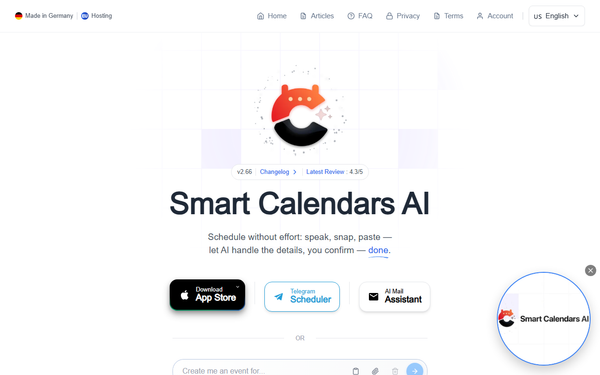
Primary use cases include rapid event creation from voice commands, photos of documents, or pasted text, as well as automated daily and weekly planning. The target audience is busy professionals, students, freelancers, and small teams or families seeking to reduce the cognitive load of scheduling.
Key Features & Capabilities
Core functionality centers on multi-modal input (voice, photo, text) for event and task creation, automatic AI extraction of details like times and locations, and seamless integration with Apple Calendar, Google Calendar, and Microsoft Outlook.
Standout features that differentiate it from competitors include the Athena conversational assistant for planning and project breakdown, intelligent auto-scheduling of to-do lists with priority and deadline optimization, real-time adaptation to changes, and batch processing from images. Privacy-focused design and multilingual support add further value.
Any limitations or missing features include some components in beta stage, browser extensions still in development, and less robust options for large team collaboration or advanced reporting compared to dedicated enterprise tools. AI suggestions may occasionally require user refinement for complex scenarios.
User Experience
Ease of use is a strong point with a minimal learning curve, enabling new users to start adding events and chatting with Athena quickly. The interface is modern, clean, and customizable with helpful widgets.
Documentation and support resources include an FAQ, changelog on the official website, and community engagement, providing adequate guidance for most users.
Performance & Reliability
Speed and efficiency are impressive for input parsing and schedule generation, with smooth performance across mobile and web platforms.
Known issues or common complaints are not widespread, with most feedback positive; however, as an evolving tool, occasional beta issues or parsing inaccuracies have been noted in early user feedback. Developers appear active in addressing them.
Pricing & Value
Cost structure features a free trial followed by accessible subscriptions, including approximately $1.99 per month or $14.99 per year, with promotional 3-year plans around $30. No dedicated enterprise tier is highlighted.
The value proposition is compelling compared to alternatives, delivering innovative AI capabilities and time savings at a lower price point than many competitors, making it a strong choice for individual and small group use.
Practical Tutorial
A common task is scheduling events from a photo and optimizing with Athena.
-
Download the app or visit https://www.smartcalendars.ai/ and sign up, connecting your preferred calendar.
-
Select the photo input feature.
-
Upload or capture a photo of an invitation, poster, or PDF.
-
Allow the AI to extract and suggest events; review and confirm additions to your calendar.
-
Open the Athena chat interface and input a command such as "Analyze these new events, break down preparation tasks, and suggest an optimized schedule for the week."
-
Review Athena's proposals, make adjustments via conversation if needed, and apply the plan.
-
The system will continue to learn and adapt as you use it.
For more examples, refer to the official site or in-app tutorials.
Final Verdict
Overall rating: 4.3/5 (research conducted March 2026).
Summary of who should use this tool and why: Busy professionals, students, and individuals who want to save time on scheduling through innovative input methods and smart AI planning.
Summary of who should avoid this tool and why: Those requiring extensive team features or preferring free native calendar enhancements without additional subscriptions.
One-sentence recommendation: Smart Calendars AI stands out as an accessible and effective AI companion for modern calendar management.