Social Intents Review: AI Live Chat for Slack, Teams and Google Chat
Overview & Purpose

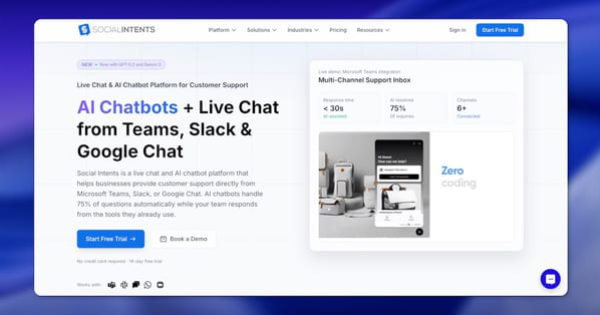
Social Intents is a real-time customer engagement platform that combines live chat widgets and AI-powered chatbots with native integrations into popular collaboration tools like Microsoft Teams, Slack, Google Chat, Zoom, and Webex. It allows businesses to capture website visitor conversations (plus WhatsApp, SMS, and other channels) and route them directly into the messaging apps teams already use daily, eliminating the need to switch to a separate helpdesk interface. The AI chatbot—powered by models like ChatGPT, Claude, or Gemini—can be trained in one click on website URLs, PDFs, or help docs to handle up to 75% of routine inquiries 24/7, escalating complex issues to human agents with full context. Primary use cases include customer support, lead generation, proactive engagement, and gathering insights through analytics and conversation transcripts. It is especially valuable for scaling support without adding headcount or learning new software.
The target audience includes small-to-medium businesses, customer service teams, marketers, and agencies already using Microsoft Teams, Slack, or Google Chat. It appeals to organizations seeking affordable omnichannel support (80+ languages) and white-label solutions for managing multiple clients. Trusted by over 50,000 teams from startups to Fortune 500 companies, it is not aimed at developers building custom solutions or enterprises requiring highly regulated, advanced workforce management tools.
Key Features & Capabilities
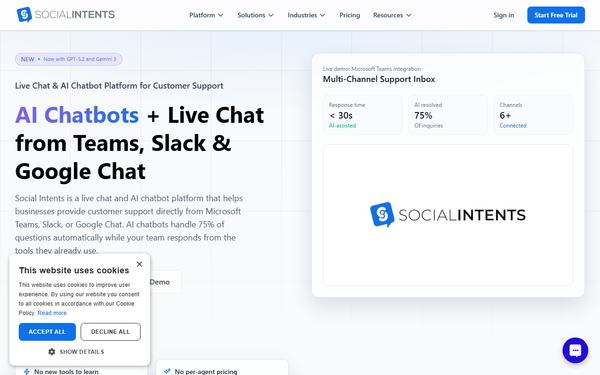
Core functionality revolves around a customizable chat widget (easy copy-paste or WordPress/Shopify plugins), AI chatbots with flexible modes (AI-first, AI + human collaboration, or AI offline only), and a unified inbox that delivers chats as threads or notifications inside Teams, Slack, or Google Chat. Standout differentiating features include one-click AI training on your entire site content, unlimited agents on Basic plans and above (no per-seat pricing), real-time visitor monitoring, proactive chat triggers, automated routing, canned responses/shortcuts, and comprehensive analytics tracking response times (under 30 seconds claimed), resolution rates, AI performance, and customer satisfaction. Additional capabilities cover 50+ app integrations, full developer API access on all plans, mobile responsiveness, and white-label branding for agencies.
What sets it apart from competitors like Intercom, Zendesk Chat, or LiveChat is the zero-context-switch experience—teams respond naturally with @mentions and full chat history in tools they already know—combined with transparent flat-rate pricing and seamless AI handoff. Limitations include conversation volume caps per plan (e.g., 200–10,000 AI-inclusive chats/month depending on tier), somewhat basic analytics compared to enterprise platforms, restricted advanced customization options, and dependency on third-party collaboration tools (any outage there affects the experience). It also lacks some deep omnichannel routing or workforce management features found in larger solutions.
User Experience
Setup is exceptionally easy, typically completed in under 5 minutes: sign up, connect your collaboration tool with one click, generate a widget code snippet, and paste it into your site. The learning curve is minimal for teams already in Teams or Slack, as there is no new dashboard to master—chats appear as native threads. The interface is clean and modern, with full customization of widget colors, text, and languages, though some users note restrictions on deeper branding or UI tweaks beyond basics. Documentation is strong, with a comprehensive knowledge base at help.socialintents.com featuring step-by-step guides, videos, and troubleshooting articles. Support resources include responsive email/help and a 30-day money-back guarantee; while most users praise customer service, occasional delays have been mentioned in reviews.
Performance & Reliability
The platform delivers fast, real-time performance with no reported lag in chat delivery or team notifications, enabling sub-30-second average response times and smooth mobile app support (e.g., Teams on the go). It claims 99.9% uptime SLA (enterprise tier) and has powered over 10 million chats. Users consistently highlight reliability for remote/WFH teams and efficient scaling. Known issues are minor: occasional notification glitches (e.g., online status not updating instantly) and conversation volume limits that may force upgrades for high-traffic sites. Broader complaints are rare, with no widespread downtime reports; the main reliability caveat is dependence on the stability of integrated third-party tools like Slack or Teams.
Pricing & Value
Social Intents offers transparent, flat-rate pricing with a 14-day full-access trial (no credit card required) and 30-day money-back guarantee. Plans (billed monthly or annually with ~20% savings) include:
- Starter: ~$49/month ($39 annual) – 3 agents, 200 conversations/month, 1 widget/domain.
- Basic: ~$79/month ($69 annual) – unlimited agents, ~1,000 conversations, additional widgets.
- Pro: ~$132/month ($99 annual) – 5,000 conversations, 5 widgets/domains, expanded AI training.
- Business/Enterprise: Higher tiers (e.g., ~$265/month for 10,000 conversations) with white-label, dedicated support, and custom options starting around $299/month for agencies.
All plans include full AI models (switchable between ChatGPT, Claude, Gemini), API access, and core integrations; AI conversations (where the bot responds) count toward limits, but human-only chats do not. No hidden fees or per-agent charges on higher plans. Value is excellent compared to per-seat competitors (e.g., Intercom at $74/seat or Zendesk at $55/agent), making it highly cost-effective for growing teams or agencies—especially with unlimited agents and quick ROI from AI automation and lead capture.
Practical Tutorial
A common task is setting up a live chat widget and integrating it with Microsoft Teams for real-time team responses (official guide last updated November 2025). Here is a complete step-by-step walkthrough based on Social Intents’ knowledge base:
-
Choose Your Chat Handling Method – Log into your Social Intents dashboard. Decide between agent-only, AI-first with human handoff, or hybrid mode. For Teams integration, select Microsoft Teams as the primary handling platform (see linked guide: help.socialintents.com/article/56-add-live-chat-to-microsoft-teams).
-
Create a Live Chat Widget – Go to My Apps → Live Chat. Click to create a new widget, name it, and save. This generates your unique code snippet and Widget Key.
-
Install the Widget on Your Website – Copy the code snippet and paste it just before the closing
</body>tag on every page (or use the WordPress/Shopify plugin and enter your Widget Key). Test by visiting your site—the chat tab should appear. -
Add & Configure Agents – In the dashboard, add team members with display names, titles, and online/offline status. Connect to Teams: install the Social Intents app from the Teams store or use the provided link, then authorize channels for notifications and thread-based chats.
-
Set Up Notifications & AI (Optional but Recommended) – Enable browser, email, and Teams mobile push notifications. For AI, go to Chatbot settings, enter your OpenAI (or Claude/Gemini) API key if needed, train on your website URL or upload PDFs, and set escalation rules.
-
Customize & Test – Adjust tab colors, welcome messages, and shortcuts. Send a test chat from your site; it should appear instantly in your Teams channel/thread. Check History for any missed/offline messages.
-
Go Live & Monitor – Set agents to Online. Use the analytics dashboard to track performance. Follow up on leads from the unified inbox.
Full official guide and related videos: https://help.socialintents.com/article/34-live-chat-getting-started-guide. Additional AI-specific training tutorial: https://www.socialintents.com/blog/how-to-train-a-chatbot/. Setup is straightforward and reversible at any time.
Final Verdict
Overall rating: 4.5/5. This score reflects excellent ease of integration and value for its core audience, tempered by conversation limits and minor customization/support quirks.
Teams already embedded in Microsoft Teams, Slack, or Google Chat who want simple, AI-enhanced live chat and support without new tools or per-agent costs should use it—it delivers fast setup, strong automation, and seamless workflows. Avoid it if you run extremely high-volume sites that would quickly hit plan caps, need advanced enterprise routing/CRM depth, or do not use the supported collaboration platforms (the dependency could become a limitation).
Social Intents is a standout, budget-friendly choice for collaboration-tool-native businesses looking to boost engagement and efficiency with minimal friction.