Sonofa Review: Turn Any Article or PDF Into an AI Podcast
Overview & Purpose

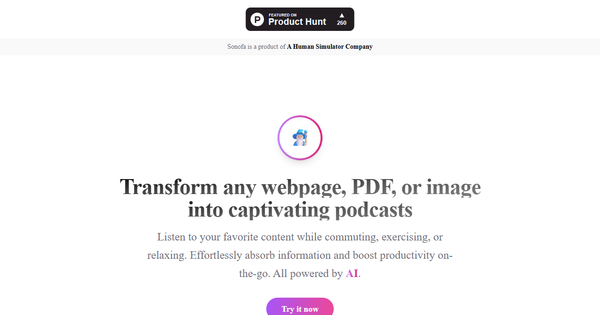
Sonofa is an AI-powered tool that converts any webpage, PDF, or image into an engaging, conversational podcast episode. Rather than flat text-to-speech narration, it uses large language models (LLMs) and advanced speech synthesis to generate a dynamic, two-speaker dialogue that discusses and explains the content as if two knowledgeable friends were chatting about it. The resulting episode is automatically added to a private RSS podcast feed, which users can subscribe to in any podcast app (Apple Podcasts, Spotify, Pocket Casts, etc.).
Primary use cases include turning blog posts, research papers (including arXiv), long-form articles, or even image-based content into hands-free audio for commuting, exercising, multitasking, or deep learning sessions. It supports content in any language and excels at making complex or dense material more digestible through natural conversation.
Target audience spans students tackling academic papers, professionals staying current with industry reports, content creators looking to repurpose written material, and any curious individual who prefers audio consumption over reading. It is not aimed at developers or designers for code or visual workflows but shines for knowledge workers and lifelong learners.
Key Features & Capabilities
Core functionality revolves around one-click transformation: upload or paste a link to a webpage/PDF/image, and Sonofa generates a full conversational podcast episode. Episodes land in a private RSS channel for seamless listening across devices and apps. Additional capabilities include support for image inputs (via built-in processing), multi-language handling, and the option to download episodes for offline use.
Standout features that differentiate it from generic text-to-speech or basic podcast tools include:
- True interactive dialogue instead of monologue narration — two distinct AI voices debate, explain, and expand on the source material for higher engagement and retention.
- Private RSS podcast feed — no need for a separate player; episodes appear alongside your regular podcasts.
- Broad input flexibility — webpages, PDFs, images, and even email inboxes via the recent “Sonofa Inbox” feature.
- Advanced voice options — including an expressive “Supernatural” voice for more natural, emotionally rich delivery.
Limitations and missing features: The tool operates on a credit system with no unlimited free tier, no public sharing of feeds, limited voice customization beyond preset options, and no built-in editing or scripting tools. Advanced analytics (listen time, completion rates) or team collaboration features are absent. As a relatively new tool (launched 2025), it lacks integrations with note-taking apps or advanced export formats beyond standard podcast audio.
User Experience
Sonofa boasts an extremely low learning curve. The homepage and workflow are deliberately minimal: sign up (no credit card required for the free tier), paste a URL or upload a file, and the episode appears in your private feed within minutes. The interface feels clean and modern with almost no clutter.
Documentation is light — primarily the concise “About” page and inline FAQs — but sufficient given the tool’s simplicity. Support is available via email; no live chat or extensive knowledge base was found. Users on aggregator sites report the process as “effortless” and praise the frictionless RSS integration. The main UX win is compatibility with existing podcast apps, eliminating the need to learn yet another player. Minor downside: without a detailed dashboard, tracking credit usage or episode history requires checking your feed or account page. Overall, ideal for non-technical users who just want results.
Performance & Reliability
Generation speed is efficient — most episodes are ready in under a few minutes even for lengthy academic papers. Audio quality is consistently high, with natural intonation, appropriate pacing, and clear separation between the two speakers. The conversational format demonstrably improves comprehension of technical topics, as shown in public example transcripts (e.g., discussions of DeepSeek-V3 research).
No widespread issues or common complaints surfaced in searches across Product Hunt, review aggregators, or forums as of March 2026. Reliability appears solid for a 2025-launched product; episodes consistently appear in RSS feeds without dropouts. Occasional longer processing times for image-heavy or very dense PDFs were noted in isolated examples but not systemic. Overall, the tool performs reliably for daily use.
Pricing & Value
Sonofa follows a straightforward freemium model:
- Free tier: 20 credits (sufficient to test several short articles or one longer paper).
- Paid plans: Start at $5 for 500 credits; higher volumes available on request. No enterprise options publicly listed.
Value is strong for light-to-moderate users — the free tier lets anyone evaluate quality risk-free, and $5 unlocks substantial usage compared with many AI audio tools. Compared to alternatives (basic TTS apps or more expensive podcast generators), Sonofa’s conversational depth and seamless RSS delivery offer superior retention and convenience at a lower entry price. Heavy users may need to budget for credits, but the per-episode cost remains competitive.
Practical Tutorial
No official video tutorial exists, but the process is intuitive. Here is a complete step-by-step walkthrough for a common task — converting an arXiv research paper into a podcast episode (tested conceptually with public examples on the site).
- Visit https://sonofa.ai/ and click “Try it now.” Sign up with email (free tier activates instantly, no card required).
- On your dashboard or main screen, paste the URL of the paper (e.g., https://arxiv.org/html/2412.19437v1 for the DeepSeek-V3 Technical Report) or upload a PDF/image directly.
- (Optional) Choose voice style if prompted (default or “Supernatural” for more expressive delivery).
- Click generate — Sonofa processes the content with LLMs, creates a two-speaker conversation, and adds the episode to your private podcast channel.
- Open your favorite podcast app (Apple Podcasts, Spotify, etc.), add your unique private RSS feed (provided in your Sonofa account), and subscribe. The new episode appears automatically.
- Listen, download for offline use, or repeat with new content.
Example outcome: The DeepSeek-V3 paper becomes a lively 15–25 minute dialogue where Speaker 1 and Speaker 2 discuss the 671-billion-parameter model, activation patterns, and implications — far more engaging than reading the 100+ page report. For email newsletters, forward to your Sonofa Inbox address (feature added February 2025) and episodes generate automatically. Full process takes under 5 minutes for most documents.
Final Verdict
Overall rating: 4.5/5
Sonofa is highly recommended for students, professionals, and anyone who consumes long-form written content and prefers audio. It genuinely transforms reading into an enjoyable, memorable experience through high-quality conversational audio and effortless RSS delivery — saving time and improving retention without changing your listening habits.
Avoid it if you need unlimited free generations, heavy customization of voices/editing, or enterprise collaboration features; the credit system and minimal documentation may frustrate power users.
One-sentence recommendation: If you want to turn any article, paper, or image into a smart, two-person podcast you can play in your existing app, Sonofa is one of the most elegant and effective tools available in 2026.