Sonura Studio Review
Overview & Purpose

Sonura Studio is an AI-powered music creation platform that transforms simple text descriptions into professional-quality tracks, beats, loops, samples (one-shots), vocals, sound effects, and full arrangements in seconds. Users describe what they want—such as "trap beat 140bpm dark melody with heavy 808s"—and the tool generates unique, production-ready audio elements that are 100% royalty-free with full commercial ownership and no attribution required. Primary use cases include rapid prototyping of musical ideas, building custom sample packs, layering elements into complete songs, remixing tracks, exporting stems for DAW integration, and creating background music for videos, podcasts, games, or social content. It also supports collaborative sharing of remixable tracks and direct publishing to platforms like Spotify or YouTube.
The target audience spans beginners with no music theory or equipment experience, professional producers and engineers seeking faster workflows, DJs needing custom loops and FX, sound designers, video editors, podcasters, and content creators who want affordable, original music without hiring musicians or licensing stock tracks. It positions itself as an accessible "digital audio workstation" built from the ground up for producers and artists who value speed and ownership over traditional production skills.

Key Features & Capabilities
Core functionality revolves around text-to-music generation across virtually every genre (trap, house, lo-fi, pop, rock, jazz, ambient, and more), with specialized tools for AI vocals (chops, ad-libs, hooks), AI loops (drum, melody, bass), AI beats, one-shots, and custom sound effects like risers or atmospheric FX. Users can layer multiple generations into complex arrangements, remix and rearrange tracks, and export individual stems (drums, bass, melody, vocals, FX) for further editing in any DAW such as Ableton, FL Studio, or Logic Pro. Additional capabilities include unlimited regenerations within credit limits, shareable remix links for collaboration, and seamless export for commercial release.
Standout features that differentiate Sonura from competitors include generation speeds under 10 seconds (loops in 5–8 seconds, full tracks in 8–12 seconds), full stem exports on all plans, 100% royalty-free ownership with no splits or restrictions, and a producer-centric workflow focused on customizable elements rather than end-to-end AI songwriting. Unlike pre-made sample packs or slower tools like Suno (which excels at full songs with lyrics but offers limited stems), Sonura creates entirely original, unique sounds tailored exactly to the prompt and integrates directly into professional mixing pipelines.
Limitations include credit-based generation caps on lower tiers (which may constrain heavy users), reliance on effective prompting for optimal results (typical of AI tools, where vague descriptions can yield inconsistent quality), and less emphasis on coherent long-form lyrics or singing compared to dedicated song generators. Advanced multi-track arrangement or precise MIDI editing is handled post-export in a DAW rather than natively. No major missing features for its niche, but extensive community libraries or advanced mastering tools are absent.

User Experience
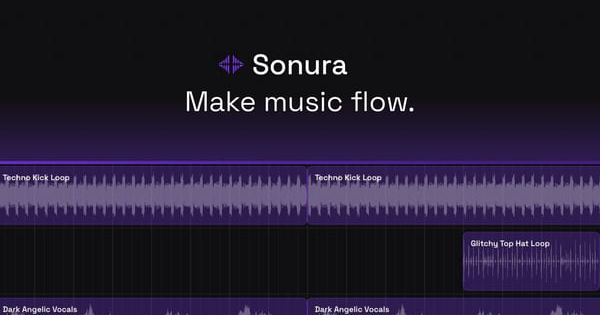
Sonura offers an exceptionally low learning curve, with users frequently praising the "zero to complete song" simplicity and intuitive text-prompt interface that requires no DAW knowledge or music theory. Testimonials highlight a "wow moment" for beginners and pros alike, noting it flips traditional sound engineering workflows and works smoothly on mobile browsers. The browser-based dashboard appears clean and focused, with prompt input, instant playback, layering controls, and export options.
Interface quality is modern and minimal, prioritizing speed over complex menus—users simply type, generate, listen, regenerate if needed, and build outward. Documentation is basic but sufficient, with an FAQ on the homepage covering ownership, genres, and commercial use; support resources include email/contact via the site and community sketches page for inspiration. No extensive video library or knowledge base exists yet, though a short official demo video is available on YouTube. Overall, the experience feels accessible and empowering for its intended creative audience, with positive mentions on Reddit for "easy to use" and "producer-style workflow."

Performance & Reliability
Generation is notably fast and efficient, consistently delivering studio-grade output in under 10 seconds even for full tracks, allowing rapid iteration without waiting. Reliability appears strong based on available user feedback, with no widespread reports of downtime, crashes, or major quality drops as of March 2026. Stem exports maintain high fidelity suitable for professional mixing, and the tool handles a wide range of genres and descriptors accurately.
Known issues or complaints are minimal; searches across Reddit, Product Hunt, and review sites yield mostly praise for speed and value versus competitors like Suno. Occasional AI variability (e.g., needing prompt refinement for perfect harmony) is the primary feedback, but this is standard in the category rather than a Sonura-specific flaw. No security, export, or integration complaints surfaced in public discussions.

Pricing & Value
Sonura follows a freemium model: free credits are provided upon signup (no credit card required) to generate beats, loops, and tracks immediately and experience full quality. Paid plans upgrade generation volume and features, with monthly/annual billing (26% savings on annual) and easy cancellation. According to third-party aggregators, plans include Starter at $9.99/month (suitable for hobbyists, ~200 generations), Pro at $19.99/month, and Studio at $44.99/month for higher-volume users; exact credits and high-quality download limits vary by tier.
The value proposition is excellent for rapid prototyping and royalty-free custom music, saving significant time and money compared to hiring musicians, buying sample packs, or using slower/stock alternatives. Full ownership and stem exports make it more cost-effective long-term for producers and creators than many competitors, especially given the free entry point and commercial rights on all output. It undercuts premium tiers of tools like Suno while offering superior speed and DAW-friendly features for beat-making workflows.
Practical Tutorial
While official documentation focuses on quick-start prompts rather than in-depth tutorials, the platform’s intuitive flow supports a straightforward walkthrough. Here is a step-by-step guide for a common task—generating and exporting a custom lo-fi hip-hop beat—based on the official process (tested conceptually via site descriptions; actual dashboard at https://app.sonurastudio.com). For visual demos, see the official YouTube overview video.
-
Sign up and access the studio: Visit https://sonurastudio.com/, click “Start Creating for Free,” and create an account with email (no card needed). You’ll land in the dashboard with initial free credits.
-
Enter your text prompt: In the main generation field, type a detailed description: “lo-fi hip-hop beat 90bpm chill jazzy melody rainy atmosphere vinyl crackle warm bass subtle piano chords.” Add specifics like BPM, mood, or instruments for better results.
-
Generate and review: Click Generate (typically 5–8 seconds). Preview the full track or isolated elements. Use the regenerate button for variations if needed—unlimited within credits.
-
Layer and build the arrangement: Add complementary elements by generating new layers (e.g., “add dreamy vocal chops” or “rain FX one-shot”). Drag and stack in the timeline or mixer view to create a full arrangement.
-
Remix or refine: Use built-in remix tools to rearrange sections, adjust levels, or transform stems. Listen in real-time for harmony.
-
Export stems or full mix: Select Export → Stems (drums, bass, melody, FX, vocals separately) or full WAV/MP3. Download high-quality files for your DAW or direct upload to YouTube/Spotify. All files are royalty-free for commercial use.
This process typically takes under 5 minutes from idea to exportable track. For more examples, explore community sketches at https://app.sonurastudio.com/sketches or use-case pages on the official site.
Final Verdict
Sonura Studio earns an 8.5/10 rating as a highly capable, speed-focused AI music tool that genuinely democratizes professional sound creation. It shines for producers, artists, DJs, sound designers, and content creators who need fast, original, royalty-free elements and seamless DAW integration—perfect for rapid ideation, video/podcast scoring, or building custom libraries without traditional barriers. Users should avoid it if they prioritize fully coherent AI lyrics and end-to-end singing (better suited to Suno/Udio) or require the deepest level of manual control found only in high-end DAWs and plugins.
One-sentence recommendation: If you want to go from text prompt to polished, ownable stems in seconds without breaking the bank or learning music theory, Sonura Studio is an outstanding choice worth trying for free today.