Sonura Review: Turn Text into Professional Music Stems Fast
Overview & Purpose

Sonura Studio is an AI-powered digital audio workstation designed for instant music production. Users describe what they want in plain text to generate royalty-free beats, loops, vocals, stems, one-shots, sound effects, and full tracks in seconds. It serves as a complete creative environment where producers can build, layer, remix, and export professional-quality audio without needing traditional instruments, music theory knowledge, or expensive sample libraries.
Primary use cases include rapid idea prototyping, overcoming creative blocks, creating custom sound design for videos/podcasts/games, generating stems for DAW integration (Ableton, FL Studio, Logic Pro, Pro Tools), and producing fully commercial-ready music for release on platforms like Spotify or YouTube. It democratizes music creation by turning text prompts into studio-grade output while emphasizing originality—every sound is uniquely generated rather than pulled from recycled libraries.
The target audience spans independent artists and producers, complete beginners, sound designers, content creators (YouTubers, podcasters, video editors), and even professionals seeking faster workflows. No prior production experience is required, making it accessible for hobbyists while offering export tools that fit established studio pipelines.

Key Features & Capabilities
Core functionality revolves around text-to-audio generation: type a description (e.g., “dark trap beat with 808s, gritty synth bass, and atmospheric pads at 140 BPM”), and the AI delivers production-ready elements in under 10 seconds on average. Users can generate individual components (loops, one-shots, vocals, FX) or full tracks, then layer them in a multi-track workspace, apply AI mixing, and export individual stems or a full mix.
Standout features that differentiate Sonura from competitors include:
- 100% unique, non-recycled audio with full commercial rights on every tier, including free—no royalty splits or licensing restrictions.
- Full stem export for seamless DAW workflows, plus AI-powered mixing.
- Real-time iteration and remixing: Share remix links for collaboration directly in the platform.
- Broad genre support covering trap, house, techno, pop, rock, jazz, lo-fi, drill, R&B, country, ambient, cinematic, and more.
- Built-in Sound Lab and vibe-mixing tools for advanced sound design without VST plugins.
Limitations include fewer independent long-term user reviews compared to more established tools like Suno or Udio, occasional generation inconsistencies common to AI audio platforms, and a focus on stem-based building blocks rather than fully polished end-to-end songs with advanced lyric/vocal control (better suited for instrumental or hybrid production). It does not yet offer deep MIDI editing or extensive plugin-style effects libraries, positioning it as a complement rather than full replacement for traditional DAWs.

User Experience
Sonura Studio boasts an exceptionally low learning curve. Beginners report going from zero to a complete song in minutes thanks to the intuitive text-prompt interface and visual multi-track workspace. The design prioritizes speed and simplicity—no complex menus or steep onboarding—while still providing professional tools like stem layering and export.
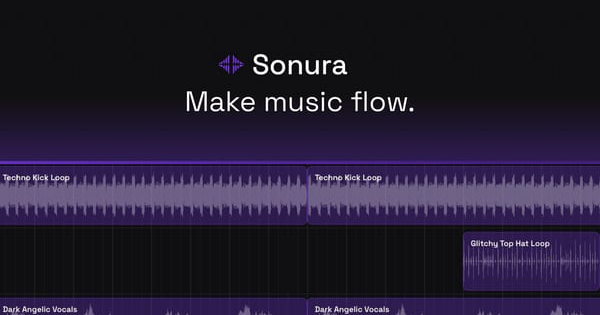
Interface quality feels modern and focused, resembling a streamlined browser-based DAW with clear controls for prompting, previewing, and arranging elements. Testimonials highlight its “perfect balance between complexity and ease of use” and how it eliminates dread around sound engineering.
Documentation is light but sufficient for core use; the official site and app include inline guidance, with support escalating to 24/7 priority help on paid plans. Community features like shared remix links and Product Hunt/Reddit discussions provide peer examples. Overall, the experience is praised for being fun, fast, and frustration-free for both novices and pros.

Performance & Reliability
Generation speed is a major strength—loops typically render in 5–8 seconds and full tracks in 8–12 seconds with no queues or delays noted. Output quality is consistently described as professional-grade and studio-ready, suitable for commercial release.
Known issues are minimal but include isolated reports of credits being deducted without successful stem generation, a common growing-pain complaint in early AI tools. As a relatively new platform (launched around October 2025), reliability continues to improve with updates like Sound Lab and vibe-mixing. No widespread outages or quality degradation appear in current user feedback as of April 2026. Performance remains strong across devices, with mobile compatibility highlighted by users.

Pricing & Value
Sonura offers a generous free tier with credits that let users generate at full quality immediately—no credit card required. All plans include commercial rights and stem export.
Paid tiers (as of April 2026):
- Starter: 200 generations/month.
- Pro: 500 generations/month, 24/7 support, early access ($20/month after $5 first-month trial; annual option saves ~20%).
- Studio: 1,000 generations/month, 1-on-1 support calls, custom features.
Value is excellent compared to alternatives: traditional sample packs (e.g., Splice) or stock libraries require ongoing subscriptions without unique generation, while other AI tools often limit commercial use or stem exports on lower tiers. Sonura’s combination of speed, ownership, and DAW integration makes it cost-effective for rapid prototyping, saving time and money versus hiring musicians or buying individual tracks. The $5 Pro trial lowers the barrier significantly.
Practical Tutorial
A common task is creating and exporting a custom lo-fi beat for video background music. Here’s a step-by-step walkthrough (based on official workflows; try it free at app.sonurastudio.com):
-
Sign up and start: Go to https://app.sonurastudio.com and create a free account (no card needed). You’ll receive initial credits.
-
Create a new project: Click to start a fresh sketch or track. Choose “Generate Loop” or “Full Track” mode.
-
Write your prompt: In the text box, describe precisely, e.g., “chill lo-fi hip hop beat, 85 BPM, warm vinyl crackle, jazzy piano chords, mellow bass, subtle rain FX, atmospheric pads, boom bap drums.” Add style references if desired (e.g., “in the style of J Dilla”).
-
Generate and preview: Hit generate—expect results in seconds. Preview the audio, then regenerate variations or adjust the prompt for tweaks.
-
Layer and arrange: Drag generated elements (drums, melody, bass, FX) into the multi-track timeline. Use AI mixing to balance levels automatically.
-
Export stems: Once satisfied, export individual stems (drums, bass, melody, vocals/FX) or the full high-quality mix as WAV/MP3. Import directly into your DAW for further editing.
-
Remix or share: Generate a shareable remix link or download for immediate use in videos (royalty-free, no copyright claims).
For more examples, check Sonura’s use-case pages (video editors, podcasts) or community sketches at https://app.sonurastudio.com/sketches. Promotional demo videos on their YouTube channel also illustrate advanced Sound Lab workflows.
Final Verdict
Overall rating: 8.5/10
Sonura Studio excels as a fast, accessible AI music production tool that genuinely accelerates workflows for creators who want original, ownable audio without traditional barriers. It shines for producers, artists, sound designers, and content creators needing quick, high-quality stems and loops with full commercial rights.
Who should use it: Anyone tired of scrolling sample libraries or spending hours in a DAW—especially independents, beginners, video creators, and beat makers looking to prototype ideas 10–20x faster while retaining creative control.
Who should avoid it: Users needing highly advanced vocal/lyric generation (consider Suno for that), ultra-granular MIDI editing, or who prefer fully mature ecosystems with extensive third-party integrations. Those uncomfortable with AI ethics in music may also hesitate.
One-sentence recommendation: If you want to turn text descriptions into professional, royalty-free music stems in seconds and export them straight into your DAW, Sonura Studio is one of the most practical and value-packed AI tools available today.