Sparkle Review: Automate Your Mac File Organization with AI
Overview & Purpose

Sparkle is a Mac-only AI-powered organizational tool that automatically creates a personalized folder system and sorts files in key locations such as Downloads, Desktop, Documents, custom folders, iCloud Drive, and Google Drive. It analyzes filenames (never opening or reading file contents) to categorize and move both new and existing files into logical subfolders, enabling a true “set it and forget it” workflow. Primary use cases include decluttering chaotic Downloads folders, organizing project assets, receipts, screenshots, and client documents, and maintaining a tidy digital workspace across local and cloud storage. Users report saving an average of 3.5 hours per week by eliminating manual sorting.
The target audience is any Mac user struggling with file clutter—particularly designers, marketers, developers, writers, freelancers, and knowledge workers who deal with high volumes of screenshots, reports, invoices, and project files but lack time for ongoing organization. It appeals to those who want automation without building complex rules, while remaining privacy-conscious and lightweight.
Research conducted as of March 2026.
Key Features & Capabilities
Core functionality revolves around turning any selected folder into a “Smart Folder” with three built-in libraries: Recents (holds new files for a short buffer period before sorting), AI Library (dynamically organized by the AI into personalized themes or projects), and Manual Library (preserves user-created structures untouched). The AI continuously monitors chosen folders, instantly organizes incoming files, and retroactively sorts existing ones after a quick analysis of filenames. Additional capabilities include local duplicate detection via content hashing, folder icons for visual scanning, pause/undo functionality, and support for cloud-synced folders.
Standout features that differentiate Sparkle include zero-configuration AI personalization (no rules to write, unlike Hazel), strong privacy (filenames sent securely and deleted after 30 days; files never leave the Mac or get read), and the intelligent three-tier system that protects manual work while automating the rest. It also scales to tens of millions of files across thousands of users without noticeable slowdowns.
Limitations include complete Mac exclusivity, reliance on descriptive filenames (generic names like “document.pdf” may sort imprecisely), requirement for an internet connection during AI categorization, and lack of advanced custom rules or deep content inspection. It does not delete files, organize external non-synced drives in all cases, or offer offline mode. Compared to rule-based alternatives, it trades granular control for simplicity.
User Experience
Setup takes 5–10 minutes with an exceptionally low learning curve: download, install, grant one-time Full Disk Access in System Settings, select folders, review the AI-proposed structure, and apply. The native macOS interface is clean, minimal, and intuitive, with clear previews before any files move and easy controls to pause or revert changes. Most users describe it as “set and forget” once configured.
Documentation consists of in-app guidance, an FAQ on the website covering common questions (permissions, Hazel comparison, undo process), and responsive email support at [email protected]. Official YouTube walkthroughs provide quick visual overviews. User feedback consistently praises the simplicity and immediate results, with minimal complaints about the interface.
Performance & Reliability
Initial organization of thousands of files completes in seconds to minutes, with ongoing monitoring running efficiently in the background at low resource usage (typically 100–150 MB RAM). The app has successfully handled over 50 million files for more than 10,000 users without reported data loss or major crashes. Duplicate detection works locally and accurately.
Known minor issues include occasional mis-categorization when filenames lack context (requiring quick manual moves) and the need for cloud sync to complete before large initial runs to avoid conflicts. No widespread slowdowns or reliability problems appear in user forums; testimonials highlight consistent performance and rediscovery of previously “lost” files. Early beta feedback has been addressed in updates.
Pricing & Value
Sparkle offers a 15-day free trial with no credit card required upfront and easy cancellation. Full access requires a subscription to Every’s AI bundle at $30 per month, which includes Sparkle plus complementary tools (Cora, Spiral, Monologue/Lex) and the entire Every content library. No standalone monthly or lifetime plan is prominently advertised on the official site (older reviews occasionally reference $10/month or lifetime options, but current purchasing flows through the bundle).
Value is excellent for users already interested in Every’s ecosystem or those who save multiple hours weekly—far outweighing the cost compared with manual effort or one-time purchases like Hazel (~$42). For single-tool needs, the bundled price may feel high, but the time savings and effortless automation deliver strong ROI for heavy Mac users.
Practical Tutorial
Sparkle provides an official 1-minute video walkthrough, and the process is straightforward enough to replicate in minutes. Here is a complete step-by-step guide for the common task of cleaning a messy Downloads folder (real example based on typical user workflows).
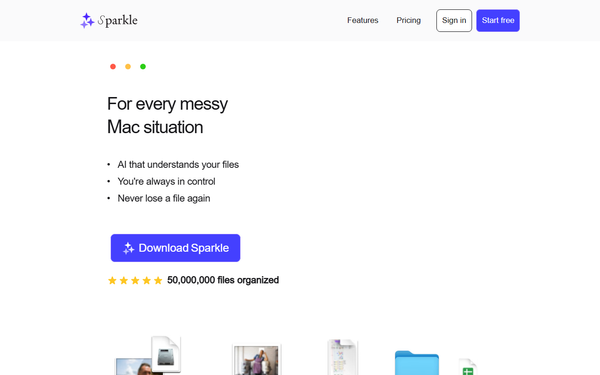
- Visit https://makeitsparkle.co/ and click “Download Sparkle” to get the latest macOS app.
- Open the downloaded .dmg, drag Sparkle to your Applications folder, and launch it.
- When prompted, go to System Settings > Privacy & Security > Full Disk Access and enable Sparkle (restart the app if needed).
- In Sparkle, click to add folders and select Downloads (or Desktop/Documents as desired).
- The AI instantly analyzes filenames and proposes a custom structure inside an AI Library folder (for a marketer this might create subfolders like “Screenshots”, “Campaign Assets”, “Invoices & Receipts”, “Client Projects”, and “Reports”).
- Review the suggested layout—adjust layout options (default, by project, or by file type) if available—then click “Organize Now”. Existing files move automatically; new files land first in Recents and sort after the short buffer.
- Monitor progress in the app; use the Manual Library for any folders you want untouched. New downloads (e.g., a client brief PDF named “Q2_Campaign_Brief_v2.pdf”) will automatically land in “Client Projects > Q2 Campaigns”.
Example outcome: A designer’s Downloads containing scattered PNGs, client PDFs, and receipts becomes instantly navigable with images grouped under “Visual Assets”, invoices under “Finance”, and project files under named client folders. Backup important data first, and you can undo any run via the app. For visual guidance, watch the official walkthrough: https://www.youtube.com/watch?v=GBkVIMxk90U. Additional tips are available in Every’s help center.
Final Verdict
Overall rating: 4.3/5
Sparkle is ideal for Mac users overwhelmed by digital clutter who want effortless, personalized automation and value time savings over manual control or cross-platform needs. It shines for designers, marketers, developers, and creatives who simply want files to organize themselves. Avoid it if you use Windows, prefer one-time purchases and full rule customization (Hazel is better), rely on poorly named files, or need deep file-content analysis.
Sparkle transforms chaotic Mac folders into intelligently organized havens with minimal effort—highly recommended for anyone tired of manual filing.