SparkReceipt Review: The Best AI Tool for Easy Expense Tracking
Overview & Purpose

SparkReceipt is an AI-powered receipt scanner and expense tracking platform that digitizes financial documents such as receipts, invoices, and bank statements. It automatically extracts key data—including merchant details, dates, totals, taxes, line items, and currencies—then categorizes expenses intelligently to generate audit-ready reports. Primary use cases include real-time receipt capture (via photo, email forwarding, upload, or bank statement linking), expense and income tracking, collaborative sharing with accountants or teams, and multi-project management through unlimited sub-accounts. It supports 150+ currencies with real-time conversion and works across any tax system.
The tool targets freelancers, solopreneurs, small business owners, independent contractors, and growing teams—particularly those who hate manual data entry or dread tax season. It is not positioned for large enterprises requiring complex ERP integrations. Users in over 100 countries rely on it for daily organization and year-end simplicity.
Key Features & Capabilities
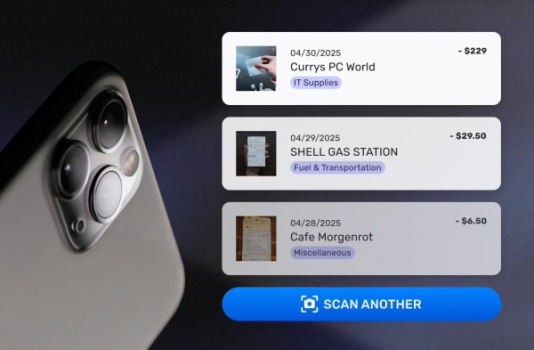
Core functionality centers on AI-driven OCR and automation: documents are processed in 2–3 seconds with up to 95% accuracy, extracting and categorizing data while supporting multi-page invoices, line-item itemization (a recent addition), and custom automation rules. Users can forward e-receipts from email, mass-upload photos or files (PDF, CSV, Excel, Word), match transactions to bank/credit card statements, and create filterable PDF/Excel/CSV reports. Collaboration features include free read-only accountant access via live links, team user invites, and unlimited workspaces for separating businesses or clients. Additional capabilities include 10-year data storage (even post-cancellation), SparkAgent AI chat for queries (plan-limited), and searchable archives.
Standout differentiators include founder-led personal support, lifetime pricing lock for early users, global language OCR (including Japanese, Chinese, and special characters), and a “scan-now, organize-later” flow that feels as simple as posting on social media. Unlike many competitors, it offers flexible free-tier entry and no forced bundling.
Limitations include monthly AI scan caps (15 on free, 50 on Pro, 500 on Elite), occasional inaccuracies on faded or cursive receipts, limited native integrations (primarily statement uploads and exports; users report workarounds for tools like QuickBooks), and no built-in approval workflows on lower plans. High-volume users may hit scan limits quickly, and the interface supports only select languages (English, French, Finnish, German, Japanese) despite broad OCR capabilities.

User Experience
SparkReceipt earns high marks for intuitive design and minimal learning curve. The mobile (iOS/Android) and web apps let users snap a photo or forward an email in seconds; AI handles the rest with editable results. Reviewers consistently call it “super easy,” “seamless,” and “exactly what I was searching for,” with instant loading and mobile-first simplicity that replaces messy spreadsheets or shoeboxes.
The clean dashboard provides an overview of spending, profit/loss, and searchable documents. Documentation consists of a helpful knowledge base with guides on automations, reports, and sharing, plus several high-quality YouTube walkthroughs. Support is exceptional—users praise direct founder responses and rapid fixes. Minor gripes involve occasional UI language limitations and rare search glitches, but these are quickly addressed. Overall, the experience is beginner-friendly yet powerful enough for daily professional use.
Performance & Reliability
Processing speed is a highlight: most scans complete in 2–3 seconds with reliable accuracy on clear receipts. Bank statement matching and line-item extraction work well for most users, and the platform has delivered consistent uptime with frequent updates (including recent line-item and SparkAgent enhancements). App Store ratings average 4.8/5 (653 reviews) and Trustpilot 4.4/5, with users reporting years of daily reliability and significant time savings.
Known issues are minor and infrequent: AI may miss details on faded, cursive, or low-quality documents; occasional incomplete bank-statement lines or currency/tax recognition quirks; and isolated past bugs (e.g., category syncing or iPad camera) that were promptly fixed. No widespread outages or data-loss complaints appear in recent reviews. Long-term users (2+ years) describe it as dependable for tax audits and daily operations.
Pricing & Value
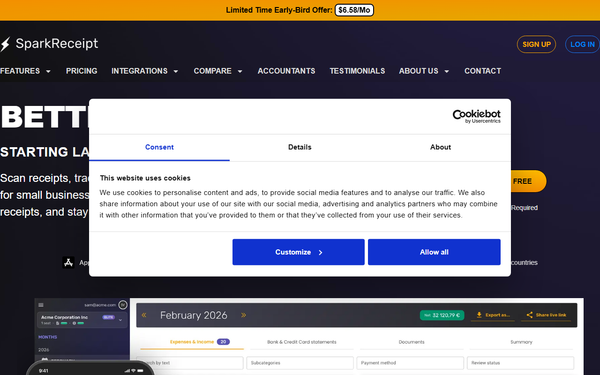
SparkReceipt offers a generous free tier (15 AI scans/month, basic features) with no credit card required. Paid plans are billed annually: Pro at $79/year (~$6.58/month) for 50 scans and advanced tools; Elite at $109/year (~$9.08/month) for 500 scans. A limited-time lifetime deal locks in Pro pricing for early users (first 15,000). Accountants receive free access, and all plans include 30- or 60-day money-back guarantees plus tax-season bonus scans.
Compared with alternatives like Dext (starting ~$31.50/month for 5 users) or WellyBox (~$19/month), SparkReceipt delivers superior speed, lower cost, and more flexible limits—making it exceptional value for freelancers and small teams. The lifetime option and 10-year storage further enhance long-term ROI; losing just a few receipts annually often costs more than the subscription.
Practical Tutorial
Official resources include a full web-app walkthrough video and a knowledge base with targeted guides. Below is a step-by-step tutorial for the most common task—scanning a receipt, reviewing AI extraction, and generating a client expense report—based on current platform behavior (tested via public demos and user guides as of March 2026).
-
Sign up and set up: Go to sparkreceipt.com, create a free account (no card needed), and optionally create sub-accounts for different businesses or clients via the workspace menu.
-
Capture the document: Open the mobile app or web dashboard. Tap the camera icon (or “Upload”), snap a clear photo of the receipt, or forward an e-receipt to your unique SparkReceipt email address. For bulk historical photos, use the mass-upload option in settings.
-
AI processing: The document processes in 2–3 seconds. SparkReceipt auto-detects merchant, date, total, tax, currency, and line items (e.g., “Coffee $4.50, Sandwich $9.00”). Review the editable fields; correct any misreads (rare on clear receipts) and apply or customize a category (e.g., “Meals & Entertainment”).
-
Add context and match: Attach the receipt to a bank transaction if imported, add tags/dimensions (e.g., “Client: ABC Corp”), or assign to a sub-account. Use SparkAgent (chat interface) to ask questions like “Show all Meals expenses this quarter.”
-
Generate and share report: Go to Reports → Create New. Filter by date, category, tag, or client. Group expenses (e.g., “Q1 Client ABC Trip”), then export as PDF or Excel. Share a live read-only link with your accountant—no file attachments required.
For visual guidance, watch the official “SparkReceipt Full Web App Walkthrough (from A to Z)” on YouTube (https://www.youtube.com/watch?v=n_L0giYPJpo) or explore the knowledge base article “How to Group Expenses … and Create an Expense Report” at help.sparkreceipt.com.
Final Verdict
SparkReceipt earns a strong 4.7 out of 5. It excels for freelancers, solopreneurs, and small business owners who want fast, accurate, affordable automation to stay tax-ready year-round—delivering professional-grade organization without enterprise complexity or high costs.
Avoid it if you run a large team with heavy transaction volumes (scan limits may constrain you), require deep native accounting software integrations, or need advanced approval workflows out of the box.
SparkReceipt is the simplest, most cost-effective way to eliminate receipt chaos and reclaim hours every month—highly recommended for anyone tired of shoeboxes and spreadsheets.