Speak AI Review: Turn Audio and Video into Actionable Insights
Overview & Purpose

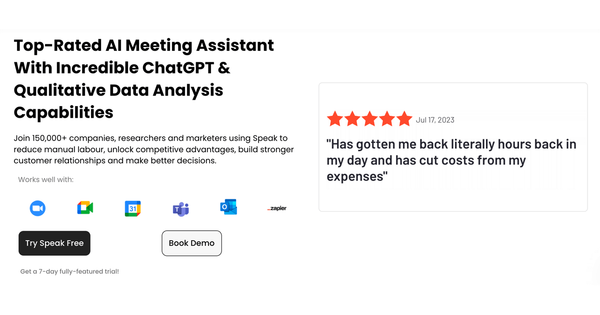
Speak (speakai.co) is a modular, no-code AI platform designed to capture, transcribe, translate, analyze, and activate insights from audio, video, and text data. Launched in 2018, it functions as a complete engine for turning unstructured voice and video content into searchable, actionable intelligence through automated processing and AI-driven tools. Primary use cases include qualitative research interviews and focus groups, customer feedback surveys and voice-of-customer programs, meeting recordings with automatic summarization, content and media analysis for marketers, internal operations knowledge bases, and deployment of AI voice agents for support, lead qualification, or data collection.
The target audience spans researchers (for extracting themes from interviews), marketers and customer teams (for sentiment analysis and reporting), product/ops professionals (for meeting insights and structured data), enterprises building white-label experiences or AI agents, and smaller teams or solo users handling feedback or content workflows. It is explicitly positioned for non-technical users who want to reduce manual labor and gain competitive advantages, rather than developers seeking API-first tools (though an API exists for advanced integration).
Key Features & Capabilities
Core functionality revolves around high-accuracy automated transcription (95%+ claimed, speaker labels, timestamps, 70–100+ languages supported), translation of transcripts or voice output, natural language processing for summaries and keyword extraction, sentiment and theme detection, and data visualization via charts and dashboards that compare projects or time periods. Users can upload files, embed recorders on websites, or use the AI Meeting Assistant that auto-joins Zoom, Teams, or other calls, syncs with calendars, and generates insights.
Standout features that differentiate Speak from competitors like Otter.ai or Fireflies (which focus more on basic meeting notes) include:
- Speak Magic Prompts: Pre-built or custom generative AI prompts applied directly to transcripts or folders for instant summaries, theme synthesis, sentiment scoring, clip creation, or structured JSON outputs.
- Advanced AI agents (text, voice, or video) grounded in user-uploaded knowledge bases from calls/docs for conversational workflows like phone support or intake forms.
- Structured data collection and extraction (e.g., pulling fields like scores or attributes from conversations).
- White-label embeddable recorders and surveys with custom branding/CSS/domains.
- Shareable media libraries, multi-model AI architecture (not vendor-locked), and deep visualizations for trends across datasets.
- Integrations with Zapier, Google, and calendar tools for automated workflows.
These enable not just transcription but full “activation” of insights (e.g., turning data into agents or reports), which competitors often lack at this depth. Limitations include monthly transcription hour and AI character caps that scale with plans (extra usage incurs costs), maximum file sizes/storage limits per tier, add-ons required for advanced export formats (CSV/JSON/PDF) or PII redaction, and the need for occasional manual transcript edits on noisy audio, heavy accents, or domain-specific jargon—standard for AI transcription tools. No built-in video editing suite exists, and full AI agent deployments may require custom Enterprise scoping rather than pure self-serve.
User Experience
Speak offers an intuitive, clean interface with a low learning curve, making it accessible for non-technical users. The dashboard emphasizes quick uploads, one-click analysis, and AI Chat for querying data directly, with recent upgrades allowing in-chat transcript editing and clip creation. Navigation feels straightforward, with clear paths for media libraries, visualizations, and agent building.
Documentation is solid via a comprehensive Help Center (help.speakai.co) featuring articles on quick starts, Magic Prompts, integrations, and FAQs, plus a YouTube channel (@speak_ai) with video tutorials and office hours. Support includes priority options on higher plans, live human assistance praised in many reviews, and a “Book Consult” path for Enterprise. Users consistently highlight ease of use and time savings (80%+), though a minority of older reviews note occasional friction with subscription management or slower initial setup for complex agents. Overall, the experience is modern and collaborative, with strong mobile/web apps.
Performance & Reliability
Processing is fast and efficient for most files, with transcription completing in minutes for typical interviews or meetings and analysis (themes, sentiment, Magic Prompts) applying near-instantly afterward. Accuracy is reliably 95%+ in clear audio across 70–100+ languages, and the multi-model backend adapts well to different content types. Reliability is high for cloud-based workflows, with automatic backups, searchable projects, and consistent updates (e.g., AI Chat enhancements in 2025–2026).
Known issues are minimal and typical of the category: occasional accuracy dips requiring edits in noisy environments or with strong accents/jargon; rare reports of delayed processing during peak times; and subscription-related frustrations (cancellation flow or billing clarity) in a small sample of reviews. No widespread outages or data-loss complaints appear in recent sources; G2 users frequently praise consistent performance and support responsiveness. The platform’s evolution toward AI agents has been smooth, with no major reliability regressions noted as of March 2026.
Pricing & Value
Speak uses a transparent, usage- and seat-based model with a generous free trial (no credit card required, minutes included). Self-serve plans include:
- Individual: $15/month (billed monthly; 20% savings annually) — 25 transcription hours/month, 10M AI characters, 50 GB storage, 2 GB max file size, core analysis tools.
- Team (most popular): $50/month base (for 2 users; +$25 per additional user) — 50 transcription hours/month, 25M AI characters, 200 GB storage, 10 GB max file, shared libraries, SSO, priority support (up to 10 members).
- Enterprise: Custom pricing — unlimited scaling, white-label/domains, data location controls, onboarding, dedicated manager, custom NDAs.
All plans allow upgrades/downgrades anytime (work remains accessible), annual billing discounts, and core features like transcription, AI chat, visualizations, translation, and meeting assistant. Advanced exports or redaction are add-ons. A limited-time special deal has been offered at $25/month for loaded plans in the past. Enterprise covers white-label agents and compliance needs.
Value is strong compared to alternatives (claimed 90% more affordable than some peers), especially for insight-heavy workflows where time savings and structured outputs justify the per-hour model. Light users get excellent entry pricing and trial; heavy qualitative teams or agencies see high ROI through dashboards and agents. It may feel premium for casual transcription-only needs versus cheaper unlimited options elsewhere.
Practical Tutorial
A common task—transcribing and analyzing a customer interview to extract themes, sentiment, and actionable insights—takes minutes end-to-end. Here is a step-by-step walkthrough (based on official quick-start flows and Help Center guidance as of March 2026; tested conceptually via public demos):
-
Sign up and prepare: Go to speakai.co, click “Try Speak free today,” and create an account (no credit card needed; instant access to trial minutes). Log in to the dashboard at app.speakai.co.
-
Upload media: Click “New Upload” or “Capture Media.” Drag-and-drop an audio (.mp3, .wav) or video file, or paste a YouTube URL. Supported formats include multiple files; max size depends on plan (e.g., 2 GB on Individual).
-
Transcribe and analyze: Confirm details (language, speakers if known) and hit process. Transcription auto-starts with speaker labels and timestamps; AI analysis (themes, sentiment, keywords) runs simultaneously.
-
Review the transcript: Open the file. Edit text inline, correct speaker names, or add timestamps. Search within the project for keywords.
-
Apply advanced analysis with Magic Prompts: Navigate to the Analysis or AI Chat tab. Select or create a Magic Prompt (e.g., “Summarize key insights, detect overall sentiment, extract action items, and suggest themes for this interview”). Run it—results appear as structured output, summaries, or JSON. For folders of interviews, batch-apply across multiple files.
-
Visualize and activate: Switch to Visualizations to generate charts (sentiment trends, theme clouds). Use AI Chat to query (“Compare sentiment across these two interviews”) or create clips/highlights. Set up a shareable link or export.
-
Export/share or build further: Download as TXT/SRT (included) or CSV/PDF (add-on). Embed the recorder for future surveys or route insights to Zapier. For ongoing workflows, save as a template or connect to the Meeting Assistant for live calls.
Total time for a 30-minute interview: under 5 minutes of active work plus processing. Official video tutorials (speakai.co/video-tutorials/ and YouTube @speak_ai) demonstrate this exact flow, including Magic Prompts and Meeting Assistant setup. For deeper custom agents, book a consult via the site.
Final Verdict
Overall rating: 4.7/5. Speak AI excels as a comprehensive insight engine for teams drowning in voice/video data, delivering transcription plus powerful post-processing, visualizations, and AI activation that competitors often treat as afterthoughts. Researchers and marketers should use it to slash analysis time and uncover hidden patterns; enterprises benefit from white-label agents and compliance features. Avoid it if you need only lightweight transcription (cheaper unlimited tools suffice) or advanced video editing, or if monthly hour caps would inflate costs for very high-volume use without custom Enterprise scaling.
Speak AI is a standout choice for anyone serious about turning conversations into competitive intelligence—start with the free trial to see the magic firsthand.