Speech To Note Review: Transform Voice into Organized Notes
Overview & Purpose
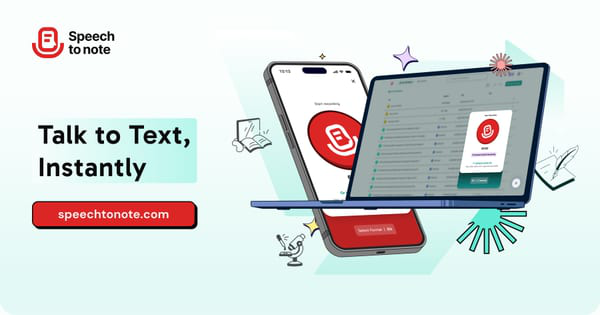
Speech To Note (speechtonote.com) is an AI-powered voice-to-text tool designed to convert spoken language into organized, editable written notes instantly. Users can speak directly or upload audio files, and the platform transcribes the content while using advanced AI models to summarize and format it into structured notes. Primary use cases include capturing lectures and discussions for students, documenting meetings and follow-ups for professionals, drafting scripts or ideas for creators and journalists, and maintaining patient records for doctors. It facilitates hands-free note-taking, making it particularly valuable for those who think faster than they type or face challenges with manual typing.
The target audience spans students and educators, busy professionals and teams, content creators, podcasters, journalists, healthcare providers, and anyone seeking to organize personal thoughts, brainstorming sessions, or daily reflections more efficiently. While useful for developers, marketers, and designers capturing ideas or meeting insights, its core appeal is to knowledge workers and individuals prioritizing productivity through voice.
Key Features & Capabilities
Core functionality involves real-time or near-instant speech-to-text transcription powered by sophisticated AI models including GPT-5, Claude Haiku, and Meta Llama variants for high accuracy and intelligent summarization. Users select from over 30 smart note formats—such as meeting minutes, email drafts, to-do lists, blog outlines, or custom templates—to automatically structure the output.
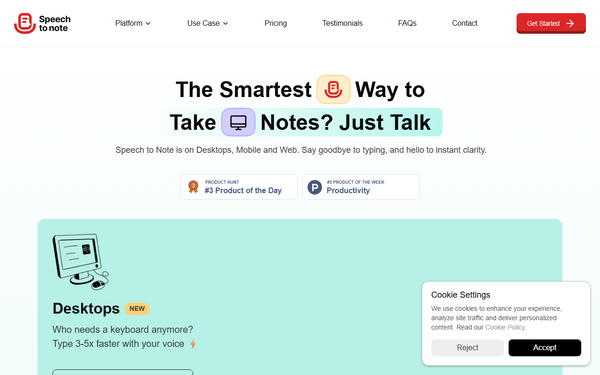
Standout features include support for 40+ languages, offline recording mode (notes process when online), organizational tools like folders and tags, easy editing of transcripts, sharing via links or exports, and audio download. Privacy is emphasized with end-to-end encryption and user-controlled data access. A desktop companion app for Mac enables system-wide voice input. Cross-device synchronization supports seamless use on web, mobile, and desktop.
Compared to competitors like Otter.ai (strong in team collaboration and speaker identification) or basic dictation apps, Speech To Note differentiates through its emphasis on AI-driven note formatting and summarization tailored for personal or quick professional organization rather than enterprise meeting management.
Limitations include restricted recording lengths on the free tier (often cited as short durations like 1-15 minutes per note), potential restrictions on audio downloads, and limited native integrations with other apps. Full AI summarization and longer recordings require paid plans. Accuracy can dip with heavy accents, background noise, or poor audio quality, though it's praised for clear speech and domain-specific terms.
User Experience
Speech To Note boasts an exceptionally intuitive interface with a clean, minimalist design that requires almost no learning curve. Users report that core functions—record, transcribe, format, and share—are accessible in just a few taps or clicks, with no complex menus.
The web app works smoothly across devices, supplemented by dedicated Android and iOS mobile apps plus the Mac desktop companion for convenient voice typing anywhere on the system. Documentation includes a helpful FAQ section, a blog with practical guides (such as installing the desktop companion), and community resources. Customer support receives positive mentions in testimonials for responsiveness. Overall, it's highly accessible even for non-tech-savvy users.
Performance & Reliability
The tool delivers fast transcription and summarization, often processing inputs in near real-time or within minutes for uploads. Users and reviews highlight strong accuracy rates, especially with clear enunciation, crediting the multiple AI model options for professional-grade results. Features like background processing and folder organization enhance workflow reliability.
Common complaints are relatively minor and typical for the category: reduced performance in noisy environments or with strong accents, and occasional bugs with very long recordings (though platform updates, such as improved processing, address these). On established platforms like AppSumo, it holds a solid 4.61/5 rating from verified users, with praise for reliability in daily use; Product Hunt users award it a perfect 5.0/5 across 24 reviews for accuracy and ease. As of research in March 2026, ongoing updates continue to improve stability.
Pricing & Value
Speech To Note follows a freemium model. The free tier allows users to start immediately without a credit card, supporting essential transcription for short notes and basic organization—ideal for testing or occasional use. Paid Pro and Pro+ plans unlock longer recording durations, unlimited usage, additional storage, priority features, and full access to advanced formats and exports (historical lifetime deals via AppSumo ranged around $59–$98 one-time).
While exact subscription costs are detailed at app.speechtonote.com/pricing, the structure is considered competitive with a 60-day money-back guarantee on deals. Value is high for individual users due to time savings (speaking 3-5x faster than typing) and unique formatting capabilities compared to basic speech-to-text tools or more expensive meeting-focused alternatives like Otter.ai. It's particularly cost-effective for solopreneurs and students versus per-minute billing services.
Practical Tutorial
A common task is converting a spoken meeting recap or lecture into polished, shareable notes. Here's a step-by-step walkthrough (based on the official three-step process and user demos; for video guides, search YouTube for "Speech To Note Review" or check the site's blog):
-
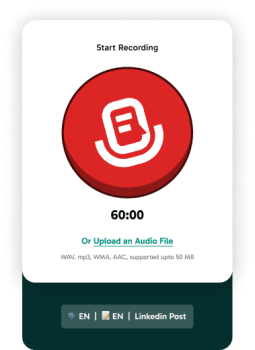
Sign up and start recording: Visit speechtonote.com, create a free account, and navigate to the main recording interface (or install the Mac desktop companion for system access via their blog guide). Tap or click the record button and begin speaking your thoughts, meeting summary, or play an uploaded audio file (up to plan limits). Offline mode allows recording without internet.
-
Process and choose format: Stop recording or upload completes. The AI transcribes the speech automatically. Select a smart note format from the 30+ options, such as "Meeting Minutes" or "Action Items List." Advanced AI models will generate a summarized, structured version with key points, decisions, and follow-ups.
-
Edit, organize, and share: Review the editable text—correct any errors, refine language if needed. Add tags or move to a specific folder for organization. Download the note and original audio (if permitted by plan) or generate a shareable link. Export to formats like TXT, PDF, or copy directly for use in email/docs.
Example: A journalist recording a 10-minute interview can upload it, choose an "Interview Summary" format, and quickly get bullet points of quotes and insights ready for article drafting.
For official resources, visit speechtonote.com/blog for setup guides or their testimonial/FAQ pages.
Final Verdict
Overall rating: 4.5 out of 5.
Speech To Note is best suited for students, professionals, creators, and healthcare workers who prefer speaking their ideas and need quick, intelligently formatted notes without extensive manual editing—excelling in personal productivity and idea capture. Those requiring robust team collaboration, advanced speaker diarization, or heavy enterprise integrations should avoid it or supplement with other tools.
One-sentence recommendation: If you want to transform spoken words into well-organized, professional notes with minimal effort, Speech To Note is an excellent, user-friendly choice worth starting with for free.
(Note: Research conducted March 2026 via official website, AppSumo/ProductHunt reviews, Capterra, and related publications. Tools evolve rapidly; check current details on the site.)