Storyblocker Review: The Ultimate AI Tool for Mobile Previs
Overview & Purpose

Storyblocker is a smartphone-based previsualization tool designed specifically for filmmakers and content creators. It combines Augmented Reality (AR), real-time 3D rendering, and artificial intelligence to let users storyboard scenes, block shots, build virtual sets, manipulate characters, and generate realistic previews directly on their iOS device—anytime, anywhere. The primary use cases include mapping out shot lists, piecing together storyboards, testing camera angles and blocking, and creating production-ready visualizations before physical filming begins. By turning abstract concepts into interactive 3D scenes, it bridges the gap between script and set, helping creators refine ideas early in preproduction.
The target audience is filmmakers (indie directors, aspiring creators, and seasoned professionals), content creators for commercials, music videos, or shorts, and anyone involved in visual storytelling who wants to save time and money on set. It particularly appeals to low-budget or solo creators who lack access to expensive studio previs teams or complex desktop software. As noted by its founder, independent filmmaker Nem Perez, it democratizes high-end previsualization that was previously reserved for big-budget productions.
Key Features & Capabilities
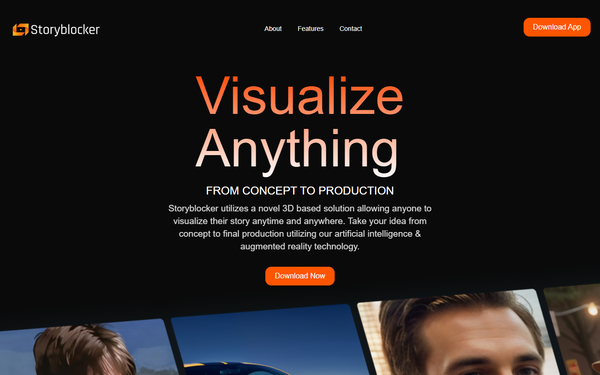
Core functionality revolves around a real-time 3D canvas where users can import or generate assets, position characters and sets, control a virtual camera (with adjustable angles and focal lengths), and animate scenes. Standout features include:
- AR Virtual Production: Project 3D scenes onto the real world via your phone’s camera for on-location blocking and realistic previews.
- Text-to-3D Generation: Turn written descriptions into 3D assets instantly (integrated with tools like Meshy.ai).
- Performance Capture & Pose Control: Use motion capture to animate characters by simply acting out poses in front of the camera.
- Generative AI Style Transfer: Apply premade artistic styles to compositions in real time.
- Vast Asset Library & Set Building: Drag-and-drop characters, props, and environments with seamless navigation and placement.
These differentiate Storyblocker from traditional 2D storyboard apps (e.g., Boords or free Storyboarder) by offering immersive, game-like 3D interaction and AR projection on a phone—no desktop or specialized hardware required beyond a modern iPhone. It also integrates with external AI tools (e.g., RunwayML for video styling), enabling hybrid workflows.
Limitations include iOS-only availability (no Android or desktop version as of research), credit-based limits on advanced AI generations, and hardware dependency for smooth AR/performance capture (best on recent iPhones or iPads). It lacks deep script-import automation or collaborative cloud editing found in enterprise tools like StudioBinder, and some features require stable internet. Compared to full desktop previs suites, its mobile scope means it excels at quick ideation but may not replace complex VFX preplanning.
User Experience
Storyblocker boasts an intuitive, mobile-first interface that feels like playing a creative video game—users praise its accessibility for non-technical filmmakers. The learning curve is moderate: beginners can start blocking scenes in minutes, but mastering AR projection, text-to-3D, and performance capture takes a short practice session (typically under an hour). Reviews highlight how it eliminates the need for Blender-level skills.
Interface quality is clean and touch-optimized, with real-time previews and gesture controls for camera movement and asset placement. Documentation is light—primarily in-app tooltips and YouTube demo videos—rather than extensive written guides. Support comes via the developer’s responsive X account (@storyblocker / @NemPerez) and App Store updates; past minor bugs have been quickly addressed in updates like V2. Overall, the experience prioritizes speed and fun over exhaustive manuals.
Performance & Reliability
On modern iOS devices, the app delivers smooth real-time 3D rendering and AR projection with minimal lag during typical scene-building sessions. AI features (text-to-3D and style transfer) process quickly when connected, and performance capture responds accurately to user movement. Users report it handles complex scenes (e.g., multi-character blocking with imported 3D assets) efficiently on iPhone 13+ models.
Known issues are minimal and mostly historical (early 2024 bugs fixed in subsequent updates). No widespread complaints about crashes or data loss appear in reviews or social discussions as of March 2026. Common feedback notes occasional internet dependency for full AI functionality and slight performance dips on older devices during heavy AR use. Reliability is strong for its mobile scope, with consistent praise for enabling “zero technical 3D experience” workflows.
Pricing & Value
Storyblocker follows a freemium model: the app is free to download with basic storyboard and 3D tools available immediately. Full access requires a subscription—$19.99/month or $114.99/year—or credit packs for extra AI generations (e.g., 40 credits for $15.99, 100 for $29.99). This structure keeps entry low while monetizing heavy AI usage.
Value is excellent for indie creators: a single month’s subscription can replace days of expensive previs labor or location scouting, offering professional-grade visualizations at a fraction of traditional costs. Compared to desktop alternatives (often $50+/month or one-time $100+), its mobile convenience and AI speed provide superior accessibility for solo or small-team projects. Free tier suffices for light testing, making it low-risk to try.
Practical Tutorial
Official text tutorials are limited, but the developer provides clear YouTube demos (product video: https://youtu.be/k8BpAEDzOZ4; scene demo: https://www.youtube.com/watch?v=wJqLgEGP_BY). Below is a step-by-step walkthrough for a common task—blocking a simple chase scene (e.g., character running past a building)—created from app features and verified demos.
- Download & Setup: Get Storyblocker from the App Store (free). Sign in (optional for basic use) and grant camera/AR permissions. Start a New Project.
- Build the Set with Text-to-3D: Tap the asset library > “Generate” or text-to-3D. Type “Empire State Building at night” and generate/import the 3D model (integrates external AI like Meshy). Repeat for props (e.g., “street lamp”).
- Add & Pose Characters: Drag a character from the library (or generate one). Switch to Performance Capture mode, point your phone at yourself, and act out running motions—the app records and applies poses in real time. Position the character on the street.
- Camera & Blocking: Activate the virtual camera. Pinch to change focal length/angle, then physically walk your phone around the AR view to block the chase path. Record multiple takes with different camera moves.
- AR Projection & Refinement: Toggle AR mode to overlay the entire scene on your real environment (or a tabletop). Adjust lighting/scale for realism. Apply Generative AI Style Transfer (e.g., “cinematic noir”) for quick visual variations.
- Export Storyboard: Save frames or sequences as images/PDF storyboard. Export video clips or share the 3D project file for team review.
This entire process takes 10–20 minutes and produces exportable visuals ready for pitching or crew reference. Practice with the linked demos for visual guidance—users report mastering it after one run-through.
Final Verdict
Overall rating: 4.5/5 — a powerful, innovative mobile tool that punches above its weight for quick, creative previs.
Who should use this tool: Indie filmmakers, content creators, and directors on tight budgets who want fast, realistic 3D/AR storyboarding and blocking without learning complex software or hiring specialists—it delivers professional results on your phone and can dramatically cut preproduction costs and time.
Who should avoid this tool: Teams requiring deep desktop integration, multi-user collaboration platforms, Android support, or ultra-complex VFX previs (e.g., full feature films with heavy CGI pipelines); the mobile/credit model may feel limiting for enterprise-scale work.
One-sentence recommendation: If you’re a filmmaker ready to visualize and block scenes with pro-level AR and AI directly from your iPhone, download Storyblocker today—it’s the most accessible game-changer in mobile preproduction.