Storyteller AI Review: Create 3D Animated Films with Ease

Overview & Purpose
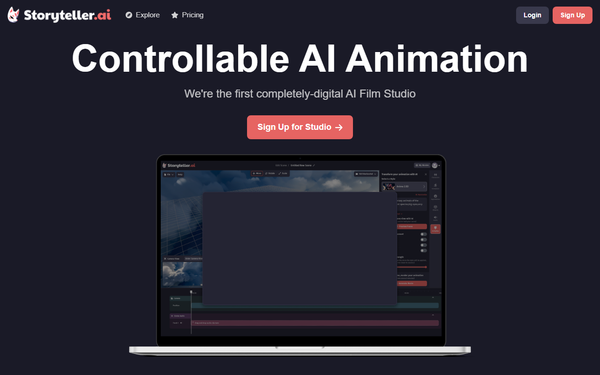
Storyteller.ai is a web-based AI-powered 3D creation engine that functions as a fully digital AI Film Studio, enabling users to build customizable 3D scenes, animate characters and objects, and generate dynamic videos or short films entirely in-browser. Its primary purpose is to democratize filmmaking by allowing creators to produce professional-quality 3D animations without physical sets, expensive equipment, or advanced technical skills. Users input scenes via asset libraries or uploads, apply motion capture for realistic movement, integrate voice elements, and export styled videos—ideal for narrative-driven content such as short films, music videos, or interactive stories.
Target audience includes independent filmmakers, content creators, digital artists, and hobbyists who want accessible 3D storytelling tools. It appeals particularly to those without studio resources, such as solo YouTubers or indie game developers extending into video, rather than large studios or developers needing enterprise-scale pipelines.
Key Features & Capabilities
Core functionality revolves around an intuitive 3D scene builder where users add characters, objects, and environments from prebuilt assets or open-source model uploads, followed by controllable AI animation. Standout features include facial and body motion capture (record directly via webcam for realistic expressions and movements), zero-shot voice conversion with lip-sync (record your voice and transform it using thousands of community voices, often integrated with platforms like FakeYou), artistic style transformations (convert scenes to anime, cyberpunk, realistic, or custom aesthetics), and dynamic video generation with community sharing/remixing.
These differentiate it from pure text-to-video competitors like Runway or Sora by emphasizing “artist in the loop” control—users guide animations through mocap and 3D editing rather than relying solely on prompts—delivering more precise, cinematic results in a fully digital studio environment. Community features allow remixing others’ scenes for collaborative creativity.
Limitations include a potential learning curve for complete beginners unfamiliar with 3D concepts, dependency on AI which can occasionally produce inconsistencies in complex scenes, and generation limits tied to subscription tiers (e.g., shorter audio clips on lower plans). Missing features noted in comparisons: advanced physics simulation or collaborative real-time editing found in high-end tools like Blender with AI plugins; it remains more streamlined for quick film production than exhaustive post-production.
User Experience
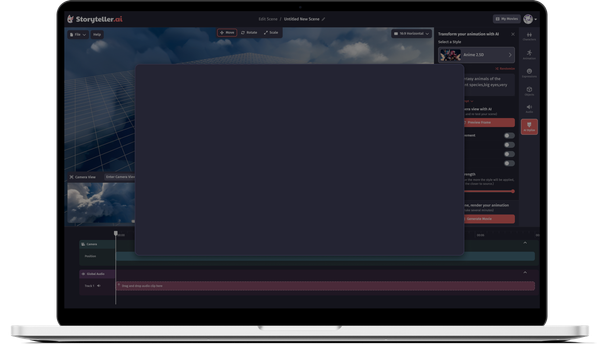
The interface is a clean, modern web dashboard (accessed after signup at storyteller.ai or studio.storyteller.ai) with drag-and-drop scene building, real-time preview, and tool tabs for mocap, voice, and styling—making it accessible yet feature-rich. Ease of use is high for those with basic creative software experience, but the comprehensive toolkit presents a moderate learning curve for absolute novices; most users report getting a basic scene animated within minutes once familiar.
Documentation is limited primarily to in-app tooltips and an explore gallery of user examples (e.g., anime cyberpunk workflows); support comes via community channels like Discord and occasional YouTube demos rather than extensive official guides. No major complaints about UI bugs surfaced in available feedback, though beta-stage elements may occasionally require workarounds.
Performance & Reliability
Generation speed varies by plan—free or Plus tiers use standard priority (minutes per short clip), while Pro/Elite offer faster processing and longer outputs. Efficiency shines for short-form content (under 4 minutes), leveraging cloud AI for mocap and voice without local hardware demands. Reliability is generally strong for core tasks, with positive user demos highlighting consistent lip-sync and mocap accuracy.
Known issues or common complaints are minimal due to the tool’s niche adoption; occasional AI inconsistencies in highly detailed scenes or queue delays on free tiers appear in scattered discussions, but no widespread outages or quality drops were reported as of March 2026 research. Overall, it performs reliably for its intended indie-scale use cases.
Pricing & Value
Storyteller.ai follows a freemium model with a limited free tier for testing basic scene building and short generations. Paid plans include Plus (~$7/month) for normal-priority processing, unlimited TTS up to 30-second clips, and voice-to-video up to 4 minutes; Pro (~$15/month) adds faster generation, private model uploads, and extended limits; Elite (~$25/month) provides top-tier speed and priority. All are billed monthly with credit-based usage for renders.
Value is strong compared to alternatives like HeyGen or Runway for creators needing full 3D control and mocap—offering an all-in-one studio at a fraction of traditional software-plus-hardware costs. Free tier allows meaningful experimentation, making it accessible, though heavy users will upgrade quickly for production-quality exports. It excels in cost-efficiency for independent creators versus hiring animators or renting studios.
Practical Tutorial
No comprehensive official video tutorial series exists on the site (check https://storyteller.ai/explore for user-shared examples and https://storyteller.ai for in-app guides), so here is a step-by-step walkthrough for a common task: creating a 30-second animated character dialogue scene (e.g., a cyberpunk detective delivering a monologue). This is based on documented workflows from the platform and community demos as of March 2026.
-
Sign up and start a project: Go to https://storyteller.ai/, create a free account (often linked via FakeYou for voice access), and log into the Studio dashboard. Click “New Scene” to open the 3D builder.
-
Build your 3D environment: Use the asset library to add a background (e.g., neon city street) and character (prebuilt humanoid or upload an open-source .glb model). Customize lighting, camera angles, and props via drag-and-drop—fine-tune positions in the real-time viewport.
-
Animate with motion capture: Select the character, enable webcam mocap, and record your own facial expressions and body movements (e.g., perform the detective’s gestures for 30 seconds). The AI applies them automatically with controllable smoothing; preview and re-record segments as needed.
-
Add and convert voice: Record your monologue audio directly or upload a clip. Open the voice conversion tool, select a character voice style from the community library (thousands available), apply lip-sync, and generate the transformed track—adjust timing for perfect alignment.
-
Apply artistic style and effects: Choose a transformation preset (e.g., “Cyberpunk Anime”) to stylize the entire scene, then add camera moves or subtle AI enhancements for dynamism.
-
Generate and export: Hit “Render Video,” select quality/resolution based on your plan, and wait for processing (faster on paid tiers). Download the MP4 or share/remix via the community gallery.
Real example: Users have recreated horror shorts like “In The Dark” using similar steps with uploaded 3D assets and mocap for eerie character walks. For variations, explore community remixes on the site. Experiment in the free tier first—total time for a polished clip is typically 15-30 minutes.
Final Verdict
Overall rating: 4/5. Storyteller.ai excels for independent filmmakers and digital artists seeking an accessible, controllable way to produce 3D films without traditional production barriers, thanks to its mocap, voice conversion, and all-in-one studio features that deliver impressive results quickly. Those who should use it: creators wanting to experiment with professional-looking animations on a budget or without 3D expertise. Those who should avoid it: professional studios needing pixel-perfect control, advanced physics, or collaborative enterprise tools, or users frustrated by occasional AI variability in beta features. One-sentence recommendation: Dive in if you dream of directing your own AI-powered films from your laptop—Storyteller.ai makes it remarkably achievable.