Submarine Player Review: AI-Powered Offline Subtitles for Mac

Overview & Purpose
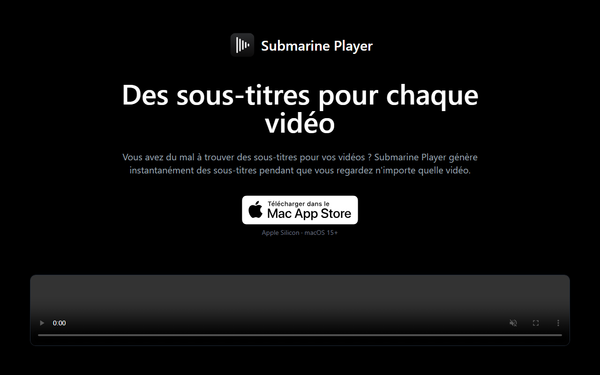
Submarine Player is a Mac-exclusive video player that uses on-device AI to automatically generate and translate subtitles in real-time for any local video file, regardless of the original language. It operates completely offline after an initial model download, eliminating the need to search for external subtitle files or rely on cloud services. Primary use cases include watching foreign-language films, TV series, or personal video libraries; language learning through dual subtitles; generating exportable subtitle files for content creators or archival purposes; and providing accessible viewing for users with hearing needs or multilingual households.
The target audience is primarily Apple Silicon Mac users (M1 or newer) running macOS 15 Sequoia or later who value privacy, convenience, and offline functionality. This includes language learners, cinephiles watching international content, subtitle enthusiasts frustrated by missing or poor-quality subs, and anyone with large local video collections (e.g., from NAS drives or downloaded files). It is less aimed at professional developers, marketers, or designers unless they work with video content creation or multilingual accessibility.
Research note: Information is current as of April 2026, based on the official website, App Store listings, and early user feedback on Reddit and review platforms.
Key Features & Capabilities
Core functionality centers on real-time speech-to-text transcription and AI translation during playback. The app supports 19 languages (English, Mandarin Chinese, Japanese, Korean, French, German, Italian, Spanish, Portuguese, Russian, Arabic, Dutch, Hindi, Indonesian, Polish, Thai, Turkish, Ukrainian, and Vietnamese) and virtually all common video formats including MP4, MKV, AVI, MOV, WMV, and more. Users can choose between a fast transcription model for minimal lag or a highly accurate model for better results. Additional options include transcription-only mode (original language captions without translation), dual subtitles for language learning (original + translated side-by-side), and fully offline operation.
Standout features that differentiate it from competitors include seamless in-player subtitle generation with no pre-processing wait time for playback, complete local processing for privacy (no video uploads), batch processing for multiple files, and direct export to SRT, VTT, or CSV formats. Unlike cloud-based tools or manual subtitle hunters, it integrates generation and playback into one offline experience. Dual subtitles and model flexibility further set it apart for learners and power users.
Limitations include restriction to Apple Silicon Macs on macOS 15+, no built-in subtitle editing (users must export and edit externally), and AI accuracy that can falter with slurred speech, strong accents, overlapping dialogue, or highly contextual content. The free tier caps subtitle generations at 7 per week using only the fastest model. Initial model download requires internet, though subsequent use is fully offline. Multi-platform support (Windows, Linux, etc.) is planned but not yet available.
User Experience
Submarine Player offers an exceptionally low learning curve: most users report simply opening a video file and watching as subtitles appear automatically within seconds. The interface is clean and minimalist, resembling a standard video player with intuitive controls for language selection, model choice, subtitle toggling, and export options. No complex setup is required beyond the one-time model download.
Interface quality is praised for its simplicity and reliability during playback, with smooth subtitle timing and support for seeking/scrubbing. Early App Store reviews highlight its ease for non-technical users, such as parents learning English or viewers of older foreign films. Documentation is basic but sufficient, with an FAQ on the official site covering system requirements, features, and common questions. Support is available via email ([email protected]), and the developer is responsive on Reddit. No extensive video tutorials exist yet, but the app’s design makes them largely unnecessary.
Performance & Reliability
Performance is hardware-dependent but generally strong on modern Apple Silicon Macs. A 3-hour video can generate subtitles in under 5 minutes with the fast model; accurate models take longer but still allow real-time playback once processed. Models load instantly after the initial download. Users report consistent reliability for standard dialogue, with subtitles appearing seamlessly during viewing.
Known issues are minor and typical of early on-device AI: occasional inaccuracies with non-standard speech patterns, elongated syllables, or complex sentence structures. No widespread crashes or major bugs were noted in the small but positive review sample (4.6/5 from ~20 App Store ratings as of April 2026). Cache loading fixes in recent updates have improved stability. Reliability shines in offline scenarios, making it dependable for travel or privacy-focused use. Common user feedback requests future enhancements like context-aware translation rather than highlighting current flaws.
Pricing & Value
Submarine Player follows a freemium model. The free tier is unlimited for playback and supports all video formats but limits users to 7 subtitle generations per week using only the fastest model. The Plus plan unlocks unlimited generations, high-accuracy models, dual subtitles, exports, and batch processing for $2.99/month or $19.99/year (effectively $1.67/month). A limited-time lifetime license is available for $29.99 (regularly $49.99). All purchases are handled through the Mac App Store.
Value is excellent for frequent users, especially with the affordable lifetime option that avoids recurring fees. Compared to alternatives like cloud transcription services (which charge per minute and compromise privacy) or manual subtitling tools, Submarine Player offers superior convenience and zero ongoing data costs. It outperforms basic players like VLC or IINA for foreign content without external subtitle hunting. The free tier provides meaningful access for light users, while paid tiers deliver strong ROI for language learners or media collectors.
Practical Tutorial
No official video tutorials are currently available on the website or App Store, but usage is straightforward. Below is a step-by-step walkthrough for a common task: generating and exporting dual subtitles for a foreign-language movie while using it for language learning (e.g., watching a Japanese film with Japanese + English subs).
-
Install the app: Download Submarine Player for free from the Mac App Store (search for “Submarine Player” or visit the direct link on submarineplayer.com).
-
Open your video: Launch the app, then go to File > Open or simply drag and drop an MP4, MKV, or other supported video file into the player window. The video begins playing immediately.
-
Configure subtitle settings: Before or during playback, access the settings menu (usually via a gear icon or top bar). Select your target translation language (e.g., English), choose “Dual Subtitles” mode to display original Japanese and translated English side-by-side, and pick a model—start with the fast model for testing or switch to high-accuracy if needed. Enable offline mode if desired for full privacy.
-
Watch with live subtitles: Play the video. Subtitles generate and display in real time as the audio plays. You can pause, seek, or adjust timing if minor offsets occur.
-
Export the subtitles (Plus required): Once playback completes or after pausing, use the export option in the menu to save as SRT, VTT, or CSV. For batch processing, drop multiple files into the app’s batch queue (paid feature) and let it handle them sequentially.
-
Optional transcription-only mode: For learning the original language without translation, toggle to “Original Only” in settings.
This process typically takes under 5 minutes of generation time for a feature-length film on a capable Mac. For advanced use, repeat for your entire video library using batch mode. Official FAQ at submarineplayer.com provides additional tips on model selection and troubleshooting.
Final Verdict
Submarine Player earns a strong 4.5 out of 5 rating. It excels as a privacy-focused, offline solution for instant subtitle access on Mac, making foreign and local video content far more accessible and enjoyable.
It is highly recommended for Mac users who frequently watch international media, are learning languages, or maintain offline video libraries—its real-time generation, dual-subtitle support, and low cost deliver outstanding convenience that competitors lack. Avoid it if you use non-Apple hardware, require professional-grade subtitle editing/embedding, or need 100% perfect accuracy for every accent-heavy video (AI limitations still apply). One-sentence recommendation: If you own a recent Mac and want effortless, private subtitles for any video without hunting files or paying per use, Submarine Player is an essential addition to your media toolkit.