Synthesia Personal Avatar Review
Overview & Purpose

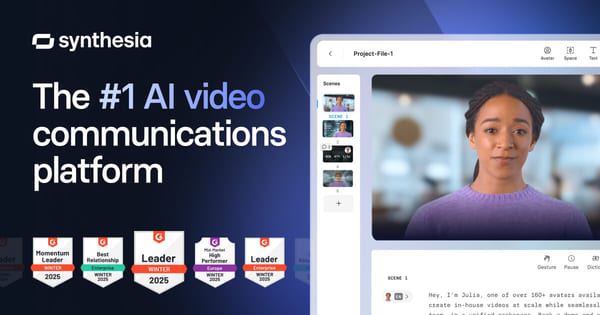
Synthesia is an AI-powered video communications platform that enables users to create professional videos by turning text scripts into lifelike avatar presentations. The Personal Avatar feature allows individuals to generate a custom digital twin of themselves using a short recording from a webcam or smartphone, complete with voice cloning. This eliminates the need for cameras, studios, or repeated filming for ongoing content.
Primary use cases include learning and development (L&D) training videos, sales enablement and outreach, marketing campaigns, internal leadership updates, customer service explainers, and multilingual content localization. It targets business professionals such as marketers, L&D specialists, sales teams, corporate trainers, and executives in medium to large organizations who need scalable video production without technical video editing skills. While accessible to individuals and influencers for content creation, it's optimized for enterprise teams rather than developers or graphic designers.
Key Features & Capabilities
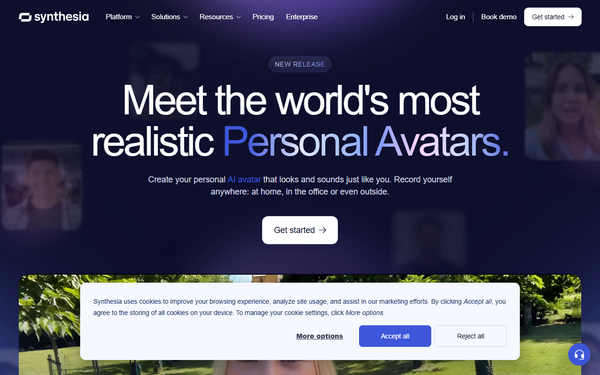
Core functionality revolves around text-to-video generation: users input a script, select an avatar (including their Personal one), choose voices/languages, and produce full videos with auto-captions, background music, and b-roll integration. Personal Avatars support dynamic elements like hand gestures, different framings (e.g., sitting, standing, walking), and full-body expressiveness in recent updates.
Standout features differentiating it include highly realistic custom avatars created quickly (1 business day for Personal), voice cloning usable across 29+ languages from recordings in English, German, French, or Spanish, one-click or AI-assisted translation/dubbing in 160+ languages, brand kits for consistency, interactive video elements (quizzes, branching in higher plans), and strong enterprise security/compliance (SOC 2, GDPR). Integration with PowerPoint import, API access (Creator+), and analytics enhance scalability.
Limitations include less nuanced emotional expressions compared to human actors (though much improved), strict content moderation that can flag legitimate topics like medical or financial content, dependency on good initial recording quality for best results, and credit-based consumption that can add costs for high-volume use. Studio Avatars offer superior polish but at an extra $1,000/year. No advanced 3D customization or real-time interaction in base Personal Avatars.

User Experience
Synthesia boasts an intuitive, user-friendly interface with a clean dashboard, drag-and-drop elements, and straightforward script editor, resulting in a gentle learning curve even for non-technical users. Most can produce their first video in minutes after avatar creation. The platform feels professional and responsive.
Documentation is robust with an academy, help center articles, video tutorials, and in-app guidance. Support includes 24/7 chat for basic plans, with faster priority email/chat and dedicated managers in Enterprise. Users frequently praise the simplicity in reviews on G2 and Capterra.

Performance & Reliability
Video generation is efficient, often completing in minutes for short clips once the avatar is set up, with high-quality output suitable for professional use. Reliability is strong for consistent branded content, with recent AI improvements enhancing lip-sync, gestures, and natural movement.
Common complaints from users include unpredictable content moderation leading to rejected videos without clear appeals, occasional uncanny valley effects or stiff animations in complex scenarios, slower rendering during peak times, and credit usage that feels opaque for longer projects. However, 2025-2026 updates have addressed many realism issues, and uptime is generally excellent per status reports. No major widespread outages noted.

Pricing & Value
Synthesia uses a tiered subscription with a credits system (roughly 1 credit per second of video):
- Free/Basic: $0, limited to ~10 minutes/month, stock avatars only (no Personal Avatar).
- Starter: $29/month ($18/month annually), 10 minutes video/month (120/year), 1 Personal Avatar included, basic features, downloads.
- Creator: $89/month ($64/month annually), 30 minutes/month (360/year), 5 Personal Avatars, API, interactive features.
- Enterprise: Custom pricing, unlimited video, unlimited Personal Avatars, full features like SSO and SCORM.
Studio Avatar add-on: $1,000 per year. Overages and extra credits available.
Value is excellent for teams producing frequent videos, offering up to 90% time and cost savings versus traditional production or hiring talent. Compared to competitors like HeyGen, Synthesia excels in enterprise controls and avatar quality but may feel pricier for light users. Ideal for organizations where consistency and multilingual scale justify the investment.
Practical Tutorial
Creating and using a Personal Avatar is straightforward. Here's a step-by-step guide for a common task: creating your Personal Avatar and generating a short training or sales video (based on official documentation and user guides as of 2026).
Step 1: Account Setup
Sign up or log in at synthesia.io. Upgrade to at least the Starter plan to access Personal Avatars (free tier limited to stock).
Step 2: Create Your Personal Avatar
- Navigate to the "Avatars" section in the left sidebar.
- Click "+ Create avatar" or "Personal Avatar."
- Choose your method: "Record a video" (webcam) or "Upload footage" (e.g., from smartphone).
- Prepare: Find a well-lit space where your face is clearly visible and it reflects your personality. Record a short script (follow on-screen prompts for optimal results).
- Upload or record directly.
- Record a brief consent video to verify identity and approve use.
- Submit. Your avatar typically processes and becomes available within 1 business day. Voice cloning works best if recorded in supported languages.
Step 3: Create a Video with Your Avatar
- Click "Create video" or start a new project.
- Select your new Personal Avatar from the library.
- Paste or type your script (example: "Welcome to our Q2 product update. Today, I'll demonstrate three key features that will transform your workflow...").
- Customize: Choose your cloned voice, language (translate to others automatically), background/scene, add b-roll or slides, enable captions and music.
- Generate the video (uses credits based on length).
- Edit as needed (trim, adjust timing, multiple scenes), preview, and export in HD.
For best results, keep scripts conversational. Official tutorials available at https://www.synthesia.io/features/custom-avatar/personal and their Academy. Example output: A personalized 60-second explainer video ready for email campaigns or LMS upload.
Final Verdict
Overall rating: 4.6 out of 5. Synthesia Personal Avatar shines for its realism, ease of creating personalized scalable content, and powerful multilingual capabilities, making it a top choice for business video production.
It is ideal for companies, training departments, and marketers who produce regular videos and want a consistent personal or branded presence without ongoing filming hassles. Avoid it if you're an individual on a tight budget needing only occasional videos (stick to stock avatars or cheaper alternatives), require highly emotional or cinematic storytelling, or are sensitive to strict moderation policies.
One-sentence recommendation: Synthesia Personal Avatar is a game-changing tool for professionals seeking efficient, high-quality personalized AI video creation at scale.