Synthesia Review: The Best AI Video Generator for Enterprise
Overview & Purpose

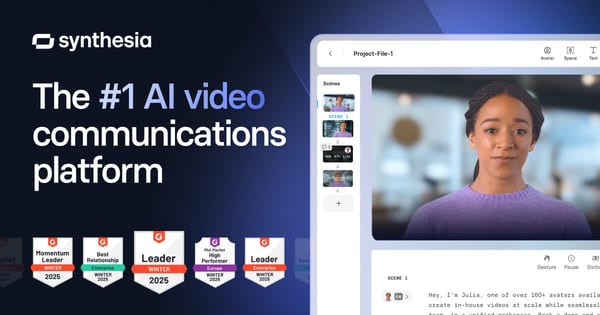
Synthesia is an AI-powered video creation platform that transforms text, documents, scripts, or web content into professional-quality videos featuring customizable AI avatars and natural-sounding voiceovers. It eliminates the need for cameras, actors, lighting, or advanced editing skills, enabling users to produce, edit, collaborate on, translate, and publish videos rapidly. Primary use cases include employee training and onboarding, compliance and technical instruction, internal communications, sales enablement, change management, marketing explainers, and educational content. Over 90% of Fortune 100 companies use it for scalable, consistent video production—such as updating thousands of training courses or creating multilingual materials—achieving up to 90% time and cost savings compared to traditional video workflows.
The target audience includes learning and development (L&D) professionals, instructional designers, sales enablement teams, marketers, HR departments, operations leaders, and educators in enterprises. It is particularly valuable for global organizations needing consistent branding and localization, as well as smaller teams or solopreneurs seeking quick professional output without production overhead.
Key Features & Capabilities
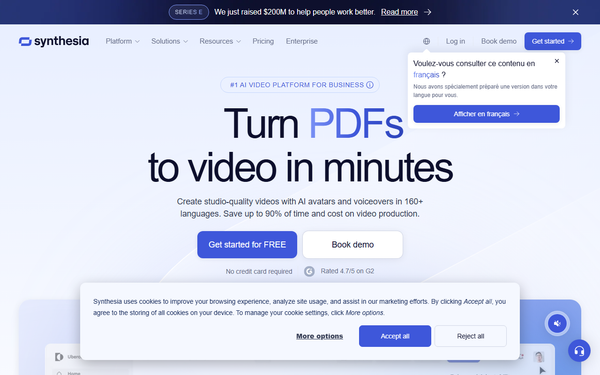
Core functionality revolves around an intuitive AI video generator: users input a script, prompt, document (e.g., PowerPoint, PDF), or URL, select from 240+ expressive AI avatars and 160+ languages/accents, and generate videos with lip-synced voiceovers. Standout features include one-click translation and dubbing (lip-sync preserved across languages), real-time team collaboration with commenting and version control, Brandkit for custom logos/colors/styles, AI screen recorder with auto-transcripts and filler-word removal, interactive elements (quizzes, branching scenarios), SCORM/LMS export, analytics for views/completion rates/drop-offs, and multilingual playback in a single player.
Differentiators from competitors include enterprise-grade security (SOC 2 Type II, GDPR, ISO 42001, SSO/SAML), seamless bulk localization for global reach, and the ability to update videos instantly without reshooting—ideal for fast-changing content like compliance training. It also supports API access and custom avatars built from user video recordings.
Limitations include occasional stiff or unnatural avatar movements and limited emotional nuance (still in the "uncanny valley" for highly expressive or emotional content), strict content moderation that can inconsistently flag or block videos (especially medical, scientific, or borderline topics), capped video minutes on lower plans requiring additional purchases, and less suitability for highly cinematic or creative storytelling versus tools focused on dynamic visuals. Some users note robotic voice monotony in longer videos.

User Experience
Synthesia boasts an exceptionally low learning curve: 90% of users create and publish their first video without tutorials, thanks to the clean, template-driven interface and AI assistant that automates much of the process. The dashboard is modern and intuitive, with drag-and-drop scene editing, real-time previews, and collaborative workspaces that feel like shared Google Docs for video.
Interface quality receives high marks for simplicity and responsiveness across reviews on G2 (4.6/5 from 2,500+ reviews) and Capterra (4.6/5). Documentation is robust via Synthesia Academy, help center articles, and video guides; customer support is generally responsive (though some enterprise users report generic responses for complex issues). Community forums and in-app chat add value.
Performance & Reliability
Video generation is fast—typically minutes per video after scripting—with efficient rendering even for longer or multilingual versions. Screen recording and translation features perform reliably, and analytics provide actionable insights. Reliability is enterprise-grade, with strong uptime and compliance for large-scale deployments.
Common complaints include occasional rendering queues during peak times, minor lip-sync glitches in edge-case accents, and content moderation delays or rejections that frustrate users. Avatars and voices have improved but can still feel artificial in extended viewing sessions. Overall, performance is praised for consistency in corporate settings, with few major outages reported.
Pricing & Value
Synthesia offers a free tier (3–10 minutes of video per month, limited stock avatars, watermark on some exports) for testing. Paid plans include Starter ($29/month or $18/month annually; ~10 minutes of video, 125+ avatars, AI dubbing, no watermark) and Creator ($89/month or $64/month annually; more minutes, personal/custom avatars, API, advanced collaboration). Enterprise plans are custom-priced with unlimited minutes, SSO, dedicated support, and full brand/scale features. Additional costs apply for custom avatars (~$1,000/year each) and extra credits.
Value is strong for businesses scaling video content: the time/cost savings and localization capabilities often outweigh the per-minute limits compared to hiring agencies or using less capable tools. It delivers premium ROI for training/marketing teams but may feel expensive for casual or low-volume users due to credit consumption and add-ons. Alternatives like HeyGen or Pictory can be cheaper for simple needs.
Practical Tutorial
Synthesia provides official step-by-step guidance. Here is a practical walkthrough for a common task—creating a 1-minute employee onboarding explainer video (based on the official process as of 2026; total time ~35 minutes). Full official guide: https://www.synthesia.io/post/how-to-make-synthesia-videos.
-
Plan and script (10–15 minutes): Define goal (e.g., "Welcome new hires and explain benefits"), audience, and call-to-action. Use the FOCA framework (Focus/hook, Outcome/what they'll learn, Content/key info, Action/next steps). Write a conversational script with 2–4 short sentences per scene (e.g., Scene 1: "Hi, I'm Alex from HR—welcome to the team!").
-
Start a new video: Log in (free account works for starters), click "New video" > Choose AI Video Assistant. Upload a script/PowerPoint/PDF or paste text (new paragraphs = new scenes). Select a template (e.g., "Corporate welcome") or let AI generate an outline.
-
Customize scenes and assets: Review the auto-generated outline. For each scene, pick an avatar (professional style), voice/language, and add B-roll (stock footage, screen recordings of your intranet, or AI-generated visuals). Insert text overlays, shapes, or quizzes for interactivity.
-
Edit and refine: Adjust timing, add Brandkit elements (logo/colors), enable captions, and preview. Test flow by reading aloud—ensure natural pacing.
-
Generate and review: Click "Generate." Review the checklist (script clarity, visual consistency, accessibility). Regenerate individual scenes if needed.
-
Publish and share: Download MP4, get a shareable link, embed on your site, or export SCORM for LMS upload. Use analytics to track completion rates post-launch.
Example outcome: A polished video with your branded avatar explaining policies, translated instantly into Spanish/French for global teams. For advanced use, duplicate the project and apply bulk translation.
Final Verdict
Overall rating: 4.6/5 (aligned with aggregated user scores from G2, Capterra, and Trustpilot as of April 2026).
Businesses and teams producing frequent training, internal comms, or global marketing videos should use Synthesia for its unmatched speed, consistency, and localization—especially enterprises needing compliance and scale. Avoid it if your budget is very tight for low-volume work, you require hyper-creative cinematic effects, or your audience is highly sensitive to subtle avatar artificiality.
Synthesia is the go-to choice for efficient, professional AI video at enterprise scale—start with the free tier to experience the transformation yourself.