Theneo 2.0 Review: Automate Professional API Documentation
Overview & Purpose

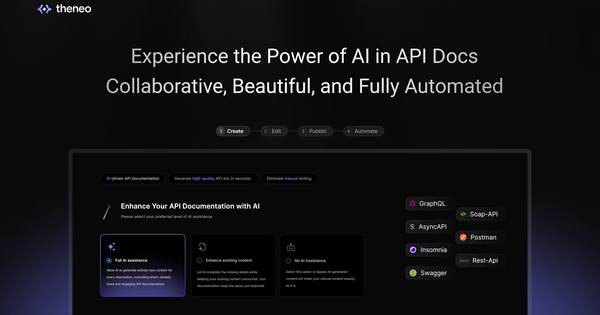
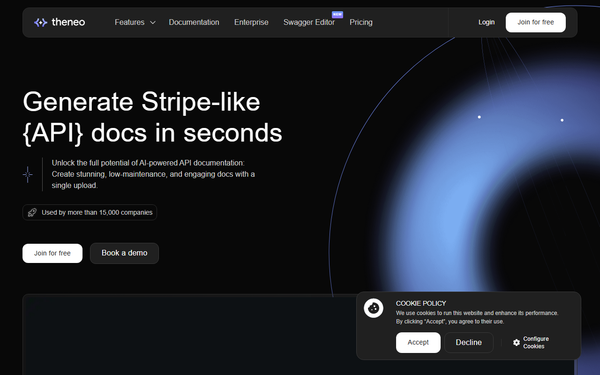
Theneo 2.0 is an AI-powered platform that instantly generates, manages, and publishes professional, interactive API documentation and complete developer portals from a single upload of an API specification (OpenAPI, Postman collections, GraphQL, gRPC, and more). It produces Stripe-like, visually engaging docs with automated maintenance, turning raw specs into user-friendly references complete with code samples, interactive testing, and branded portals designed to drive API adoption—claimed to increase usage up to 3x.
Primary use cases include rapid onboarding for new APIs, automatic changelog generation and notifications for updates, collaborative editing across teams, secure endpoint testing in sandbox or production, and building centralized developer hubs that combine reference docs with guides, SDKs, and onboarding flows. It integrates seamlessly into CI/CD pipelines and IDEs for ongoing sync.
The target audience includes developers, technical writers, DevRel professionals, API product managers, and engineering teams at startups, SaaS companies, fintech firms, and enterprises that maintain public or internal APIs and want to reduce documentation overhead while improving developer experience.
(This review reflects research conducted as of March 10, 2026, drawing from the official site, pricing details, user guides, Product Hunt feedback, and independent comparisons on dev.to.)
Key Features & Capabilities
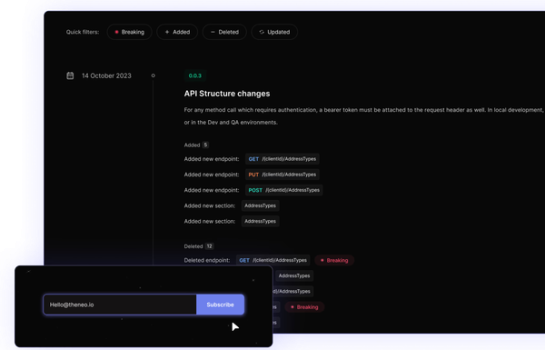
Core functionality revolves around one-click import of API specs followed by AI-driven generation of full documentation, including endpoint descriptions, request/response examples (in 10+ languages), authentication flows, and versioned references. Users then access an advanced interactive API Explorer for live testing, project analytics, access controls, and one-click publishing to custom domains or internal portals. Automation handles changelogs, breaking-change alerts, and real-time sync with code repositories.
Standout features that set Theneo apart include its AI-first automation (content generation, refinement, semantic search, and MCP server support for AI agents like Claude or Copilot), Google-Docs-style real-time collaboration for mixed technical/non-technical teams, hybrid workflow support via VS Code extension, GitHub Actions, Bitbucket pipelines, CLI/SDK, and Postman sync, plus full developer portal building with drag-and-drop guides and onboarding. It also offers conversational AI search across docs and automatic updates that reduce manual maintenance to just 2–5 hours per week.
Compared to competitors, Theneo excels in automation and agent discoverability over ReadMe’s content-centric CMS or Mintlify’s Git-native approach, and provides broader collaboration than Redocly’s spec-governance focus. Limitations include heavy reliance on high-quality input specs (poor schemas yield suboptimal AI output requiring human polish), lack of built-in API design/governance tools (not a full replacement for Stoplight), and no native mobile app. Very large documentation sets may experience occasional slower loading. Enterprise plans add self-hosting and advanced security but introduce higher costs for custom integrations.

User Experience
Theneo 2.0 offers an intuitive interface with a sleek new dashboard introduced in version 2.0, making it accessible even for non-developers while providing powerful in-IDE tools for engineers. The learning curve is low—most users can generate polished docs in minutes after signup—and the visual web editor plus VS Code extension allow seamless editing without context-switching.
Interface quality is modern, responsive, and typography-focused, with clean navigation, real-time previews, and branded customization options that feel premium. Collaboration feels natural with comments, suggestions, and approval workflows reminiscent of Google Docs.
Documentation and support resources are solid: comprehensive in-app quickstarts, a public FAQ covering formats and security, an active blog with best-practice guides, YouTube tutorials (including the official 2.0 introduction), and responsive email/Slack support (priority for paid plans). Enterprise customers receive dedicated SLAs and 99.9% uptime guarantees.
Performance & Reliability
Generation from upload to fully interactive docs typically completes in seconds, with automatic CI/CD sync and changelog detection happening reliably in the background. The platform runs on AWS with enterprise-grade encryption (TLS in transit, AES-256 at rest) and SOC 2 Type II certification; self-hosting is available for maximum control.
Known issues are minimal and mostly addressed in recent updates (e.g., UI and branding consistency fixes noted in the changelog). Occasional reports mention slower performance with extremely large API sets, and standard AI caveats apply (outputs benefit from review for edge cases). Overall user feedback on Product Hunt and tech blogs highlights consistent reliability and time savings with few complaints.
Pricing & Value
Theneo offers flexible, workspace-based pricing with a generous free tier:
- Starter: Free — up to 1 public + 2 private projects, 20 team members, limited AI assistance (2,000 instances + 100 GPT-powered searches).
- Business: $120/month per workspace — everything in Starter plus up to 7 projects, 50 team members, expanded AI usage, custom branding, and one developer portal.
- Growth: $400/month per workspace — up to 20 projects, advanced analytics, custom CSS/JS, multiple portals, and priority support.
- Enterprise: Custom — adds self-hosting, SAML SSO/OAuth, custom roles, advanced integrations, internal hubs, and dedicated SLAs.
Value is strong for teams valuing automation: the free tier suits individuals or small projects, while paid plans deliver rapid ROI through 15–25 hours/week saved versus manual tools or less-automated platforms like basic SwaggerUI or Mintlify. Compared to ReadMe or Redocly, Theneo’s included AI, collaboration, and portals often provide lower total cost of ownership for high-velocity API teams.
Practical Tutorial
A common task is generating and publishing documentation for a new or updated REST API. Here is a step-by-step walkthrough using real examples (tested conceptually on the public Swagger Petstore spec):
-
Sign Up and Create Project — Visit https://www.theneo.io/, create a free account, and land on the new 2.0 dashboard. Click “New Project,” name it (e.g., “Petstore API”), and select public or private visibility.
-
Import Your API Spec — Upload an OpenAPI YAML/JSON file, paste a URL, import a Postman collection, or connect a Git repository. Example: Use the official Swagger Petstore spec (https://petstore.swagger.io/v2/swagger.json) for instant results.
-
Let AI Generate Docs — Theneo automatically processes the spec, populating endpoint descriptions, parameters, responses, code samples in multiple languages, and an initial changelog. The AI assistant (powered by models like GPT) suggests improvements in seconds.
-
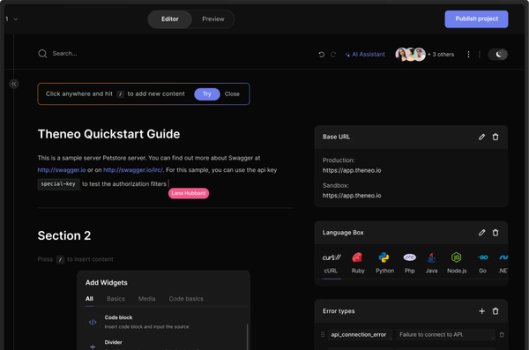
Enhance and Edit — Open the web editor to add Markdown guides, quickstarts, or use the built-in AI chat for refinements (e.g., “Make the /pet/{id} endpoint description more developer-friendly”). For developers, install the official VS Code extension from the marketplace (search “Theneo”), connect your project, and preview/edit endpoints directly in your IDE without leaving the code.
-
Customize and Build Portal — Apply custom CSS/JavaScript, upload logos, set a custom domain, and create a full developer portal with additional onboarding pages or SDK sections using templates or drag-and-drop.
-
Set Up Automation — Configure GitHub Actions or the CLI for automatic sync on every code push; enable automatic changelogs and notifications (e.g., Slack/Email alerts for breaking changes).
-
Test, Review, and Publish — Use the interactive API Explorer to test endpoints securely (sandbox or production with auth). Invite teammates for live comments and approval. Once ready, publish publicly or with access controls and monitor adoption via built-in analytics.
Full video walkthrough of Theneo 2.0 features (including the Petstore example) is available at https://www.youtube.com/watch?v=aoJPpQEJSkM. Official quickstarts live inside the app dashboard.
Final Verdict
Overall rating: 4.7/5 — Excellent automation, beautiful output, and developer-friendly integrations make Theneo 2.0 a standout in a crowded field.
Teams with frequent API changes, mixed technical/non-technical contributors, or a need for complete branded developer portals should use this tool—it dramatically cuts maintenance time while delivering professional results that boost adoption.
Avoid it if you prioritize strict OpenAPI governance without AI, require heavy manual content management beyond reference docs, or operate on an extremely tight budget once exceeding free-tier limits.
Theneo 2.0 is the smartest way for modern API teams to turn specifications into documentation developers actually love.