Timeos Review: Automate Your Meetings with AI Workflow Agents

Overview & Purpose

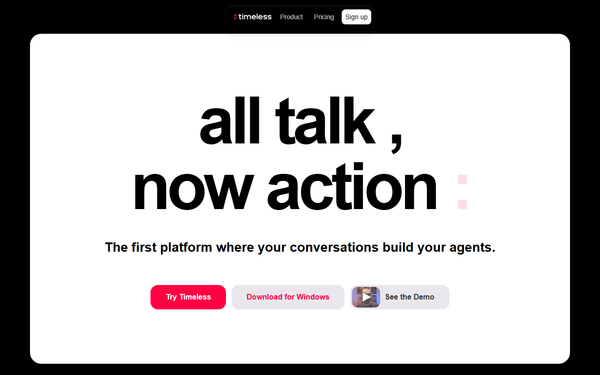
timeOS, now rebranded as Timeless (accessible at timeless.day as of March 2026), is an AI-powered productivity platform that captures, transcribes, and summarizes meetings while automatically generating actionable insights and follow-ups. It integrates directly with video conferencing tools like Zoom (bot-free recording), Google Meet, and Microsoft Teams, as well as productivity apps such as Notion, Slack, Google Drive, Asana, and Trello. The core innovation is its ability to detect "moments" in conversations (e.g., "Let's send the proposal") and trigger customizable AI agents that execute tasks autonomously, turning spoken words into completed work organized in project-specific "Rooms."
Primary use cases include automating note-taking during or after meetings, enabling users to catch up on sessions they missed, streamlining follow-up actions like emails or task assignments, and building persistent AI agents from recurring workflows. It supports multilingual summaries in over 60 languages and customizable output formats. The target audience encompasses busy professionals, remote or hybrid teams with heavy meeting loads, managers handling cross-time-zone collaboration, sales and product teams, and organizations seeking to reduce administrative overhead—particularly those already using tools like Google Workspace or Microsoft 365. It is less geared toward solo freelancers with minimal meetings or highly regulated industries requiring strict manual oversight.
Key Features & Capabilities
Core functionality revolves around seamless meeting capture (no visible bot in Zoom), real-time or post-meeting transcription, AI-generated summaries, key insights, and extracted action items that sync automatically to connected apps. Users can chat with AI across all past conversations for quick recall and receive personalized follow-up emails that mimic their writing style.
Standout features that differentiate it from competitors like Otter.ai, Fireflies.ai, or MeetGeek include moment-triggered AI agents (built via a simple prompt builder that turns conversation snippets into automated workflows), unlimited storage for recordings/transcripts in paid plans, AI Chat for conversational querying of meeting history, and "Rooms" for organizing agents by project or client. Bot-free operation keeps meetings natural, while premium integrations (15+ total) and SOC 2 compliance in Business plans add enterprise readiness. Customizable templates and multilingual support further enhance flexibility for global teams.
Limitations include a restrictive free tier (only up to 5 AI meetings), dependency on stable internet for AI processing, occasional need for human review of complex or nuanced discussions, and no native mobile app (desktop downloads for macOS/Windows available). Advanced agent customization requires initial setup time, and offline functionality is absent.
User Experience
Setup is straightforward: download the desktop app or use browser extensions, connect calendars and meeting platforms, and grant permissions for AI access. The learning curve is gentle for basic summarization but steeper for building sophisticated agents—most users report becoming productive within minutes for core features. The interface is clean, modern, and intuitive, with a centralized dashboard for notes, agents, and search across conversations.
Documentation includes an accessible help center (migrated from older Magical guides), release notes, and official YouTube tutorials. Support ranges from community resources in free plans to priority assistance in Pro/Business tiers. Overall, the experience feels polished and non-intrusive, with high marks for saving time without disrupting workflows.
Performance & Reliability
Summaries and action items generate quickly—often instantly post-meeting—with strong accuracy in clear audio environments. Transcription handles multiple speakers and accents well, supported by 60+ language options. AI agents execute reliably for standard tasks like scheduling or emailing, and integrations sync seamlessly without lag.
No widespread outages or major reliability complaints appear in 2025–2026 reviews; users highlight consistent bot-free Zoom performance and fast insights. Minor issues include rare misinterpretations in heavily accented or jargon-heavy discussions (easily editable) and the need for clear internet connectivity. Privacy is emphasized with SOC 2 Type 2 in higher tiers and no unnecessary data retention.
Pricing & Value
timeOS/Timeless uses a freemium model with clear tiers:
- Free: $0 forever — up to 5 AI meetings (90 minutes each), basic notes in 60+ languages, AI follow-up emails, smart scheduling links, 15+ integrations, and basic agent customization.
- Pro: $29 per person/month (billed monthly) or $19 per person/month (billed annually) — adds AI Chat, Meeting Note Agents, unlimited moment-triggered agents, unlimited storage, premium integrations, and priority support.
- Business: $39 per person/month (billed monthly) or $25 per person/month (billed annually) — includes everything in Pro plus unified billing, 1-year price lock, SOC 2 compliance, team workspace, auto-sharing, and collaborative features.
- Enterprise: Custom pricing — contact sales for tailored organization-wide plans.
Value is strong for teams with 10+ meetings weekly: the agent automation and unlimited storage often pay for themselves in hours saved versus manual tools or basic notetakers. Compared to alternatives (e.g., Fireflies at similar pricing but without native agents, or Otter's per-minute limits), it offers deeper workflow automation at competitive rates. The generous free tier suits light users, while paid plans scale efficiently.
Practical Tutorial
Official tutorials are available on YouTube, including the CEO's walkthrough of the agent builder and setup guides. Below is a step-by-step walkthrough for a common task: building and triggering a moment-based AI agent to automatically create a Notion task from any meeting mention of "follow up on Q3 budget."
- Sign up at timeless.day (no credit card needed for Free tier) and download the desktop app for macOS or Windows.
- Connect your calendar (Google/Outlook) and meeting platforms (Zoom/Meet/Teams) via the settings menu—grant permissions for transcription.
- Open the Agents tab in the dashboard and click "Create Agent."
- Describe the agent in plain English: "When anyone says 'follow up on Q3 budget' or similar in any meeting, create a task in my Notion 'Projects' database with title 'Q3 Budget Follow-up', assignee me, due in 2 days, and include transcript snippet."
- Select triggers (moment-based on keywords/phrases) and connect Notion integration (one-click OAuth).
- Save the agent—it now lives in your workspace or a specific Room.
- Join or record a meeting as usual. Post-meeting, review the summary; if the phrase appears, the agent auto-creates the task in Notion (visible in the artifacts section).
- Test via AI Chat: ask "Show agents triggered this week" to monitor.
This process takes under 5 minutes and scales to complex workflows. For visual guidance, watch the official CEO builder video: https://www.youtube.com/watch?v=YkVDjrxLylY or the agent creation demo at https://www.youtube.com/watch?v=Hr56du2-G0g.
Final Verdict
Overall rating: 4.7 out of 5. Teams and professionals drowning in meetings should use this tool for its unparalleled combination of accurate summarization, seamless integrations, and groundbreaking agent automation that turns talk into done—saving hours weekly while keeping everything organized across apps. Avoid it if you have very few meetings, prefer fully manual control, or operate in bandwidth-constrained environments where the free tier feels too limited. Highly recommended for anyone ready to upgrade from basic AI notetakers to true workflow agents.