Tropic Review: Build and Deploy No-Code AI Agents in Minutes
Overview & Purpose
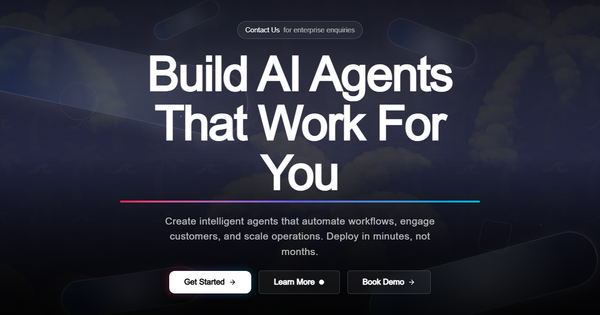
Tropic (https://tropic.run/) is a no-code AI agent platform designed to help businesses rapidly design, configure, test, deploy, and scale intelligent agents for automating key workflows. It targets common business needs such as customer support (24/7 inquiry handling, issue escalation, and multi-language responses), sales automation, content creation, and data analysis. The platform's AI engine automatically optimizes prompts, capabilities, and integrations based on user-uploaded knowledge bases, enabling teams to go from concept to live deployment in minutes rather than months.
Primary use cases include building agents that answer FAQs instantly, qualify leads, generate content on demand, or analyze datasets—all while learning from interactions and integrating with existing tools. The target audience consists primarily of non-technical business users such as support managers, sales teams, marketers, and operations staff at small-to-medium businesses (SMBs) or enterprises seeking automation without requiring machine learning expertise or dedicated developers. It appeals to teams looking to reduce support costs, improve response times, and achieve 24/7 operational scale.

Key Features & Capabilities
Core functionality revolves around a streamlined four-step agent creation flow: (1) Define the agent by describing tasks, uploading knowledge (documents, FAQs, etc.), and setting goals; (2) Let the AI engine automatically configure optimized prompts, capabilities, and integrations; (3) Test and refine in a sandbox environment with version control and real-time feedback; and (4) Deploy with one-click to websites or workflows, then orchestrate and monitor multiple agents from a unified dashboard.
Standout features that differentiate Tropic include its AI-driven auto-optimization (eliminating manual prompt engineering), multi-agent orchestration for complex workflows, built-in sandbox testing with version history, and real-time analytics dashboards tracking efficiency, user satisfaction, and automation metrics. Additional capabilities encompass multi-language support, interaction-based learning, webhook and API integrations, custom embeddings, and compliance with SOC2, HIPAA, and GDPR standards. The platform emphasizes no-code simplicity while supporting custom agent development for advanced needs.
Limitations include conversation volume caps on lower-tier plans (e.g., 1,000/month on Starter), which could constrain high-volume users without upgrading. As a relatively newer platform (launched around 2024), it may offer fewer pre-built templates or third-party integrations compared to more mature competitors like those from larger AI ecosystems. Public documentation on advanced customization is functional but not exhaustive, and success relies heavily on the quality of uploaded knowledge—poor inputs can lead to suboptimal agent performance, a common AI limitation not unique to Tropic. No major missing enterprise-grade features were noted, though on-premise options are Enterprise-only.
User Experience
Tropic prioritizes ease of use with a no-code interface that requires minimal technical knowledge, resulting in a gentle learning curve—official resources claim users can build and deploy a first agent in under 10 minutes. The unified dashboard provides intuitive orchestration, testing, and monitoring tools, with clean visuals for analytics and agent management. Sandbox testing allows safe iteration without production risks.
Interface quality appears modern and focused, emphasizing simplicity over clutter, though direct hands-on screenshots or video demos are primarily available via the site’s agent builder gallery and Calendly booking. Documentation is structured with dedicated sections for Getting Started, Quickstarts (step-by-step guides for common use cases), API Reference, and Integrations, making it accessible for beginners and developers alike. Support resources include email ([email protected]), priority options on paid plans, and a blog with practical articles. Overall, the experience suits non-experts well, though teams new to AI agents may benefit from booking a demo for personalized onboarding.
Performance & Reliability
Official claims highlight strong performance: typical 40%+ reduction in support costs, 3x faster query resolution times, and true 24/7 availability with 99.9% uptime SLA. Agents are designed to learn from every interaction, and real-time analytics provide actionable insights for ongoing optimization. All plans include 24/7 monitoring.
As of April 2026 research, independent user reviews and third-party benchmarks are limited (no widespread G2 or Capterra presence specific to tropic.run, unlike unrelated procurement tools with the same name). Promotional case studies, such as one claiming 60% cost reduction for a fictional “Acme Corp,” align with stated benefits but lack verifiable external validation. No significant known issues, outages, or common complaints surfaced in public searches or social mentions. Reliability appears solid based on compliance certifications and self-reported metrics, though real-world scalability for ultra-high-volume deployments would benefit from more user-reported data over time.
Pricing & Value
Tropic offers transparent, usage-based pricing with a 14-day free trial on all plans:
- Starter: $49/month – 3 AI agents, 1,000 conversations/month, basic analytics, email support, webhooks, 7-day history.
- Professional: $149/month – 10 AI agents, 10,000 conversations/month, advanced analytics, priority support, API access, custom embeddings, 90-day history, team collaboration.
- Enterprise: Custom (contact sales) – Unlimited agents/conversations, dedicated support, on-premise deployment, SSO/SAML, custom integrations, unlimited history, SLA guarantees.
All plans include core compliance and uptime guarantees. Value is strong for SMBs needing quick automation without heavy upfront investment, especially compared to hiring developers or building custom solutions. It undercuts many enterprise agent platforms on entry-level cost while delivering auto-optimization that reduces ongoing maintenance. Higher tiers scale affordably for growing teams, though conversation limits may necessitate upgrades for high-traffic support use cases. Compared to alternatives, Tropic’s no-code speed and bundled analytics provide competitive ROI for non-technical users.
Practical Tutorial
Official documentation and blog include quickstarts and a “Getting Started with Tropic: A Step-by-Step Guide” for building your first agent in under 10 minutes (available at tropic.run/docs and tropic.run/blog). Below is a practical walkthrough for a common task—creating a basic customer support agent—based on the platform’s documented four-step flow and quickstart resources.
-
Sign Up and Define the Agent: Create a free account and navigate to the Agent Builder. Describe your agent in natural language (e.g., “24/7 customer support agent for an e-commerce site handling order status, returns, and FAQs in English and Spanish”). Upload knowledge files (product docs, FAQ PDFs, or website exports). Set goals like “Answer instantly, escalate complex issues to human agents, maintain polite tone.”
-
AI Auto-Configuration: Submit the definition. Tropic’s AI engine automatically optimizes prompts, adds relevant capabilities (e.g., multi-language, escalation logic), and suggests integrations (webhooks for CRM or email). Review and tweak the generated configuration if needed—no coding required.
-
Test in Sandbox: Use the built-in sandbox to simulate conversations with sample queries (e.g., “Where is my order?” or “How do I return a product?”). Provide feedback on responses; the platform supports version control for iterative improvements. Test edge cases and multi-turn dialogues.
-
Deploy and Monitor: Once satisfied, deploy with one click (embed code for your website or API integration). From the dashboard, orchestrate with other agents if needed, view real-time analytics (resolution time, satisfaction scores), and refine via version history. Set up alerts for escalations.
For full interactive examples and video walkthroughs, refer to the official Quickstarts in the docs or book a demo via Calendly on the site. This process typically takes 5–15 minutes for a functional agent.
Final Verdict
Overall rating: 4.2/5 – A solid, user-friendly platform that delivers on its promise of rapid no-code AI agent deployment, with strong value for speed and simplicity.
Teams at SMBs or growing enterprises in customer support, sales, or operations who want 24/7 automation without a dev team or ML expertise should use this tool—it excels at fast setup and measurable cost/time savings. Avoid it if you need highly customized on-prem solutions without Enterprise pricing, have extremely high conversation volumes on a budget, or prefer platforms with extensive third-party user reviews and mature ecosystems.
One-sentence recommendation: Tropic is an excellent choice for businesses ready to deploy practical AI agents quickly and scalably—start with the 14-day trial to automate your support or sales workflows today.