TubeAnalytics Review: Grow Your YouTube Channel with AI Insights
Overview & Purpose

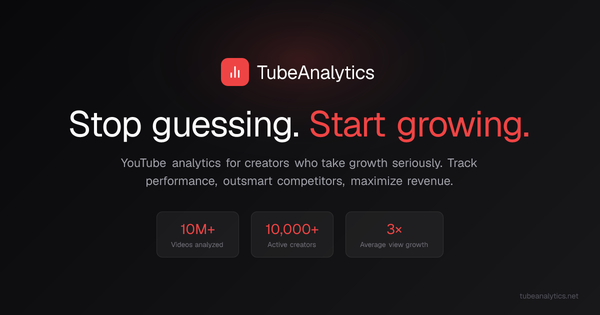
TubeAnalytics is an AI-powered YouTube analytics platform designed to help creators grow their channels faster by combining authenticated channel data with competitor intelligence and generative AI tools. It connects directly to YouTube's official Analytics API via secure OAuth (read-only access, no password sharing required) to pull private metrics such as actual CPM/RPM revenue, detailed audience retention curves, and impression-based click-through rates—data that standard YouTube Studio or most third-party tools cannot access without authorization. The platform delivers predictive trend alerts, automated competitor battlecards, AI-generated video ideas/titles/outlines/scripts, revenue modeling, and prioritized, channel-specific recommendations for optimizing thumbnails, posting times, content themes, and monetization strategies.
Primary use cases include post-publish performance analysis, revenue optimization (especially for monetized channels), competitor benchmarking, early trend identification, and content ideation to boost views, watch time, and earnings. It positions itself as a more actionable alternative to YouTube Studio alone, focusing on "what to do next" rather than raw data dumps.
The target audience is primarily YouTube content creators of all sizes—from new channels (Starter plan) to scaling creators and small teams (Professional) to agencies or multi-channel networks (Enterprise). It is particularly suited for serious creators who treat YouTube as a business and want data-driven decisions to accelerate growth, including those already monetized and seeking revenue insights.

Key Features & Capabilities
Core functionality revolves around a unified dashboard that aggregates your channel's performance metrics (views, watch time, subscribers, engagement, revenue) with side-by-side competitor tracking, audience insights (demographics, tuning times, loyal viewers), video-specific analysis (retention curves, CTR, view velocity), and content planning tools like a visual calendar and transcripts. Data syncs daily or in near real-time via the official API.
Standout features that differentiate it from competitors like vidIQ, TubeBuddy, or Social Blade include:
- Authenticated revenue intelligence: Real CPM/RPM by video and geography (not estimates), enabling precise monetization optimization unavailable in public-data tools.
- AI-powered generative and predictive tools: Tailored video ideas, titles, outlines, viral script generator (using GPT-4.1 with retention-optimized sections), trend discovery with alerts, and thumbnail CTR prediction/A/B testing (higher tiers).
- Deep competitor intelligence: Track up to 20 public channels with automated battlecards, upload cadence analysis, keyword gaps, audience overlap, and weekly AI gap reports.
- Actionable retention and topic analysis: Moment-by-moment drop-off curves, topic experiments to identify high-performing themes, and comment management inbox.
Limitations and missing features: Access is strictly tiered (e.g., AI video ideas limited or absent in Starter; thumbnail testing Enterprise-only). History is capped (90 days in Starter, up to 5 years in Enterprise). No free tier exists (though a 14-day money-back guarantee applies). It lacks broad social media or cross-platform analytics, focusing exclusively on YouTube. As a relatively new platform (launched March 2026), advanced integrations beyond YouTube API are minimal, and some users may find the emphasis on self-serve insights requires proactive interpretation rather than fully automated posting.

User Experience
TubeAnalytics features a clean, modern web-based dashboard (no browser extension required), praised in early feedback for simplicity and clarity—insights are presented without overwhelming data overload. Users connect their channel in under 60 seconds via Google OAuth, with automatic syncing. The interface includes customizable widgets, visual charts (retention curves, competitor comparisons), and prioritized recommendation cards that translate metrics into next actions.
The learning curve is low for creators familiar with YouTube Studio; the platform emphasizes execution over complexity. Navigation is intuitive with sections for performance, competitors, trends, revenue, and AI tools. Documentation includes an active blog with practical how-to guides, and the founder has published demo videos on YouTube. Support is email-based (24-48 hours on Starter, priority on higher plans) with a dedicated manager in Enterprise; no live chat or extensive knowledge base noted yet.
Performance & Reliability
The platform delivers fast data syncing and daily updates, leveraging official YouTube APIs for reliability and accuracy on private metrics. Early users report quick load times for dashboards and AI generations (e.g., scripts in under 2 minutes). Uptime is claimed at 99.9% SLA for Enterprise.
Known issues are minimal due to the tool's recent launch. No widespread complaints appear in public forums or review sites as of April 2026. General YouTube API limitations (occasional data delays or gaps) may affect all third-party tools, but TubeAnalytics' authenticated access provides more complete private data than estimate-based alternatives. One Trustpilot review highlights useful, non-overwhelming insights without performance issues.
Pricing & Value
TubeAnalytics offers transparent, tiered monthly pricing with annual discounts (up to 20% savings) and no contracts or setup fees:
- Starter: $19/month – 1 channel, 90-day history, 5 competitors, basic analytics and some AI ideas.
- Professional: $49/month – 3 channels, 1-year history, 10 competitors, full AI insights, trend alerts, priority support (most popular for scaling creators).
- Enterprise: $149/month – 5 channels, 5-year history, 20 competitors, white-label reports, API access, dedicated manager.
A 14-day money-back guarantee is standard. Value is strong for monetized creators: testimonials claim the tool pays for itself quickly through revenue optimizations (e.g., one user hit $4K/month after restructuring content). It undercuts or matches competitors while offering superior private data access and AI features. Compared to vidIQ or TubeBuddy, it excels in revenue depth and competitor battlecards but may feel less "all-in-one" for pre-publish SEO if you're already using those tools.
Practical Tutorial
TubeAnalytics provides blog-based walkthroughs and founder demo videos rather than a single centralized tutorial hub. Below is a synthesized step-by-step tutorial for a common task—generating and validating AI-powered video ideas with competitor gap analysis (available in Professional+ plans). This is based on official documentation and blog guides as of April 2026.
-
Sign up and connect your channel: Visit https://www.tubeanalytics.net/ and click "Sign up with Google." Authorize via YouTube OAuth (read-only). Data syncs automatically in 1-2 minutes. (Official sign-up: https://www.tubeanalytics.net/sign-up)
-
Access the AI content tools: From the dashboard, navigate to the "AI Video Ideas" or "Trend Discovery" section. Input your niche/audience details if prompted (the AI uses your channel history automatically).
-
Generate ideas: Request 20–100 tailored video ideas (limit depends on plan). The AI analyzes your past performance, current trends, and audience patterns to suggest titles, outlines, and predicted performance scores.
-
Run competitor gap analysis: Go to Competitor Tracking, add 5–10 relevant channels (direct and aspirational). Review the weekly AI gap report for topics with high search demand that competitors haven't covered recently.
-
Validate and prioritize: Score ideas against breakout thresholds (e.g., 3x average views). Cross-reference with Google Trends (linked in blog). Use the content calendar to schedule and the viral script generator for full outlines.
-
Act and iterate: Publish, then monitor retention curves and revenue in the Video Performance dashboard. Adjust based on prioritized recommendations.
For official resources, see the founder's demo video "Why I Built TubeAnalytics" or blog posts like "How to Use AI to Predict Viral YouTube Videos" at tubeanalytics.net/blog. Full dashboard demo available after sign-up.
Final Verdict
Overall rating: 4.5/5 (Strong on innovation and data depth for a new tool; slightly tempered by limited independent long-term reviews and tiered feature access).
This tool is ideal for serious YouTube creators (especially monetized channels with 1K+ subscribers) who want more than YouTube Studio's raw data—particularly those seeking AI-driven ideas, precise revenue insights, and competitor edges to accelerate growth. It excels for data-oriented creators focused on retention, monetization, and strategy.
Avoid it if you're a complete beginner on a strict budget (Starter is affordable but limited), prefer free/public tools like Social Blade, or need broad multi-platform support. The newness means scalability and support maturity are still evolving.
One-sentence recommendation: TubeAnalytics is a powerful, AI-enhanced analytics upgrade for ambitious YouTube creators ready to turn competitor data and predictive insights into faster, smarter channel growth.