Turbular Review: Fast AI-Powered E2E Web Testing Automation
Overview & Purpose
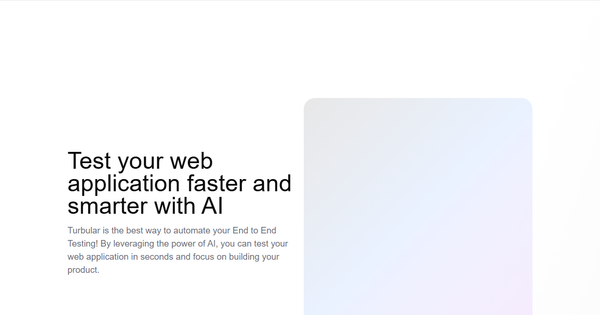
Turbular is an AI-powered platform designed to automate End-to-End (E2E) testing for web applications. Its primary purpose is to let users test web apps faster and smarter, completing tests in seconds so development teams can focus on building products rather than manual testing. Primary use cases include automating functional testing workflows, reducing manual QA effort, and accelerating release cycles for web-based software. Target audience primarily includes developers, QA engineers, product teams, and startups building web applications. Note that while some third-party AI tool directories describe Turbular as a virtual data analyst platform with natural language queries, dashboards, reports, and data source integrations (e.g., databases or Excel), the official website contains no such references and positions the tool exclusively as an E2E testing solution. Research conducted as of March 2026 based on the official site and available sources.
Key Features & Capabilities
Core functionality revolves around a simple four-step workflow: creating projects (or importing from a URL), creating test cases (or importing), inserting test steps (or importing), and running AI-automated tests on the target website. Standout features include AI-driven test execution that claims to complete entire E2E flows rapidly, plus URL-based import options for quick setup of projects, cases, or steps. These differentiate it from traditional code-heavy testing frameworks by emphasizing extreme simplicity and speed with minimal user input. Limitations or missing features are significant: no details on supported test types (e.g., dynamic elements, form handling, visual regression, or API interactions), advanced capabilities like self-healing tests or CI/CD integration, reporting/export options, or any natural language test creation. The platform appears basic with no mention of multi-browser support, parallel execution, or extensibility.
User Experience
Ease of use and learning curve are exceptionally low thanks to the button-driven interface and four-step process, making it accessible even for those without deep QA expertise. Interface quality appears clean and functional, focused on essential actions like "New Project," "New Test Case," "Add Step," and "Test" buttons, though it lacks screenshots, previews, or advanced visualization on the public site. Documentation and support resources are minimal to nonexistent on the site—no help center, blog, video tutorials, FAQs, or detailed guides; support is limited to a generic "CONTACT US" option.
Performance & Reliability
Speed and efficiency are highlighted by the core claim of testing web applications in seconds via AI automation, potentially offering major time savings over manual or scripted alternatives. Known issues or common complaints from users: none identified, as no user reviews, testimonials, or discussions appear on major platforms (G2, Capterra, Reddit, or social media) or in tech publications. As an early-stage or low-profile tool, reliability remains unproven at scale; typical risks for AI testing tools (e.g., flakiness with dynamic web content or inconsistent results) cannot be assessed without broader adoption data.
Pricing & Value
Cost structure is not publicly disclosed on the website; users must contact the team for details. No free tier, trial information, paid plans, or enterprise options are listed. Value proposition compared to alternatives is difficult to evaluate due to the lack of transparency and feature depth: it may appeal for ultra-simple setups versus tools like Selenium, Playwright, or established AI testers (e.g., testRigor or Mabl), but without pricing, demos, or proven capabilities, it offers uncertain ROI. Teams seeking quick prototyping might find value if the "seconds" claim holds, but more mature solutions provide better documentation and ecosystem support.
Practical Tutorial
A basic walkthrough is implied directly on the homepage with no separate official tutorials, videos, or docs available. Here is a step-by-step for the common task of setting up and running an E2E test (based on the site's described process; test in a real environment after account creation):
- Log in or sign up at https://www.turbular.com/.
- Create a new project: Click the "New Project" button, enter a project name, and click "Create" (or import from a URL if available).
- Create a new test case: Click the "New Test Case" button, provide a descriptive name, and click "Create" (or import from a URL).
- Add test steps: Click the "Add Step" button for each action in your flow (e.g., "Login to dashboard"), enter the step name, and click "Create" (or import).
- Execute the test: Click the "Test" button to trigger AI automation on the connected website and review results. For real-world examples, define steps matching user journeys like navigation, form submission, or checkout. Refer back to the homepage for any updates; contact support for advanced scenarios since no external guides exist.
Final Verdict
Overall rating: 2.5/5. Innovative in concept for rapid AI-driven simplicity but severely limited by lack of transparency, documentation, and public validation.
Summary of who should use this tool and why: Small dev teams or early-stage startups seeking a lightweight, code-free way to automate basic web E2E tests quickly without setup overhead.
Summary of who should avoid this tool and why: Larger organizations, QA professionals, or anyone needing detailed features, reporting, integrations, proven reliability, or robust support, given the sparse information and absence of user feedback.
One-sentence recommendation: Turbular offers a promisingly simple AI shortcut for web E2E testing, but request a full demo and details before adoption due to its minimal public presence as of March 2026.