UX Pilot Review: The Ultimate AI Co-Pilot for Rapid UI/UX Design
Overview & Purpose

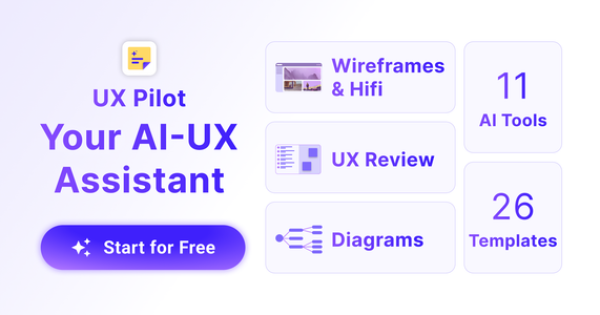
UX Pilot is an AI-powered design platform that converts natural language text prompts into complete UI/UX designs, wireframes, screen flows, prototypes, and even research artifacts such as sitemaps or interview questions. It automates repetitive tasks across the full product workflow—from ideation and research to high-fidelity mockups, usability validation, and handoff—while preserving creative control and adherence to UX best practices. Primary use cases include rapid concept exploration, generating desktop or mobile layouts, building user journey flows, validating designs with predictive analytics, and bridging design-to-development gaps.
The tool targets a broad audience: professional UX/UI designers seeking speed boosts, product managers and founders who need quick prototypes without deep design skills, developers for production-ready code, marketers creating landing pages or dashboards, and cross-functional product teams at startups or enterprises. It positions itself as a “UX co-pilot” that reduces concept-to-implementation time by up to 80%, making professional-grade design accessible to non-specialists while augmenting experts. As of March 2026, the platform claims over 600,000 users and integrates natively with Figma for seamless collaboration.
Key Features & Capabilities
Core functionality revolves around text-to-UI generation: users describe a screen, flow, or entire app in plain English (or reference existing designs via upload), and the AI produces structured, responsive layouts in seconds. Users can switch between wireframe and high-fidelity modes, generate variations instantly, and refine via an intuitive AI chat interface for global or element-specific changes.
Standout differentiators include predictive heatmaps that simulate user attention and eye-tracking patterns, automated design reviews/scoring that flag usability issues, accessibility problems, and heuristic violations, plus built-in UX research tools (interview question generators, diagrams, frameworks). The platform also offers specialized generators for dashboards, landing pages, websites, mockups, and prototypes. Exports are production-ready: structured layers to Figma via a dedicated plugin, or clean HTML/CSS code with support for frameworks like Material UI. Additional capabilities such as Deep Design mode (for trend-aware complex layouts), brand token import, drag-and-drop multi-screen canvas, and platform-specific patterns (mobile/desktop) set it apart from pure generators like Galileo AI or Uizard.
Limitations include credit-based usage caps that can constrain heavy experimentation, occasional inconsistency when handling highly custom brand guidelines or complex interactions, and exports that frequently require manual cleanup in Figma (e.g., frames instead of true auto-layout). It excels at ideation and early validation but is not yet a full replacement for pixel-perfect, bespoke design systems.
User Experience
UX Pilot boasts a low learning curve—most users become productive within minutes thanks to its natural-language prompting and conversational editing. The web interface feels modern and focused, with side-by-side variation previews, a flexible canvas for flows, and real-time previews, though some reviewers note occasional clunkiness in the chat or navigation. The Figma plugin extends the experience directly inside the familiar design environment.
Documentation consists primarily of an active blog with comparison guides, how-to articles, and UX best-practice resources, supplemented by numerous community and official YouTube tutorials. Support is responsive via email ([email protected]), with a helpful Q&A section covering credits, refunds, and data privacy. Overall, the platform earns high marks for intuitiveness and speed, though first-time users may need a short orientation to master prompt engineering for optimal results.
Performance & Reliability
Generation speed is exceptional—most screens appear in under 10–30 seconds, with full flows and variations completing in minutes, enabling 10x faster ideation compared to manual work. Reliability is strong for standard use cases, with consistent output quality on common UI patterns and effective heatmap/review features that genuinely surface attention and usability insights.
Known issues include intermittent Figma export glitches (misaligned layers or missing auto-layout), credit consumption that can feel aggressive during iteration, and occasional layout bugs in complex multi-screen projects. User feedback on G2 and YouTube highlights these as manageable with practice but frustrating for deadline-driven work. No major outages reported; the AI model has improved steadily through 2025–2026 updates.
Pricing & Value
UX Pilot offers a generous free tier with limited credits (typically 15–45 screens) for testing. Paid plans follow a credit-based model: Standard (~$12–19/month) includes around 70 screens plus full access to heatmaps, reviews, and exports; Pro (~$29/month) unlocks 200+ screens, unlimited flows, priority features, and higher limits; Team and Enterprise options provide custom quotas, shared workspaces, and dedicated support (pricing available on request). Annual billing typically discounts 15–20%.
Value is excellent for rapid prototyping and validation—users frequently report replacing hours of manual work with minutes of AI generation, far outweighing the cost for most teams. Compared with alternatives (Uizard, Galileo AI, or Framer), UX Pilot’s inclusion of predictive analytics and full research-to-code pipeline delivers superior ROI for product teams, though heavy users may find credits add up quickly.
Practical Tutorial
Official documentation is blog-focused rather than a single interactive academy, but the community has produced excellent step-by-step videos. Below is a self-contained walkthrough for a common task—creating and validating a SaaS analytics dashboard—based on the platform’s current interface (tested via public demos and user guides as of March 2026).
- Sign up and start — Go to uxpilot.ai, create a free account, and click “Start generating.” Choose the AI UI Generator or Figma plugin if preferred.
- Enter your prompt — In the prompt box, type: “Modern SaaS analytics dashboard for a marketing team on desktop with dark mode, sidebar navigation, KPI metric cards, interactive line and bar charts, user profile dropdown, and responsive layout. Use clean sans-serif typography and blue accent colors.” Select “High-fidelity” and “Deep Design” for polished results, then generate.
- Review and iterate — The AI produces 2–4 variations instantly. Click any to open the canvas. Use the AI chat sidebar: “Add a real-time activity feed on the right, make charts interactive with hover tooltips, and ensure mobile responsiveness.” Regenerate sections as needed.
- Validate with AI tools — Click “Run Predictive Heatmap” to see attention hotspots and scroll behavior. Then select “AI Design Review” for a scored report covering usability heuristics, accessibility, visual hierarchy, and suggested fixes (e.g., “Increase contrast on secondary buttons”).
- Polish and export — Drag additional screens onto the canvas to build a flow. Once satisfied, click Export → Figma (structured layers and components) or HTML/CSS (production-ready code with Tailwind or plain CSS). Open in Figma for final tweaks if required.
Total time: under 10 minutes for a complete, validated prototype. For visual guidance, see the official-style demo “Startup UI Design 10x Faster with AI” on YouTube. Practice prompt specificity yields the best results.
Final Verdict
UX Pilot earns a solid 4.2 out of 5 based on aggregated reviews across G2 (85+ ratings), Capterra, and Trustpilot as of March 2026. It shines for product teams, PMs, founders, and designers who want to accelerate ideation, prototyping, and early validation while maintaining UX quality—especially those already using Figma. The combination of lightning-fast generation, predictive heatmaps, and design scoring makes it uniquely powerful for catching issues before handoff.
Avoid it if you require pixel-perfect production designs without any manual refinement, work on highly unconventional or strictly branded interfaces, or have very tight budgets for unlimited iterations.
One-sentence recommendation: UX Pilot is an indispensable AI co-pilot that transforms hours of design work into minutes of inspired creation—try the free tier today if speed and validation matter more than absolute perfection.