UXSniff Review: The AI-Powered Virtual UX Analyst for Growth Teams
Research conducted as of March 2026 using the official website, blog, Capterra (12 verified reviews), GetApp, and direct comparisons.
Overview & Purpose
UXSniff is an AI-powered UX analytics platform that autonomously tracks user sessions, detects abnormal behavior patterns, and surfaces actionable insights through automated analysis. It functions as a virtual UX analyst by monitoring website changes, comparing historical user behavior via Retro A/B (Time-Travel) testing, and generating impact reports to explain why metrics shift—without requiring teams to manually review every recording or set up formal experiments.
Primary use cases include post-deployment regression detection, investigating sudden metric drops, ongoing UX optimization, automated SEO/UX audits, and retroactive A/B testing using real historical data. It is particularly valuable for e-commerce sites, SaaS products, and marketing pages where quick identification of frustrations (like rage clicks or broken flows) can directly improve conversions.
The target audience includes product managers, UX designers, marketers, growth hackers, developers, and small-to-medium business owners—anyone responsible for website performance who wants AI assistance to reduce manual analysis time. It appeals especially to teams that ship changes frequently without full A/B testing infrastructure.

Key Features & Capabilities
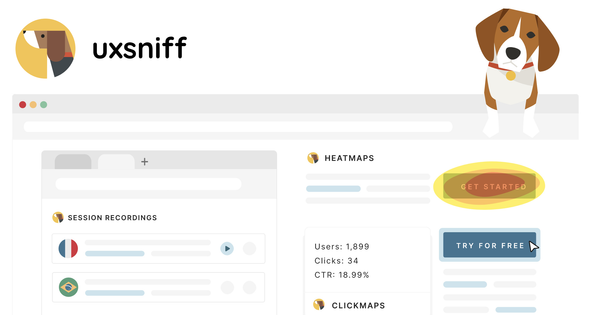
Core functionality revolves around a lightweight JavaScript tracking script that captures session recordings, interactive heatmaps, user journeys, and behavioral signals. AI then analyzes recordings for abnormal patterns (rage clicks, dead clicks, friction), automatically flags issues via Rage Alerts, and powers Change Radar to detect UI modifications (layout shifts, copy changes, CTA updates) and their real impact on user behavior.
Standout differentiating features include:
- Retro A/B Time-Travel testing (Wayback Machine-style historical heatmaps and recordings for before/after comparisons without traffic splitting).
- Impact Reports with AI/GPT-style summaries that connect changes to behavioral outcomes, complete with linked evidence.
- Automated weekly or daily site audits (UX/SEO), LinkGuard for broken link scanning, feedback widgets, and on-site surveys.
- Developer API and Zapier integration for workflow automation.
These elements set UXSniff apart from traditional tools like Hotjar by proactively linking design changes to user impact rather than relying solely on manual review—offering unified pricing with AI baked in from the free tier.
Limitations include tiered limits on recordings and pageviews (restricting heavy-traffic sites on lower plans), relatively short data storage (1–3 months), and AI summaries that supplement but do not fully replace nuanced human analysis. Advanced funnels or custom event tracking are less emphasized than in enterprise competitors like FullStory.

User Experience
Setup is exceptionally straightforward with a copy-paste script install (or WordPress plugin/Google Tag Manager support), typically completed in minutes with no framework lock-in or site slowdown. The dashboard is clean, modern, and intuitive, earning high marks for ease of use (4.6/5 on Capterra) and quick navigation to alerts, reports, and visualizations.
The learning curve is low for core tasks, though some users note initial heatmap navigation can feel slightly confusing on complex single-page applications. Documentation consists of helpful blog guides and in-app tooltips; support resources include responsive email/contact options and positive mentions of helpfulness in reviews.
Performance & Reliability
The tracking script is explicitly designed to be lightweight and non-blocking, delivering fast-loading insights without perceptible impact on page speed. AI processing for alerts and summaries is efficient, enabling near-real-time notifications for critical issues like checkout friction.
Known issues are minimal in public feedback; occasional reports mention heatmap accuracy challenges on dynamic SPAs or the need for occasional segment fine-tuning. No widespread reliability complaints surfaced in 2026 reviews—testimonials highlight rapid detection of major problems (e.g., 80% checkout drops caught instantly). Overall performance is reliable for its target scale of SMBs and growth teams.
Pricing & Value
UXSniff offers a generous Base plan free for life (up to ~4,500 pageviews and 300 recordings monthly, 1-month storage, 2 sites, basic Change Radar, Impact Reports, audits, widgets, and data exports). Paid plans start with Poodle (~$19/month or $15.83 billed annually), scaling to Hound (~$49), K-9 (~$89), and Wolf Pack (~$299) with higher daily recordings (up to 1,500), longer storage (up to 3 months), more sites, daily audits, Rage Alerts, API access, survey customization, branding removal, and Zapier. A 14-day trial is available on paid tiers; nonprofit discounts exist. Cancel anytime with no long-term contracts.
Value is strong for the price: the free tier includes meaningful AI features unavailable or limited elsewhere, and unified bundling avoids Hotjar-style separate subscriptions. It delivers excellent ROI for teams saving hours on manual review, making it more affordable and accessible than FullStory or advanced LogRocket plans while providing unique retro-analysis capabilities.
Practical Tutorial
Official installation and getting-started guides are available on the UXSniff blog. Below is a step-by-step walkthrough for the common task of installing UXSniff and analyzing a Rage Alert/Impact Report (based on official documentation and real testimonial examples as of March 2026).
- Sign up for a free account: Visit uxsniff.com and create an account (email or Google sign-in). No credit card required.
- Add your website: Enter your site URL and verify ownership (simple DNS or script placeholder step).
- Install the tracking script: Copy the lightweight JS snippet and paste it into your site's
<head>tag (or use the WordPress plugin, Google Tag Manager, Shopify/Wix guides). Test installation in the dashboard—it typically activates within minutes. Official guide: https://uxsniff.com/blog/how-to-get-started-with-installing-uxsniff-on-your-website/. - Wait for initial data: Drive some traffic (sessions begin populating automatically).
- Explore the dashboard: Navigate to “Rage Alerts” or “Change Radar.” Review any flagged sessions with AI summaries highlighting abnormal clicks or friction.
- Dive into an Impact Report: Select a recent change detection (e.g., post-deploy CTA update). View the AI-generated summary explaining behavioral impact, side-by-side before/after heatmaps/recordings via Time-Travel, and linked evidence. Filter by page, segment, or user journey. Export or set Zapier alerts if on a paid plan.
- Act on insights: For example, one user testimonial described receiving a Rage Alert for a broken checkout button, viewing the Impact Report showing an 80% drop, and rolling back the change in minutes—preventing revenue loss.
This process typically yields usable insights within hours of setup for active sites.
Final Verdict
UXSniff earns a strong 4.3 out of 5 rating for its innovative AI automation, ease of use, and unique change-detection capabilities, balanced against data limits and a still-emerging review base.
Product teams, UX designers, marketers, and growth hackers at SMBs or e-commerce sites should use this tool for its time-saving AI insights and retroactive analysis that traditional heatmaps lack—especially if you ship frequent changes and need quick answers to “why did metrics drop?”
Larger enterprises or teams requiring unlimited long-term data storage, advanced custom analytics, or extensive third-party integrations should avoid it in favor of more mature enterprise platforms.
One-sentence recommendation: UXSniff is an excellent, affordable AI virtual analyst that turns raw session data into prioritized, evidence-backed UX decisions—highly recommended for growth-focused teams tired of manual recording reviews.