Videodubber Review: Affordable AI Video Dubbing and Translation
Overview & Purpose
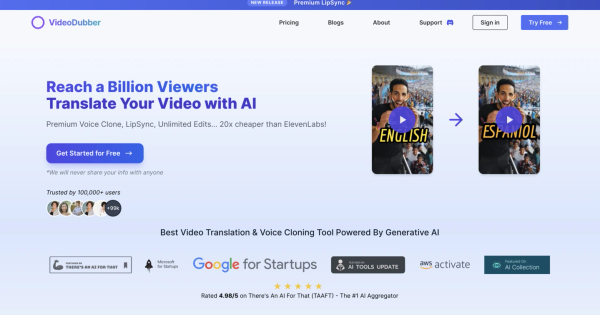
VideoDubber.ai is an AI-powered platform for video translation, dubbing, and voice cloning that uses generative AI to convert content into over 150 languages while preserving the original speaker's voice, lip sync, and emotional tone. It automates transcription, context-aware translation (leveraging models like OpenAI, DeepL, and Google Translate), dubbing, subtitle generation, and export, allowing creators to produce multilingual versions in minutes rather than days. Primary use cases include localizing YouTube videos, marketing campaigns, educational tutorials, documentaries, product reviews, and business presentations to boost global reach, SEO, and viewer engagement—claims include 3x higher engagement when using the original cloned voice. The target audience encompasses YouTube creators, independent content creators, marketers, educators, growth hackers, and small-to-medium businesses seeking scalable, affordable internationalization without hiring translators or voice actors. It positions itself as beginner-friendly yet powerful for professionals, with API access for advanced users.

Key Features & Capabilities
Core functionality revolves around one-click video upload (file or URL), language selection, AI processing for translation and dubbing, an advanced editor for subtitles/timestamps/voice tweaks, unlimited free edits, real-time previews, and export with preserved lip sync and background audio options. Standout features include premium voice cloning (indistinguishable from human in many cases, with celebrity library or custom upload), support for 150+ languages and regional accents (e.g., Mandarin, Spanish Mexico/Spain, Hindi variants), context-aware translation handling slang and nuance at 98% claimed accuracy, automatic subtitles, and enterprise-grade compliance (SOC 2, GDPR). These differentiate it from competitors like HeyGen or ElevenLabs through unlimited edits at no extra cost, broader language coverage (99.86% global population), and significantly lower pricing—marketed as 20x cheaper with 9 minutes of output per USD versus alternatives. API integration and multi-video batch processing add scalability. Limitations include occasional need for manual adjustments in complex multi-speaker or noisy audio scenarios, variable emotional nuance in cloning for intricate scripts, and no advanced avatar generation or full video editing suite beyond dubbing.

User Experience
The interface is described as smooth and intuitive with a simple dashboard for uploads and editing, making it accessible for beginners via one-click workflows while offering fine-grained controls in the advanced editor for pros. The learning curve is minimal—most users can produce a dubbed video in under 10 minutes after signup—with helpful previews and real-time feedback. Documentation is primarily through blog tutorials and in-app guidance rather than exhaustive manuals, supplemented by responsive (though sometimes delayed) customer support via contact form. Resources include step-by-step guides on voice cloning and model selection, plus affiliate and contact pages. User feedback highlights the clean, modern UI and ease for non-technical creators, though some note subtitle formatting issues that can obstruct visuals and require tweaks.

Performance & Reliability
Processing is fast and efficient for most videos, delivering professional-quality results with natural lip sync and dubbing in minutes, scaling well for bulk projects and maintaining high accuracy on clear audio. Performance claims include handling diverse content types (tutorials, travel, cooking) with reliable subtitle sync and voice preservation. However, known issues from user reports include inconsistent voice cloning quality (sometimes sounding synthetic or unintelligible despite clean samples), occasional lip-sync lag in complex scenes, overly long subtitles that cover screen real estate, and minor pronunciation glitches needing edits. Common complaints center on variability with input quality and slower support response times in isolated cases, though no widespread outages or reliability failures were noted. As of March 2026 research, independent ratings vary—high on aggregator sites but mixed on review platforms—with overall positive sentiment for speed in cost-effective scenarios.

Pricing & Value
VideoDubber uses a transparent pay-per-minute model with tiered plans that reduce effective costs at scale: Starter at approximately $0.30 per minute (with low monthly entry around $9–15 for credits), scaling down through Pro, Growth, and Scale plans to as low as $0.09–$0.10 per minute (e.g., higher-volume subscriptions from $48–$600+). A free tier allows translating your first video with no credit card required, plus full access to voice cloning, dubbing, and text-to-speech in trial mode. Enterprise options include custom compliance, API priority, and dedicated support. Value is exceptionally strong compared to alternatives—20x cheaper than premium voice tools like ElevenLabs and far below human dubbing rates—with unlimited edits, broad languages, and high engagement ROI making it ideal for high-volume creators. The proposition shines for budget-conscious users scaling globally, though those with very high precision needs may find the per-minute structure requires planning for edits.
Practical Tutorial
VideoDubber provides official blog guides for key tasks; below is a practical, real-world walkthrough for a common task—cloning your voice and dubbing an English video into Spanish—based on the platform's documented process (as of March 2026). This example uses a 5-minute product demo video.
- Sign up and access dashboard: Create a free account at videodubber.ai (no credit card for the trial). Log in and navigate to the main dashboard or "Translate New Video" button.
- Upload your video: Select your English product demo file or paste a YouTube URL. The system auto-detects the source language.
- Clone your voice: Go to the Voice Clone section. Choose "Upload Reference File" and provide a clean 1–2 minute audio sample of your speaking voice (noise-free for best results). Alternatively, browse the celebrity library if preferred. Click "Generate Voice"—processing is quick, and the clone appears in "My Voices."
- Select target language and process: Choose Spanish (Spain or Mexico accent). Enable voice cloning with your new voice, auto subtitles, and lip sync. Hit process—the AI transcribes, translates contextually, dubs, and syncs in one go.
- Edit in the advanced editor: Review auto-generated subtitles (trim text, adjust timestamps for perfect sync). Tweak any translation nuances or voice parameters. Add or adjust background music if needed. Unlimited edits are free—preview changes instantly.
- Export and test: Generate the final dubbed video, download the Spanish version (with your cloned voice and synced lips), and verify playback. For refinements, re-edit anytime.
This workflow typically takes 5–15 minutes for basic output. For advanced options like DeepSeek model selection or celebrity cloning examples, see official blogs such as https://videodubber.ai/blogs/how-to-clone-celebrity-voices-for-video-dubbing/.
Final Verdict
VideoDubber earns a 3.8/5 overall rating—strong on affordability and accessibility but tempered by occasional output inconsistencies and limited review depth. Content creators, YouTubers, marketers, and educators on a budget should use it to rapidly expand global reach with authentic, engaging multilingual videos at a fraction of traditional costs. High-end filmmakers or teams needing pixel-perfect emotional fidelity and instant premium support should avoid it in favor of more expensive, specialized tools. If you're looking to localize videos without breaking the bank, VideoDubber delivers impressive value—start with the free trial to see the magic for yourself.