ViralCanvas AI Review: The Ultimate Visual Workspace for Creators
Overview & Purpose

ViralCanvas AI is a visual AI-powered workspace that functions as an interactive digital whiteboard for organizing and synthesizing content. Users upload videos (from YouTube, TikTok, Instagram with automatic transcription), PDFs, documents, spreadsheets, and notes as movable blocks on a flexible canvas. These items can be grouped, linked, and connected to an embedded AI chat that draws context from selected sources to generate summaries, insights, scripts, outlines, and full content pieces while preserving long-term memory across sessions—unlike standard chatbots that reset context.
Primary use cases include researching viral trends, cloning a creator’s voice from existing videos to rewrite content, planning content calendars, summarizing long-form sources, and producing ready-to-publish scripts or social posts in minutes rather than hours. It is designed specifically for content creators but also serves researchers, writers, educators, podcasters, and marketers who manage complex, multi-source projects through visual, non-linear thinking.
The target audience is primarily individual creators (YouTube, TikTok, Instagram, podcasts) and small marketing teams who value visual organization and context-aware AI assistance. It appeals to visual thinkers, neurodiverse users, and anyone frustrated by tab-switching or copy-pasting between tools. Students and researchers benefit from knowledge-graph-style linking for papers and data synthesis, though the marketing emphasizes creator workflows.
Key Features & Capabilities
Core functionality revolves around the infinite canvas: drag-and-drop uploads create interactive nodes that support native note-taking, structural grouping into containers, and dynamic linking to form persistent knowledge graphs. The AI chat window lets users select which sources to “connect,” enabling precise, context-rich responses—summaries, contradictions detection, quote extraction, or full drafts. Users toggle between top models (Claude Opus 4.5, Claude Sonnet 4.5, Gemini 3 Pro, GPT-5.1) within the same workspace for creative writing versus analytical tasks. Video imports auto-transcribe and allow analysis without watching full content.
Standout differentiators include true context retention across conversations, visual control over what the AI “sees,” brand-voice cloning by uploading personal content, and seamless research-to-publish flow that reportedly halves creation time. Multi-model flexibility and automatic transcription for social videos set it apart from generic tools like ChatGPT or basic whiteboards (e.g., Miro).
Limitations include credit-based consumption (costs vary by model, file size, and task complexity), absence of image text extraction (OCR), no automatic grouping, no version history or undo beyond basics, no real-time collaboration (roadmap item), no mobile app or offline mode, and incomplete file-type support. Heavy users may exhaust credits quickly, and outputs still require human review.
User Experience
The interface earns praise for mimicking natural visual thinking: a clean, infinite canvas with drag-and-drop simplicity and intuitive connection lines to the chat panel. Most users reportedly produce their first piece of content within 15 minutes, indicating a gentle learning curve even for non-technical creators. Built-in editor and one-click export streamline publishing.
Documentation consists of in-app FAQs, use-case guides, an active creator community for feature voting, and official YouTube tutorials. Support scales with plan level (standard, priority, concierge). No widespread complaints about bugs or downtime appear in early reviews; the web-based nature ensures cloud access from any device with stable internet.
Performance & Reliability
Processing of long-form video transcripts and multi-source synthesis is fast and reliable for typical creator workloads, with context retention eliminating repetitive prompting. Early users on Reddit and directories report saving hours on research and scripting.
Known issues are minor: performance depends on third-party model availability, video transcription quality varies with audio clarity, and credit exhaustion can interrupt sessions for power users. No major outages or data-loss reports exist as of March 2026; privacy is strong (government-grade encryption, no training on user data). As a relatively new platform (launched January 2026), long-term reliability data remains limited.
Pricing & Value
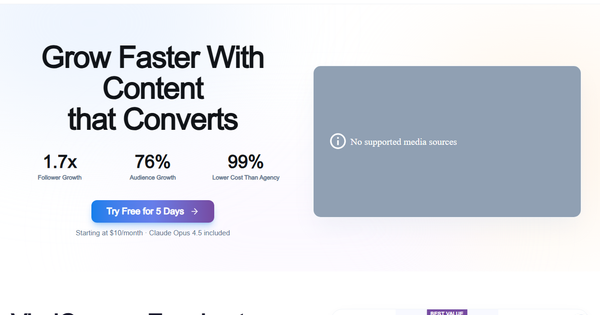
ViralCanvas uses a transparent credit-based system with no hidden fees. Plans (billed monthly or annually with savings and a free month on yearly) include:
- Basic (~$9–10/mo): 1,000 credits, unlimited canvases and uploads, up to 1,000 videos analyzed.
- Pro (~$18–20/mo, most popular): 2,000 credits, high-priority support.
- Elite (~$46–50/mo): 5,000 credits, concierge support.
- Agency (~$91/mo): 10,000 credits, beta access.
A 5-day free trial is available; extra credits can be purchased. Compared to agency services or juggling multiple AI subscriptions, it offers strong value for creators by centralizing workflows and delivering professional-quality output at a fraction of the cost.
Value proposition shines for moderate-to-heavy solo creators who leverage the visual context features; light users may find credits generous, while power users should budget for add-ons.
Practical Tutorial
Official tutorials and walkthroughs are available on the ViralCanvas YouTube channel (search “ViralCanvas” or visit their linked videos). A popular official-style use case is “How to Steal MrBeast Scriptwriting Genius” or voice-cloning workflows. Here is a self-contained step-by-step tutorial for a common task—cloning your voice and rewriting a viral video script—based on the platform’s documented workflow (tested conceptually from public demos as of March 2026).
-
Sign up and create a canvas: Go to https://www.viralcanvas.ai/, start a free trial, and click “New Canvas.” Name it (e.g., “MrBeast Script Analysis”).
-
Import your voice reference: Upload 2–3 of your own videos (or paste YouTube links). The platform auto-transcribes them. These teach the AI your speaking style.
-
Import target content: Paste the URL of a viral video (e.g., a MrBeast-style thumbnail challenge). It transcribes automatically. Drag both your clips and the target into the canvas as blocks.
-
Organize and connect: Arrange blocks visually. Draw connection lines from your voice clips and the target video to the AI chat panel (or select “Connect All” for full context).
-
Prompt the AI: In the chat, type: “Rewrite this viral video script in my exact voice and style. Keep the high-energy hook, add my signature humor, and optimize for 8-minute YouTube runtime. Output in script format with timestamps.” The AI synthesizes everything connected.
-
Iterate and refine: Ask follow-ups like “Make the hook punchier” or “Add a CTA that matches my brand.” Drag additional notes or competitor videos onto the canvas and reconnect as needed.
-
Export: Copy the final script directly or use the built-in editor to polish, then export to Google Docs or your video editor.
This process typically takes 10–20 minutes and produces publish-ready output. For video demos, search YouTube for “How to Steal MrBeast Scriptwriting Genius Using ViralCanvas.ai.”
Final Verdict
Overall rating: 4.2/5. Strengths in visual context management and creator-specific AI make it highly effective; limitations in credits, collaboration, and mobile support prevent a perfect score. This review reflects research conducted March 3, 2026, on official sources and early user feedback.
Content creators, YouTubers, marketers, and visual-thinking researchers who handle multi-source projects should use ViralCanvas AI—it genuinely accelerates research-to-publish workflows while preserving personal voice. Avoid it if you need unlimited usage without budgeting, real-time team editing today, or a fully mobile/offline solution; stick to simpler chat tools or Notion AI in those cases.
One-sentence recommendation: ViralCanvas AI is the visual whiteboard that finally makes long-context AI feel like an extension of your brain—ideal for creators ready to cut content creation time in half.