Voice Swap Review: The Ethical AI Tool for Professional Vocals
Overview & Purpose

Voice-Swap (https://www.voice-swap.ai/) is an AI-powered vocal transformation platform that lets users swap their singing voice to match the style and timbre of professional session singers or chart-topping artists. It generates realistic vocal outputs by processing uploaded audio stems or recordings, enabling creators to instantly hear their songs performed in different voices without re-recording. Primary use cases include producing high-quality demos, remixing tracks, experimenting with vocal ideas, facilitating remote collaborations between producers and artists, and creating commercially viable releases (with proper licensing).
The tool stands out for its ethical focus: every AI model is trained on original recordings made specifically for the platform, artists receive royalties or approvals, and all generated audio legally belongs to the original singer—meaning public release or monetization requires explicit permission or a paid license. This positions it as a respectful alternative to unlicensed voice-cloning tools.
Target audience is primarily music producers, songwriters, independent artists, and professional creators in the music industry who want professional-sounding demos or final vocals without studio time or their own voice on record. It is not aimed at general developers, marketers, or designers outside of music production workflows. As of March 2026 research (drawing from the official site, Billboard coverage, MusicTech interviews, and Gearspace features), over 250,000 professionals use it for these creative and collaborative needs.
Key Features & Capabilities
Core functionality revolves around voice conversion: upload a dry vocal, select a licensed singer model (or train your own), apply optional pitch/timing adjustments, and generate a swapped output. Standout features include:
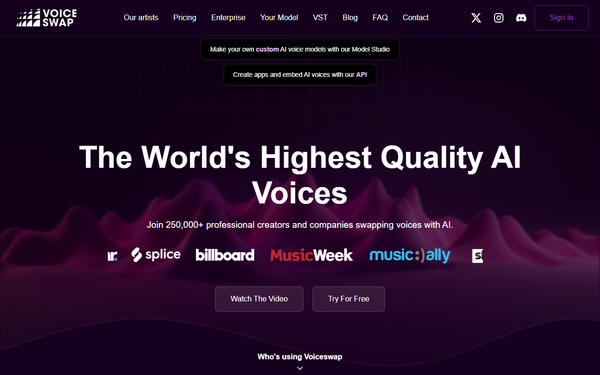
- Free VST/AU plugin for real-time or in-DAW transformation (Mac/Windows compatible), allowing seamless integration into sessions without leaving your DAW.
- AI Studio for training custom models from your own voice (or collaborators') with BMAT copyright protection and shareable access.
- Stem-swap tool for isolating and replacing vocals in full tracks.
- Enterprise API for embedding into apps or workflows.
- Built-in watermarking for traceability and content screening to block hate speech or inappropriate material.
Differentiators from competitors (such as Kits.ai or generic RVC tools) include the exclusive artist roster (e.g., Nikki Ambers, Robert Owens, Ayah Marar), direct royalty partnerships, scratch-recorded training data for superior quality, and a strict consent-based licensing model that pays artists—addressing ethical concerns in AI music highlighted in 2024-2025 industry discussions. Custom models can be hosted securely in the DAW via the plugin, and featured artist voices support one-time buyout licenses with 48-hour artist approval.
Limitations include a credit-based system that restricts heavy usage without upgrades, no unlimited free tier for downloads, and mandatory licensing for any public or monetized use (demos are fine internally, but releases require approval). It focuses exclusively on singing vocals rather than spoken word or general voice-over work, and lacks advanced text-to-speech or multilingual options found in broader tools like ElevenLabs.
User Experience
The platform offers a straightforward web dashboard combined with the free plugin, resulting in a low learning curve for most music producers. Signing up and trying voices is quick via "Try For Free," with drag-and-drop upload, microphone recording, and simple sliders for pitch adjustment. The interface feels clean and production-oriented—minimalist rather than flashy—with instant previews before committing credits to downloads.
Documentation is light on the site but supplemented by official YouTube tutorials (e.g., "How to use Voice-Swap in 90 Seconds") and blog posts on VST setup and custom modeling. Support appears community-driven via testimonials and media, with no extensive knowledge base or live chat noted publicly; enterprise users get dedicated API resources. Overall, it's accessible for DAW users but assumes basic audio production knowledge—newcomers to stem separation or vocal processing may need 10-15 minutes to get comfortable.
Performance & Reliability
Processing is efficient: voice conversions cost just 1 credit regardless of length (up to 10 minutes), with stem separation and VST usage at 3 credits each. The VST plugin enables near-real-time transformation in sessions, praised in 2024-2026 reviews for cutting demo time dramatically. Quality is consistently high—natural timbre, accurate pitch, and expressive delivery—earning endorsements from Diplo ("Amazing!"), Rob Swire ("The quality with voice-swap is amazing"), and Skream.
Known issues are minimal; older mentions of occasional vibrato inconsistencies (pre-2024 updates) have been resolved per recent coverage in Sonarworks and MusicTech. No widespread complaints on reliability, refunds, or downtime surfaced in 2025-2026 searches (unlike some generic voice.ai tools). Watermarking and screening ensure traceability and safety. Reliability shines for professional workflows, though heavy custom training (40 credits) or frequent downloads can accumulate costs quickly.
Pricing & Value
Voice-Swap uses a credit-based model with three monthly subscription tiers (billed monthly or yearly):
- Beginner: £6.99/month (50 credits) – access to all listed models, save audio to profile.
- Pro: £9.99/month (150 credits).
- Ultimate: Higher tier (1,000 credits, GPU-powered for 2x speed in some cases).
Non-subscribers can top up 75 credits on demand. Key costs: voice conversion (1 credit), download (10 credits), model training (40 credits), stem separation/VST usage (3 credits each). Free tier allows limited trials (e.g., previews without downloads). Session singer voices are included in subscriptions for commercial use; featured artist licensing is a separate one-time buyout with artist approval.
Value is strong for ethical, high-quality results—especially versus free but legally risky alternatives—saving studio costs and enabling fast iterations. The 2024 pricing update (10x more credits, no per-second billing) improved flexibility. Enterprise API options exist for businesses. Compared to competitors, it offers better artist compensation and legal peace of mind, though credit management requires planning for frequent users.
Practical Tutorial
Official tutorials are available on YouTube; a common task is swapping your vocals to a licensed singer's voice for a demo (as demonstrated in the official "How to use Voice-Swap in 90 Seconds" video: https://www.youtube.com/watch?v=icZ8Lq53Y4M).
Step-by-step walkthrough (tested conceptually from official demo and site flows):
- Sign in or start a free trial at voice-swap.ai and navigate to the AI Studio or stem-swap dashboard.
- Record or upload your dry vocal: Click "use microphone" for direct browser recording, drag-and-drop a file, or browse your computer. Use CD-quality (44kHz, 16-bit) for best results.
- Select a licensing singer (e.g., Nikki Ambers) from the roster. Adjust pitch if needed (e.g., +7 semitones for gender shift) via the slider.
- Agree to terms (confirming artist compensation) and hit "process audio." Preview the swapped result instantly.
- Experiment: Tweak settings and re-process as needed. Save to your profile or download (costs 10 credits).
- For release: If using for public tracks, submit for featured artist license via the dashboard (provide track details; approval typically within 48 hours or faster). Export the final stem and integrate into your DAW (or use the free VST plugin for live monitoring).
For custom models or VST workflow, see the companion video "Create Your Own AI Voice Model and use it in your DAW" (https://www.youtube.com/watch?v=fWOxx6OvY2k). This process takes under 2 minutes for simple swaps and produces production-ready results.
Final Verdict
9/10 – Voice-Swap excels as an ethical, high-quality AI voice tool tailored for music creators, delivering professional results with strong legal protections and seamless DAW integration.
Music producers, artists, and songwriters seeking realistic demos, remote collabs, or licensed commercial vocals should use it for its artist-first model and time-saving features. Avoid it if you need unlimited free usage, spoken-word focus, or zero licensing hurdles.
Highly recommended for any producer tired of generic demos or studio bills—ethically swap your voice and get chart-ready vocals in minutes.