Voqal Review: The Ultimate Voice-Native AI Coding Assistant
Overview & Purpose
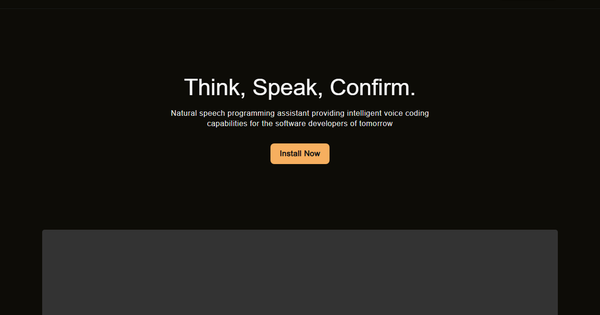
Voqal is a programmable voice-native AI agent and intelligent voice coding assistant that enables software developers to control their integrated development environment (IDE), navigate files, run and debug code, and generate or edit code of arbitrary length through natural spoken language conversations. It operates without wake words or rigid keywords, using a simple "Think, Speak, Confirm" workflow where users speak intents and confirm changes with phrases like "Looks good." Primary use cases include hands-free coding sessions, rapid prototyping via conversational refinement, reducing repetitive strain injuries (RSI), and improving accessibility for developers with physical limitations.
The tool primarily targets software developers working in JetBrains IDEs (such as IntelliJ IDEA, PyCharm, or Android Studio), though it offers alpha-level support for VS Code and broader integrations with applications, services, websites, and even Chrome via companion projects. It supports any programming language available in the host IDE through AI-powered generation. Research conducted as of March 10, 2026.
Key Features & Capabilities
Core functionality revolves around intuitive Voqal Modes: Idle Mode for voice-based IDE control (opening files, running tests, debugging), Edit Mode for progressive natural-language code generation and refinement, and a confirmation system to apply or cancel edits. Additional capabilities include realtime context awareness, a built-in prompt editor for customization, prompt routing, and the ability to equip the assistant with custom tools or context extensions that pull live data into conversations.
Standout features that differentiate it from competitors (such as scripting-heavy Talon Voice or the discontinued GitHub Copilot Voice) include its fully promptable nature, seamless mode transitions without keywords, and support for multiple LLM providers—including fast options like Gemini for navigation or local models like Ollama for on-device privacy. The open-source core (Apache 2.0 license) allows deep extensibility, turning the IDE into a true voice-user interface.
Limitations include primary optimization for JetBrains IDEs (VS Code integration remains limited in alpha with only basic commands), dependence on microphone quality and chosen LLM for accuracy, and potential latency with cloud models. No built-in advanced speech-to-text beyond multimodal inference, and code quality can occasionally reflect typical LLM hallucinations.
User Experience
Voqal boasts a low learning curve with a high skill ceiling, making it accessible for beginners while rewarding power users through extensive customization. Setup takes under five minutes, and users simply begin speaking naturally once configured—no training or complex scripting required.
The interface quality shines through seamless IDE integration; there is no separate window or overlay, preserving the familiar JetBrains or VS Code environment while adding voice as a first-class input method. Documentation includes a clear quickstart guide and mode explanations at docs.voqal.dev, supplemented by YouTube demo videos and the active GitHub repository. Support resources consist of GitHub issues for troubleshooting, with community mentions of Discord channels in related discussions. Overall, the experience feels intuitive and productivity-focused, though users with heavy accents or noisy environments may need microphone adjustments.
Performance & Reliability
Performance is efficient and responsive, particularly with lightweight models like Google Gemini 1.5 Flash for simple navigation or faster providers for complex edits. Realtime context keeps conversations coherent, and the tool handles progressive refinements smoothly for tasks like building functions or debugging.
As of March 10, 2026, known issues are typical of early-stage voice AI: occasional speech misrecognition, LLM interpretation errors, or minor latency depending on internet and hardware. GitHub reports some input-handling bugs in older versions, but marketing materials and user demos (including FizzBuzz examples) demonstrate reliable real-world use. Common complaints remain sparse due to the tool's niche adoption; no widespread reliability problems appear in public forums like Reddit, though microphone quality and background noise are frequently cited as factors in voice-coding tools generally.
Pricing & Value
Voqal is free to download, install, and use as an open-source project (Apache 2.0). Users supply their own LLM API key, with Google currently offering a generous free tier for Gemini 1.5 Flash—the recommended starting model. Local options like Ollama incur zero ongoing costs beyond hardware. No mandatory subscription exists on official channels, though some aggregator sites reference optional premium tiers or enhanced support around $6–10 per month; cloud LLM usage may add variable provider fees.
The value proposition is exceptional compared to alternatives: it delivers advanced natural-language voice coding and customization at no base cost, outperforming paid dictation tools or complex voice-scripting setups for JetBrains users. Productivity gains from hands-free workflows and reduced typing make it a high-ROI choice for targeted developers, especially versus broader but less integrated competitors.
Practical Tutorial
Official tutorials are available at the Voqal Docs quickstart (https://docs.voqal.dev/quickstart) and the project's YouTube channel (search "Voqal Programming" for the "Voice Coding" series, including a FizzBuzz demo in Rust and JavaScript).
Here is a complete step-by-step walkthrough for a common task—creating and refining a Python factorial function via voice:
-
Acquire an API key: Visit https://ai.google.dev, sign in or create a free account, click "Get API key," and copy the token.
-
Install the plugin: Open your JetBrains IDE, press Ctrl+Alt+S for Settings, navigate to Plugins > Marketplace, search "Voqal," click Install, and restart the IDE.
-
Configure Voqal: Return to Settings > Tools > Voqal, paste your API key, select Gemini (or another supported provider), and save.
-
Test basic IDE control (Idle Mode): Speak naturally, for example: "Open a new file called factorial.py" or "Navigate to the project root."
-
Generate code (Edit Mode): Describe your intent conversationally: "Write a recursive Python function named factorial that takes a positive integer n and returns its factorial."
-
Refine progressively: Continue speaking: "Add input validation to raise a ValueError for negative numbers" or "Make it handle zero correctly." The assistant builds on prior context.
-
Apply changes: Say "Looks good" to insert the refined code into the editor, or "Cancel" to discard and restart.
-
Test execution: Speak "Run the file with input 5 and show the output in the console."
This process typically completes in under a minute and demonstrates the tool's conversational strength. For advanced examples like building a full email assistant or VR demos, refer to the official YouTube videos linked on the GitHub repository.
Final Verdict
Overall rating: 4.2 out of 5.
This tool is ideal for JetBrains developers seeking a genuine productivity leap through natural voice interaction, accessibility improvements, or RSI prevention—the low-friction modes and deep customizability deliver immediate value. Avoid it if you rely primarily on VS Code (due to alpha limitations), prefer pure keyboard workflows, or require enterprise-grade support and a large community.
One-sentence recommendation: Voqal represents a smart, accessible entry into voice-native coding and deserves a trial from any JetBrains user ready to speak their ideas into existence.