Votars Review: The Ultimate Multilingual AI Meeting Assistant

Overview & Purpose
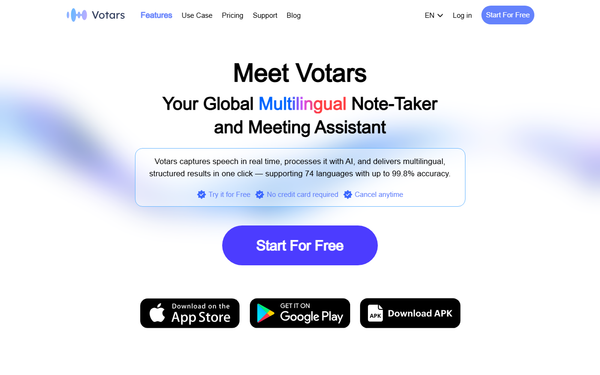
Votars is an AI-powered multilingual meeting assistant designed to capture live speech or uploaded audio in real time, transcribe conversations with high accuracy across 74 languages, and automatically generate structured outputs such as summaries, key points, Q&A, action items, and even formatted documents. It eliminates manual note-taking by identifying speakers, providing instant translations, and enabling seamless collaboration through shared notes and async comments. Primary use cases include online meetings (Zoom, Google Meet, Microsoft Teams), in-person conversations, interviews, webinars, podcasts, university lectures, sales demos, and cross-border team discussions—particularly valuable for overcoming language barriers or supporting hearing-impaired participants.
The tool targets business professionals (CEOs, marketing directors, HR managers), educators (lecturers and international students), content creators (podcasters), and individuals in global or multilingual environments. It is not developer-focused but appeals to anyone needing efficient meeting documentation and knowledge sharing. Research conducted as of March 8, 2026.
Key Features & Capabilities
Core functionality includes real-time transcription and speaker identification, automatic generation of meeting summaries, action items, and Q&A, plus real-time translation. Users can input via live microphone, uploaded audio/video files (major formats supported), or integrated web meeting platforms. Outputs are instantly available as editable text, with one-click export to Word, Excel, PowerPoint, or mind maps. Additional capabilities cover user-led note-taking (where the AI fills gaps and connects dots), async collaboration with comments and threads, cross-device sync, and file management with rich-text editing.
Standout features that differentiate Votars from competitors like Otter.ai, Fathom, or Fireflies include its strong emphasis on 74-language support with up to 99.8% accuracy claims, real-time translation for live communication, and automated creation of professional documents (PPTs, spreadsheets, mind maps) beyond basic summaries. The hybrid user-led + AI completion approach and accessibility focus (e.g., for hearing-impaired users) add unique value. Integrations with Google Calendar, Microsoft Outlook, Zoom, Google Meet, and Microsoft Teams enable auto-sync and bot joining.
Limitations include a restricted free tier (300 minutes total lifetime or trial), potential dependency on clear audio quality for peak accuracy, and less emphasis on advanced sales/CRM-specific analytics compared to specialized tools. Speaker identification may require manual correction in complex multi-speaker scenarios, and some users note it lacks customizable voice training options. No native desktop app is highlighted—functionality relies on web/browser or mobile apps (iOS/Android).
User Experience
Votars offers a low learning curve with one-click operations for starting transcription and generating insights, making it accessible for non-technical users. Setup involves simple sign-up (no credit card required for free tier) and optional calendar/meeting platform connections. The interface features a clean, modern editor for post-meeting refinement, with rich-text support and intuitive navigation for files, summaries, and sharing. Mobile apps (iOS and Android) provide on-the-go access and sync.
User feedback from reviews and comments describes the flow as straightforward for basic tasks, though some find the UI slightly less intuitive than established competitors and suggest improvements for speaker labeling. Documentation on the official support site (support.votars.ai) includes categorized guides on recording, editing, AI notes, translation, and integrations, but lacks exhaustive step-by-step visuals in some sections. Support is available via email (24/7 requests, responses during 9 AM–5 PM business hours) or a contact form; enterprise users receive priority. Overall, the experience prioritizes speed and simplicity over deep customization.
Performance & Reliability
Transcription processes in real time with near-instant outputs, and AI summarization/action item extraction completes quickly post-meeting. The tool handles web meetings, live mic input, and file uploads efficiently across devices (Windows, macOS, iOS, Android; latest Chrome recommended). Accuracy reaches up to 99.8% in optimal conditions, aligning with top-tier claims in 2025–2026 benchmarks for clean audio, though real-world results vary with accents, noise, or overlapping speech.
Known issues are minimal in public feedback: occasional speaker recognition inaccuracies (addressable via editing) and requests for features like ignoring filler talk. No widespread reports of downtime, major bugs, or data breaches; security is reinforced by SOC 2, SSL encryption, and GDPR compliance, with data private and user-controlled. Reliability is strong for multilingual and global use cases, with positive mentions in comparisons for consistent performance in diverse languages.
Pricing & Value
Votars offers a tiered structure:
- Free: $0/month, limited to 300 minutes total (trial-style).
- Personal: $11.99/month (or ~$8.33/month billed annually with 33% discount), includes higher monthly minutes (e.g., 1,800), full features like real-time translation, and document generation.
- Business: $21.99/month (or ~$14.67/month annually), adds team collaboration, more storage/users, and advanced support.
- Enterprise: Custom pricing with bank transfer options, dedicated support, and scalability.
A one-time 3-day Personal Plan trial is available for eligible free users; no credit card required initially. Payment methods include major cards and bank transfer for higher tiers.
Value is competitive for multilingual needs—more affordable than many enterprise-focused alternatives while delivering broader language coverage and unique output formats. Compared to English-centric tools like Fathom (free tier focused) or Otter.ai, Votars provides superior global team support and document automation at a reasonable cost, making it high-value for international users despite the limited free minutes.
Practical Tutorial
Official documentation is available at https://support.votars.ai/docs/category/user-guide/ and https://support.votars.ai/docs/category/integration/, with supplementary walkthroughs on YouTube (search “Votars AI Review” for visual demos). Below is a step-by-step tutorial for a common task: transcribing, summarizing, and sharing an international team meeting (real example: a 30-minute cross-border sales call in English and Spanish).
-
Sign up and set up: Go to https://app.votars.ai/signup/?lang=en, create a free account (email verification; no credit card needed). Connect your Google Calendar or Microsoft Outlook via the Integrations section for auto-event detection. For Zoom/Teams, enable the Votars integration or bot in your meeting settings.
-
Start real-time transcription: Join or host your meeting. Open the Votars web app or mobile app, select “Record” or “Live Transcription,” choose microphone input (or let the integration auto-join). Enable real-time translation if needed (target language: Spanish). The system captures speech instantly with speaker labels appearing automatically.
-
Monitor and note during the call: Speak naturally; Votars transcribes live (99.8% claimed accuracy). Add personal notes in the side panel—the AI will later connect them to the transcript.
-
Post-meeting processing: After the call ends (or upload the recording manually), go to your Files dashboard. Click the meeting entry, then “AI Note” or “Generate Summary.” Review the auto-generated summary, key points, action items, and Q&A. Edit speaker names or text as needed in the rich editor.
-
Export and collaborate: Select “Export” to create a PowerPoint (agenda slides + action items), Excel (task list), or mind map. Share via one-click link with async comments enabled. Team members receive notifications and can add threaded feedback.
This process typically takes under 5 minutes post-meeting. For best results, use a quiet environment and Chrome browser. Test with the free tier on a short recording first.
Final Verdict
Overall rating: 4.5 out of 5. Votars excels for global teams, educators, and creators who need reliable multilingual transcription, real-time translation, and polished document outputs to stay aligned without manual effort—its affordability and accessibility features make it particularly strong in diverse or international settings. Avoid it if you operate primarily in English with heavy CRM/sales pipeline needs (where tools like Avoma or Fireflies offer deeper integrations) or require extensive public user validation and hyper-detailed support documentation, as it is a newer entrant with comparatively limited independent reviews. One-sentence recommendation: Votars is a smart, cost-effective choice for anyone battling language barriers or note-taking fatigue in multicultural meetings—start with the free tier to experience the difference.