Vowen Review: The Best Free and Private AI Voice Dictation Tool
Overview & Purpose
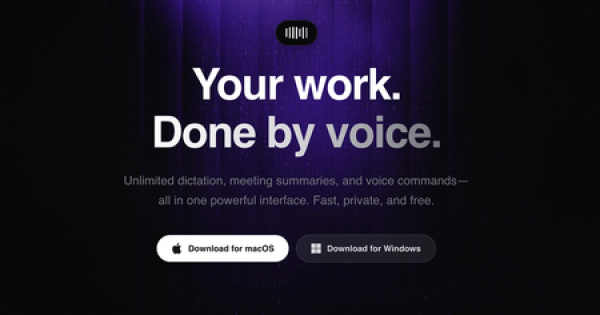
Vowen is a privacy-first, free desktop application that converts spoken voice into polished text using on-device AI models. It combines instant offline transcription powered by open-source Whisper models with an optional AI writing layer for context-aware editing, summaries, custom vocabulary, voice-triggered workflows, and memory banks. The app operates system-wide, allowing dictation, voice commands, and automation directly into any text field or application—no copy-paste required. Core transcription runs entirely locally with no internet needed, while advanced AI features (summaries, command execution, meeting notes) use user-supplied API keys from providers like OpenAI, Anthropic, Google, Groq, or others, sending only transcribed text (never raw audio) to the cloud.
Primary use cases include real-time dictation for emails, documents, or code; transcribing meetings or audio/video files; generating summaries and action items; executing voice shortcuts (e.g., “open VS Code and draft a commit message”); and hands-free automation for repetitive tasks. It supports file transcription for formats like MP3, WAV, MP4, and MOV, plus native utilities such as PDF merging, media conversion, timers, color picking, and config format conversion—all processed locally.
The target audience includes writers, content creators, students, developers, and professionals who value speed, security, and offline capability. It appeals especially to those frustrated with cloud-dependent tools (e.g., former Wispr Flow users), non-native English speakers needing multilingual support, or anyone seeking a no-cost alternative to paid dictation apps. Developers and power users benefit from integrations with tools like Notion, Slack, Obsidian, GitHub, Linear, Figma, and Google Docs, plus the ability to extend functionality via custom API keys.

Key Features & Capabilities
Core functionality centers on unlimited real-time, system-wide dictation using local Whisper models for instant transcription in over 100 languages and dialects, with real-time translation to English available. File-based transcription and meeting recording add versatility for post-processing audio or video.
Standout features that differentiate Vowen include:
- Complete offline/privacy-first design: No data leaves your device for basic use; no account or tracking required.
- AI writing layer with BYO keys: Context-aware polishing, smart summaries, command mode, and voice workflows—only text is sent to your chosen provider.
- Memory Bank and custom vocabulary: Index documents (PDFs, etc.) for contextual responses and permanently teach specialized terms or names.
- Voice-triggered workflows and utilities: Speak commands to launch apps, convert files, set reminders, or trigger actions across integrated services.
- Native OS-level tools: Built-in lossless image compression, media format conversion, config parsing (JSON/YAML/TOML), and more.
These capabilities make Vowen more than a simple dictation tool—it functions as a full voice-first productivity suite. Compared to competitors like Wispr Flow or Superwhisper, it stands out for being completely free, defaulting to local processing, and offering broader native utilities without subscriptions.
Limitations include hardware-dependent performance (larger Whisper models require more CPU/GPU resources and may run slower on lower-end machines), no mobile or Linux support yet (Linux is planned), and reliance on separate paid API keys for advanced AI (core transcription remains free and local). Accuracy can vary with accents, background noise, or rapid speech in certain languages, though custom vocabulary and model selection mitigate this. Advanced meeting-note generation requires proper AI configuration and may fail without it.

User Experience
Vowen is exceptionally easy to use with a minimal learning curve. Installation requires no account—just download the app, grant microphone and accessibility permissions, and it runs quietly in the menu bar. Activation is intuitive: hold the fn key for standard dictation or Option + Shift for AI-enhanced mode. Text appears instantly in whatever app has focus.
The interface is clean and native-feeling—minimal overlays, a simple settings window for models, vocabulary, API keys, and shortcuts. No cluttered dashboards or steep configuration; even beginners can be productive in minutes. Advanced features (memory bank, workflows) have logical setup flows but benefit from experimentation.
Documentation is basic but sufficient: the website provides quick-start guidance and hotkey explanations. Community resources include a Featurebase board for feedback, email support ([email protected]), and an active Discord. The small two-person development team responds promptly to issues, as evidenced by completed bug fixes and feature implementations. Overall, the experience feels polished for an indie app, though some users note minor setup hurdles like granting system permissions on first launch.

Performance & Reliability
Transcription is fast and responsive on supported hardware—Apple Silicon Macs (M1+) and modern Windows x64 machines deliver near-instant results with smaller Whisper models. Users frequently describe it as “lightning fast,” especially when pairing local transcription with Groq or other optimized cloud APIs for AI post-processing. File transcription and multilingual support perform reliably, with real-time translation handling 100+ languages well.
Known issues are minor and mostly addressed in updates: occasional missing final words, random insertions (e.g., “Thank you.” or repeated terms from noisy mics), hands-free mode glitches in specific apps like Google Docs, and Windows overlay button unresponsiveness. Accuracy improves dramatically with custom vocabulary and larger models but can dip with heavy accents, fast speech, or weak microphones. Resource usage is reasonable on capable devices; no widespread crashes reported. Early adopters (thousands of users, 4M+ words dictated) report stable daily use, with the team shipping fixes quickly via Featurebase.

Pricing & Value
Vowen is completely free forever—no trials, subscriptions, hidden costs, or accounts required. All local transcription and utilities are unlimited at zero cost. Advanced AI features require only your own API keys (you pay providers directly if using paid tiers).
Value is exceptional compared to paid alternatives like Wispr Flow (subscription-based with cloud dependency) or other dictation tools costing $8–15/month. You get enterprise-grade privacy, offline capability, and extensibility without ongoing fees. The only potential extra costs are optional API usage for heavy AI workloads. For most users, especially privacy-focused individuals or budget-conscious professionals, it delivers outstanding ROI—essentially a premium experience at zero price.
Practical Tutorial
No comprehensive official video tutorials exist, but the website includes a short interactive demo and quick-start instructions. Here is a step-by-step walkthrough for a common task: drafting and polishing a meeting summary with AI assistance (tested conceptually based on app behavior as of March 2026).
-
Install and launch: Download from https://vowen.ai/, install, and open the app. It appears in your menu bar. Grant microphone and accessibility permissions when prompted (required for system-wide dictation).
-
Configure basics: Click the menu-bar icon → Settings. Select a local Whisper model (start with medium or large for better accuracy). Add custom vocabulary if needed (e.g., project names or jargon). For AI, enter your API key (e.g., Groq for speed or Anthropic for quality) under the AI provider section.
-
Start a meeting transcription: Open your note-taking app (e.g., Obsidian or Notion). Hold fn (or use hands-free mode via settings) and speak your meeting notes live. Release the key when done—text appears instantly. For recorded files, drag an MP3/WAV into the app or use the meeting recorder.
-
Trigger AI polish: Immediately after transcription, hold Option + Shift and say a command like: “Summarize this meeting, extract action items, and draft an email to the team.” Vowen sends the transcribed text to your AI provider, processes it, and pastes the polished version directly.
-
Use memory and workflows: Pre-index key documents in the Memory Bank (Settings → Memory). Then command: “Reference our Q1 roadmap and add relevant deadlines.” For automation, set a workflow: “When I say ‘new task,’ create a Linear issue.”
-
Refine and save: Edit inline if needed. Use built-in utilities by voice (e.g., “Merge these two PDFs”). The entire process takes seconds and works offline for transcription.
For more, visit the site demo or Featurebase community posts. Experiment with shortcuts for your workflow—most users master it in one session.
Final Verdict
Overall rating: 4.5/5. Vowen excels as a free, private, and powerful voice productivity tool that punches far above its indie origins.
It is ideal for writers, developers, students, and professionals who prioritize offline capability, data privacy, unlimited free use, and seamless system-wide integration. The combination of local Whisper transcription and flexible AI extensibility makes it a daily driver for faster writing and automation without cloud lock-in or subscriptions.
Avoid it if you need enterprise-level support, mobile access, flawless out-of-the-box accuracy across all accents/languages without customization, or Linux compatibility today (though planned). Hardware limitations or aversion to managing API keys may also frustrate absolute beginners.
Download Vowen today if you want to let your voice do the work—securely, instantly, and at zero cost.