Webflow AI Site Builder Review: Build Professional Sites Fast
Overview & Purpose

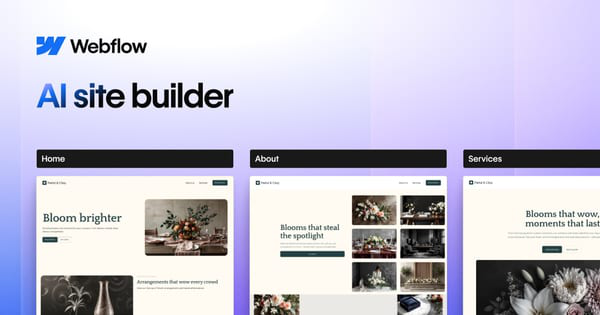
Webflow's AI Site Builder transforms a simple text prompt into a fully functional, multi-page website complete with layouts, typography, colors, images, copy, and a reusable design system built on Webflow's Flowkit modular CSS framework. It streamlines the entire creation process, allowing users to go from idea to editable, production-ready site in minutes, then refine it using Webflow's full visual editor for responsiveness, interactions, CMS integration, SEO optimization, and more.
Primary use cases include launching business websites, MVPs, portfolios, marketing landing pages, or client projects quickly without starting from scratch. It excels for rapid prototyping, experiments, or accelerating workflows where a solid foundation is needed before custom polishing. The target audience spans non-technical business owners and marketers seeking professional results fast, as well as designers, developers, freelancers, and agencies who value Webflow's code-level control and scalability while gaining AI speed. This tool appeals especially to those without deep design or coding expertise but who need consistent, high-quality outputs that can grow.
Key Features & Capabilities
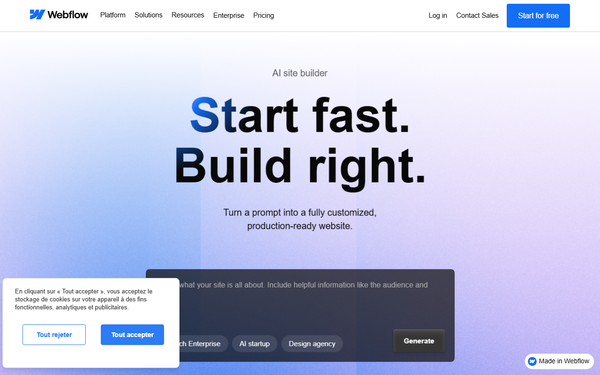
Core functionality revolves around a four-step workflow: describe your vision via prompt (e.g., business type, audience, goals), generate and refine site structure (up to five pages with sections like Home, About, and Services), apply AI-generated design (including contextual content and images), and customize themes site-wide. Post-generation, users gain full access to Webflow's no-code designer for adding interactions, CMS collections, animations via GSAP presets, and ongoing AI assistance for new pages, copy, or SEO audits.
Standout features that differentiate it from competitors like Wix AI or Framer include the creation of a complete multi-page site with a scalable, reusable design system (not just a single homepage), automatic responsiveness, compressed images, clean class/component structure, and seamless integration with professional Webflow tools such as custom code, advanced CMS, and optimization features. The Flowkit foundation ensures consistency and maintainability as sites evolve.
Limitations include outputs that often feel generic (requiring human refinement for unique branding or perfect imagery/copy), a cap of five initial AI-generated pages, inability to apply the tool to existing non-AI sites, and no support for sharing Libraries from AI-generated projects. Image packs and styles apply only forward, and some users note prompt sensitivity can lead to variable quality.
User Experience
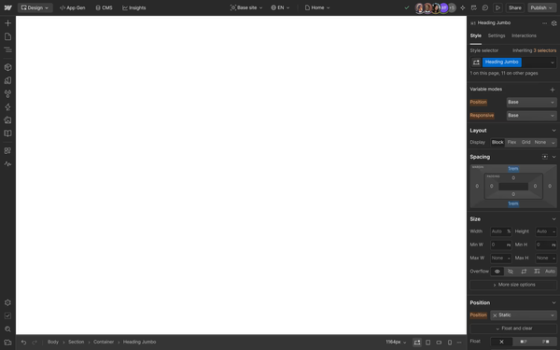
The initial prompt interface is exceptionally intuitive with minimal learning curve—just describe your project in natural language and refine structure via simple add/delete/reorder tools. Transitioning to the Webflow Designer unlocks powerful customization but introduces a steeper curve for absolute beginners due to its visual coding-like depth (drag-and-drop with precise control over classes, variables, and interactions). The modern, clean interface feels professional and responsive across devices.
Documentation and support are outstanding: an official step-by-step help center article, Webflow University resources, contextual AI Assistant help, and a vibrant community. YouTube tutorials and announcement updates further aid onboarding. Overall, it's accessible for quick starts yet rewarding for power users.
Performance & Reliability
Generation happens in minutes, producing responsive, mobile-optimized sites with solid foundational code and automatically compressed assets. Efficiency shines for MVPs or client previews, significantly cutting time from kickoff to polished launch. Webflow's reliable hosting ensures fast load times and scalability.
Known issues from user feedback include occasionally generic or "standard" designs that lack standout personality (prompt-dependent), placeholder images needing replacement, and minor post-beta refinements still required for production perfection. Broader Webflow complaints mention occasional editor glitches or bandwidth limits on lower plans, but the AI tool itself receives praise for clean structure and reliability in 2025–2026 reviews. No widespread downtime or major failures reported.
Pricing & Value
The AI Site Builder itself is free to use for generation and testing (offered without extra cost post-beta). Publishing, custom domains, and full features require a Webflow Site plan: Starter (free, limited to 2 pages on webflow.io), Basic ($14/month billed yearly or $18 monthly for custom domain and 150 pages), CMS ($23/$29 for 20 collections and 2,000 items), or Business ($39/$49 for higher limits). Enterprise and e-commerce add-ons are available separately, with workspace plans for teams.
Value is strong for professionals: it delivers production-grade results faster than manual design or hiring developers (potentially saving thousands), with unmatched customization compared to cheaper AI builders. Alternatives like Hostinger AI are more budget-friendly for basics but lack Webflow's control and scalability. Costs can accumulate with multiple sites or high traffic, making it ideal for agencies or growing businesses rather than one-off hobby projects.
Practical Tutorial
A comprehensive official tutorial is available at Webflow's Help Center. Here is a step-by-step walkthrough for a common task—creating a multi-page site for a "bespoke floral studio specializing in curated, elegant designs for life's most cherished moments" (adapted from official examples). This process takes 10–30 minutes initially, followed by refinement.
-
Log into your Webflow Dashboard and click New site. Select AI Site Builder.
-
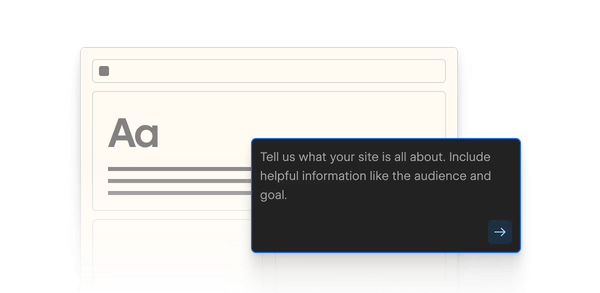
In the prompt field, describe your vision: "A bespoke floral studio in New York specializing in curated, elegant designs for life's most cherished moments—weddings, events, and gifts. Sophisticated, minimalist aesthetic with soft pastels." Click Generate site structure. The AI proposes up to five pages (e.g., Home, About, Services, Shop, Contact) with sections.
-
Refine structure: Use the left panel to edit the prompt if needed (regenerates everything), duplicate/add/remove pages or sections via three-dots menus or add icons. Reorder by dragging. Maximum five AI pages; add more manually later. Cannot delete the homepage or Navigation/Footer.
-
Once satisfied, click Generate design. The AI creates full visuals, relevant copy, images, and a theme. Preview all pages side-by-side or individually.
-
Customize the theme in the left panel: Choose or tweak site-wide elements like colors (primary/secondary), typography, buttons, animations (GSAP presets), images, forms, cards, spacing, and roundness. Changes apply instantly across the site.
-
Enter the full Webflow Designer: Edit individual elements, swap sections, or use the AI Assistant (via toolbar) to generate new copy, sections, or CMS items. Open the Style Guide page (under Static pages) for global style tweaks.
-
If over two pages, upgrade your Site plan in the prompt modal (select pages and choose Basic/CMS/etc.). Publish to Webflow hosting or connect a custom domain. Enhance further with AI for SEO or additional pages.
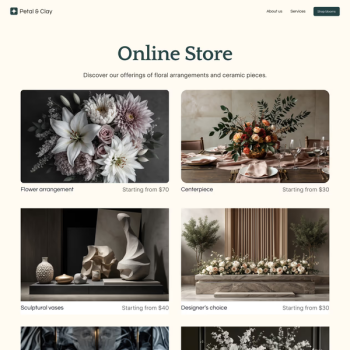
For the floral example, the output might include a hero with elegant imagery, services grid, and testimonial sections—ready for swapping stock photos with your own. Full details and troubleshooting in the official guide: https://help.webflow.com/hc/en-us/articles/38840145286035-Build-a-site-with-Webflow-s-AI-site-builder.
Final Verdict
This review is based on research conducted in March 2026 from official Webflow documentation, help resources, and trusted reviews across tech publications and user forums.
Overall rating: 4.5 out of 5. Webflow's AI Site Builder excels as a powerful accelerator for professional websites.
Who should use this tool: Designers, developers, agencies, business owners, and marketers who already use or are willing to learn Webflow and want a high-quality, customizable starting point that saves hours while retaining full control and scalability.
Who should avoid this tool: Complete beginners seeking a fully hands-off, zero-learning experience (outputs require editing and Webflow familiarity), or users on very tight budgets who don't need advanced features (cheaper builders like Wix AI may suffice for simple sites).
One-sentence recommendation: If you want fast, professional websites with unmatched post-AI customization and Webflow's robust ecosystem, Webflow's AI Site Builder is an outstanding choice worth trying today.