Witsy Review: The Ultimate Free, All-in-One Desktop AI Assistant
Overview & Purpose
Witsy is a free, open-source desktop AI assistant that integrates language models from leading providers (including OpenAI, Anthropic, Google Gemini, Groq, xAI Grok, Mistral, and many others) as well as local models via Ollama. Launched as a BYOK (bring-your-own-key) application, it brings conversational AI, content generation, and productivity tools directly to your desktop with a single keyboard shortcut, enabling seamless use across any application without switching windows.
Its primary purpose is to accelerate writing and analysis workflows—users report writing content up to 10 times faster—by providing instant access to powerful AI capabilities for tasks like drafting emails, summarizing documents, brainstorming ideas, coding assistance, and querying local files. Key use cases include professional content creation, research synthesis, document editing, voice-driven brainstorming, and multimodal generation (text-to-image/video and speech-to-text).
The target audience includes developers, writers, marketers, researchers, and other desktop-heavy professionals who already manage API keys or prefer local models for privacy and cost control. It appeals particularly to tech-savvy users on Windows, macOS, or Linux who want deep system integration rather than web-based chat interfaces. Casual users or those seeking a fully managed, zero-setup experience may find it less ideal.
Key Features & Capabilities
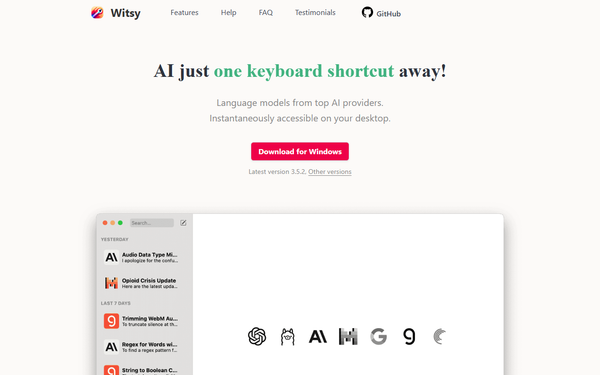
Core functionality revolves around three interconnected interfaces: a full-featured Chat window with searchable history and vision support, an interactive Scratchpad for collaborative document building (with markdown editing, magic action bar, and voice input), and global AI Commands/Prompt Anywhere triggered via customizable keyboard shortcuts from any application.
Standout differentiating features include:
- Prompt Anywhere and AI Commands: Trigger AI from any app (e.g., email client or Notion) to generate or refine text and paste results instantly—far more seamless than browser extensions or separate windows.
- Experts: Pre-built and customizable personas (financial advisor, creative writer, etc.) for specialized responses.
- Voice interaction: Real-time voice chat with spoken replies and dictation in the Scratchpad for hands-free document creation.
- Document Repository with RAG: Upload local files for AI querying, summarization, or new content generation using embeddings.
- Multimodal support: Image and video generation/editing, speech-to-text with multiple providers, web search plugins, long-term memory, and Anthropic MCP/Computer Use integration.
- Extensibility: HTTP API, CLI, plugins (Python execution, search), and full compatibility with local Ollama for offline use.
These set Witsy apart from competitors like Raycast AI, BoltAI, or EnConvo by offering broader model support (including free local options), cross-platform availability, and universal MCP client capabilities without vendor lock-in.
Limitations include reliance on user-provided API keys (or separate Ollama installation), no mobile or web version, basic image generation limited to supported providers, and occasional platform-specific quirks (e.g., shortcut behavior on Linux Wayland or multi-monitor Mac setups). Advanced features like agents or video generation require additional provider keys and may incur usage costs.
User Experience
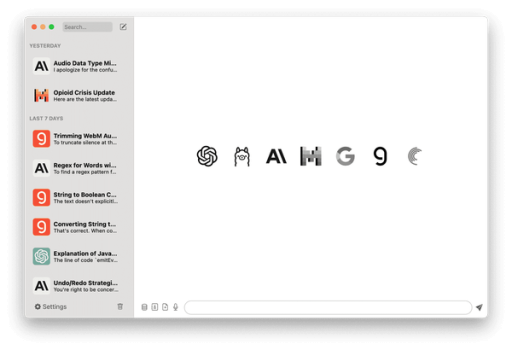
Witsy offers a clean, native-feeling interface with a tray icon, searchable chat history, and autosaving Scratchpad—making daily use intuitive once shortcuts are learned. The learning curve is moderate: setup takes 5–10 minutes (download, API key entry, optional Ollama), and memorizing shortcuts (e.g., Shift+Control+Space for Prompt Anywhere) is essential but customizable and well-documented in the app.
Keyboard-driven workflows feel fast and non-disruptive, with direct pasting back into the original app eliminating copy-paste friction. Documentation consists of concise FAQs on the official site, a detailed GitHub README, and short YouTube demos—sufficient for most users but lacking in-depth video courses or searchable help center. Support is community-driven via GitHub issues (responsive maintainer) with no dedicated live chat or email ticketing. Overall UX earns praise for privacy (all data stays local) and flexibility, though beginners may need a short onboarding period.
Performance & Reliability
Performance is excellent for a desktop app: native shortcuts respond instantly, and response speed depends primarily on the chosen model (Groq or local Ollama deliver near-real-time results). Cloud models handle complex tasks reliably, while local options provide offline capability and zero recurring cost. Recent updates (v3.5.2 as of March 2026) have improved Scratchpad editing, autosave, and MCP support.
Known issues are minor and infrequent: occasional cursor-position problems when pasting on certain platforms, Linux shortcut inconsistencies, and dependency on provider uptime. Public complaints are rare due to the tool’s niche audience; GitHub discussions focus on feature requests rather than bugs, and no widespread outages or crashes are reported. Reliability is high for daily professional use, with local history and PDF export adding robustness.
Pricing & Value
Witsy itself is completely free to download and use indefinitely—no subscriptions, trials, or in-app purchases for the core application (available via direct download or brew install --cask witsy on macOS). The only costs come from the AI providers you choose (pay-per-use API credits) or hardware for running large local models via Ollama. Enterprise options are absent, but the open-source nature and localhost HTTP API make custom deployments straightforward.
Value is exceptional compared to paid alternatives (Raycast AI, Cursor, or subscription-based desktop tools), especially for users with existing API access or those prioritizing local/privacy-focused workflows. You get enterprise-grade multimodal capabilities without the markup. For light users, free local models deliver strong ROI; heavier users pay only for the intelligence they consume.
Practical Tutorial
Official demos exist (e.g., Scratchpad walkthrough on YouTube), but here is a complete step-by-step tutorial for a common task: using Prompt Anywhere to draft a professional email response in any application (tested in Gmail, Outlook, or Notion).
- Download and install the latest version from https://github.com/nbonamy/witsy/releases (or brew on macOS). Launch Witsy—it runs in the system tray.
- Open Settings (tray icon → Settings) and add your API key(s) under the relevant provider (e.g., OpenAI or Groq for speed). Optionally install Ollama and pull a model like llama3 for free local use. Select a default model and Expert if desired.
- In any app (e.g., your email composer), type or paste context (meeting notes or bullet points) and position your cursor where the response should appear.
- Press the default shortcut Shift + Control + Space (customizable). The Prompt Anywhere window opens with the selected text pre-loaded.
- Type your instruction, for example: “Draft a polite, concise email response thanking the team for the Q1 update and proposing a follow-up meeting next Tuesday at 10am. Use professional tone and include a call to action.”
- Press Enter. Witsy generates the text and offers options to refine (via AI Commands) or insert directly.
- Click Insert—the generated email appears exactly where your cursor was. Use Alt + Control + Space afterward on any part to run quick commands like “Make this more concise” or “Add bullet points.”
- Save or send. All history is stored locally for later reference.
This workflow typically takes under 30 seconds and works identically in Word, Slack, or code editors. For voice: enable the microphone in Prompt Anywhere for dictation. Full video demos of related features are available on the official site and GitHub README.
Final Verdict
Overall rating: 8.5/10 (excellent value and integration; docked slightly for setup barrier and limited third-party reviews).
Witsy is ideal for developers, writers, marketers, and any professional who lives in desktop apps and wants frictionless AI assistance across their entire workflow—especially those comfortable with API keys or local models. Its free, cross-platform, privacy-first design and powerful global shortcuts make it a standout productivity multiplier.
Avoid it if you prefer zero-configuration web tools, need mobile access, or lack any API familiarity—simpler browser extensions or managed services may suit better.
One-sentence recommendation: If you want the most flexible, free, system-wide AI assistant that truly disappears into your workflow, download Witsy today.