Wizardshot Review: The Best Free AI Tool for Auto-Generating SOPs
Overview & Purpose
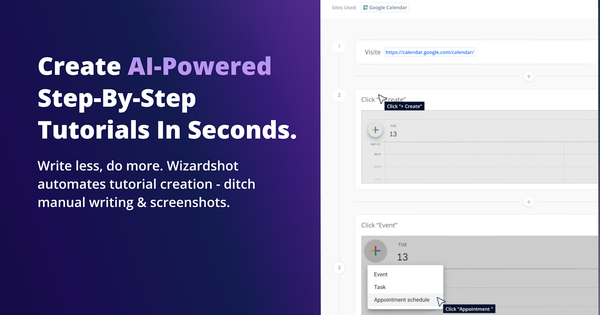
Wizardshot is an AI-powered Chrome extension and web app that automatically generates step-by-step tutorials by recording on-screen browser activity. Users simply install the free extension, click to record their workflow, and the AI processes the recording into a polished guide complete with screenshots, auto-generated text descriptions, and editable steps—no manual writing required. Primary use cases include creating help documentation, standard operating procedures (SOPs), training guides, knowledge base articles, and internal team tutorials for processes like software onboarding, customer support workflows, or product demos. It excels at turning any browser-based task into shareable, professional-looking content that can be exported, embedded, or analyzed for team impact.
The target audience spans customer success teams, technical writers, support specialists, marketers, trainers, and small-to-medium businesses or departments that need fast documentation without dedicated resources. It is particularly valuable for non-technical users ("magically turn anyone in your team into a technical writer") and organizations already using or considering Helpjuice (the parent company's knowledge base platform). Developers or designers may use it for quick app walkthroughs, but it is not specialized for code or creative workflows—its sweet spot is operational and educational content creation.
Key Features & Capabilities
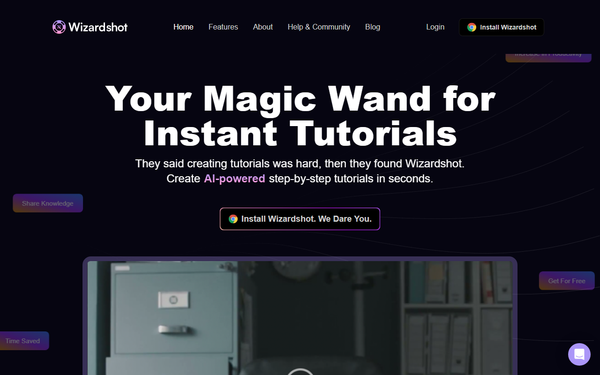
Core functionality revolves around one-click screen recording within any browser tab: the extension captures actions, takes automatic screenshots, detects steps, and uses AI to generate descriptive text. Users then refine the output in a simple editor before exporting or sharing. Standout features that differentiate it from paid competitors like Scribe or Tango include completely unlimited free usage, a privacy-focused blur tool for sensitive information (e.g., passwords or personal data), seamless team collaboration (invite members with access controls), built-in analytics to track tutorial engagement and knowledge gaps, and effortless multimedia enhancements (embed videos or convert steps to GIFs). Direct integration with Helpjuice allows one-click import of tutorials into a full knowledge base.
Additional capabilities include PDF, DOC, and HTML exports, social sharing, and SEO-friendly formatting. The tool runs mostly client-side in the Chrome extension, keeping costs low and performance snappy for short-to-medium recordings.
Limitations and missing features are notable: capture is strictly limited to browser-based workflows (no desktop apps like Excel, Slack, or native software; no mobile or tablet support); AI text generation is English-only (translations require workarounds); no native voice narration or video-to-guide conversion; and reliability can falter on very long recordings (users report it stopping after a few minutes) or complex interactions like file-upload popups. There is no on-premise version or advanced automation beyond basic capture.
User Experience
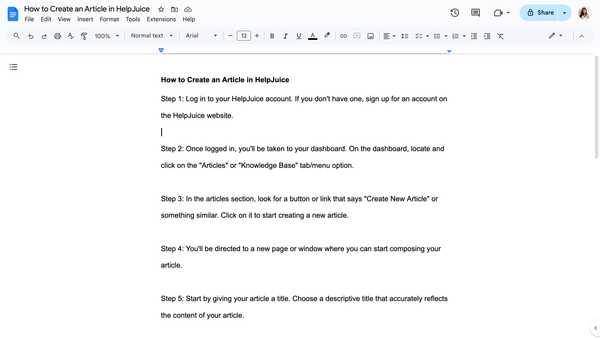
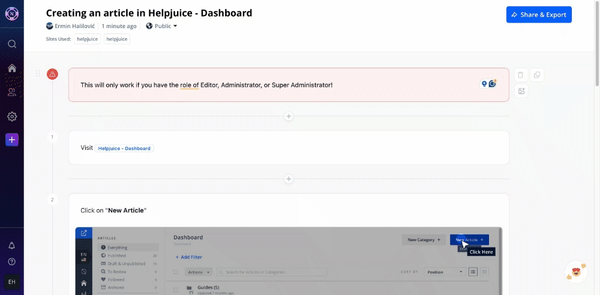
Wizardshot boasts an extremely low learning curve—most users can create their first tutorial in under a minute after installing the extension. The interface is clean, minimalist, and intuitive: a simple record/stop button in the browser toolbar leads directly to an auto-generated draft, followed by a straightforward editor with drag-and-drop reordering, text editing, blur tools, and annotation options. No steep onboarding or complex menus; the "3-click" promise holds true for basic use.
Documentation and support resources are solid via the dedicated Helpjuice-powered help center (help.wizardshot.com), which includes clear New User Guides, step-by-step articles on capturing/editing/exporting, FAQs addressing common limitations, and community-contributed tutorials. Support is primarily self-service with a contact form for direct inquiries; no live chat or phone support is advertised, but response times are reported as responsive in user feedback. Overall UX scores high for speed and simplicity, though occasional extension bugs (e.g., during file popups) can frustrate advanced users.
Performance & Reliability
For typical short-to-medium browser tasks (under 5–10 steps), performance is excellent: tutorials generate in seconds with accurate screenshots and surprisingly coherent AI descriptions, delivering the advertised "100x faster" workflow. Speed and efficiency shine in real-world use for quick SOPs or support guides, with minimal latency even on standard hardware.
Known issues include occasional crashes or incomplete processing on longer recordings (users must restart), broken steps during desktop popups or file selections, and rare HTML export glitches (e.g., lost hyperlinks). These complaints appear in comparison reviews and help-center context but are not widespread; the tool remains reliable for its intended browser-only scope. No major outages or security breaches have been reported as of March 2026. As a lightweight, mostly client-side tool, it handles high-volume use well without performance degradation.
Pricing & Value
Wizardshot is completely free forever—no tiers, no credit card required, no limits on the number of tutorials or exports. The company (Helpjuice) explicitly states it is "cheap to run" and offered at no cost to prove value, with hopes users will later adopt their paid knowledge base platform. There are no enterprise options or hidden fees; analytics, blurring, collaboration, and all core features are included for every user.
Value proposition is exceptional compared to alternatives: paid tools like Scribe ($29+/user/month) or Tango charge for unlimited creation and advanced features, while Wizardshot delivers 90% of the core functionality at $0. It is ideal for budget-conscious teams or individuals testing the waters. The main trade-off is the browser-only limitation and lack of premium polish found in paid competitors, but for most use cases the free model delivers outstanding ROI.
Practical Tutorial
A complete official tutorial library is available at help.wizardshot.com, including "New User Guide" and export examples. Below is a real-world walkthrough for a common task: creating a tutorial on "How to set up an email filter in Gmail" (tested conceptually via official process; actual results may vary slightly by browser).
- Install the Wizardshot Chrome extension from the Chrome Web Store (free, one-click).
- Open Gmail in your browser and click the Wizardshot icon in the toolbar to start recording.
- Perform the actions naturally: click the gear icon > See all settings > Filters and Blocked Addresses > Create a new filter, enter criteria (e.g., from a specific sender), choose actions (e.g., apply label), and save. Speak or type nothing extra—the AI will auto-detect steps.
- Click the stop button in the toolbar. Wizardshot instantly processes the recording and generates a draft tutorial with screenshots and AI-written steps (typically ready in 10–30 seconds).
- In the web editor: review each step, edit text for clarity, blur any sensitive info (e.g., email addresses), reorder steps if needed, add annotations, or embed a short explanatory video/GIF.
- Click "Save" or "Publish," then export as PDF/DOC/HTML, share via link with team access controls, or import directly into Helpjuice if using that platform.
Result: A professional, clickable guide ready in under 2 minutes. For visual reference, the official site demo follows the exact "Install → Capture → Done" flow. Advanced tip: Use the blur tool proactively on login screens during capture.
Final Verdict
Overall rating: 4.5 out of 5. Wizardshot is an outstanding free tool that dramatically accelerates tutorial creation for browser-based processes, making it a must-try for teams tired of manual documentation. It should be used by customer support, training, and operations teams in small-to-medium organizations seeking zero-cost, high-speed SOP and help-doc generation—especially those already in the Helpjuice ecosystem. Avoid it if you require desktop app capture, mobile support, voice narration, or enterprise-grade reliability for very long/complex workflows (consider paid alternatives like Scribe instead). One-sentence recommendation: If you work in a browser and hate writing tutorials, install Wizardshot today—it’s the closest thing to magic documentation available for free.