Wondercraft AI Review: Create Studio-Quality Podcasts in Minutes
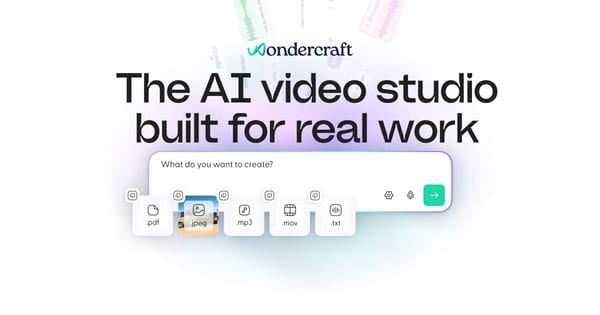
Overview & Purpose

Wondercraft AI is an AI-powered audio and video studio that enables users to create professional, studio-quality podcasts, audiobooks, ads, and other audio content (now extending to full videos) in minutes without needing microphones, recording equipment, or editing expertise. It transforms ideas, bullet points, documents, URLs, or existing scripts into fully produced episodes complete with AI-generated scripts, realistic voices, background music, sound effects, and optional video elements. Primary use cases include generating daily news podcasts, repurposing blog posts or articles into audio formats, creating internal training/onboarding content, promotional ads, meditations, and multilingual dubs for broader reach.
The platform targets podcasters, content creators, marketers, HR/L&D teams, agencies, and businesses seeking scalable, on-brand audio (and video) production. It appeals particularly to solo creators and teams who want to produce high-volume content quickly while maintaining a personal touch through voice cloning, rather than relying solely on generic text-to-speech.

Key Features & Capabilities
Core functionality revolves around an all-in-one workflow: AI scripting from simple inputs (bullet points, notes, PDFs, or URLs), voice selection or cloning, music/SFX library integration, a timeline-based editor, and one-click generation/export. Standout features include hyper-realistic voice cloning (upload 30-60 seconds of audio to replicate your own voice with natural intonation), Parrot Mode and Director Mode for fine-tuning delivery, emotion, pacing, and pauses like directing a real voice actor, Convo Mode for editable NotebookLM-style conversations, and Wonda AI agent that coordinates models for iterative improvements. It supports 50+ languages with accents and dubs, pre-licensed music tracks, sound effects, and now full video generation with branding, captions, and workflows tailored to business outcomes like explainers or promotions.
Differentiators from competitors (such as ElevenLabs or Descript) include the seamless combination of script generation, personal voice cloning, studio-like controls, and enterprise-grade security (SOC 2, GDPR, SSO). It handles both audio-first podcasts and video outputs in one platform. Limitations include a credit-based system that can become costly for high-volume or long-form content, occasional lack of deep customization in basic voices, and the fact that advanced features like unlimited cloning or video are gated behind paid plans. Some users note that while AI handles 80-90% of production, manual refinements in the editor are still needed for perfection.

User Experience
Wondercraft boasts a low learning curve, with users often creating their first episode in under 10 minutes thanks to intuitive guided workflows and a clean, modern dashboard resembling a simplified digital audio workstation (DAW). The interface is professional yet accessible, featuring drag-and-drop elements, real-time previews, and collaborative editing tools. Non-technical users praise the simplicity for turning ideas into polished audio without steep video/audio editing knowledge.
Documentation includes quick-start guides, blog tutorials, and live Wondercraft 101 sessions hosted by co-founders. Support is responsive via chat/email for paid users, though some free-tier feedback mentions slower responses. Overall, the UX prioritizes speed and creativity over complexity, making it suitable for beginners and pros alike.
Performance & Reliability
Generation is fast—simple podcasts can be produced in 5-10 minutes—with high-quality, natural-sounding voices that capture emotions, accents, and flow effectively. Voice cloning stands out for authenticity, often outperforming competitors in user tests. The platform handles translations and multi-speaker formats reliably for most cases.
However, reliability has mixed reports. Positive reviews highlight consistent output and time savings, but some users on Trustpilot report technical issues like voices cutting out mid-audio, inconsistent quality across generations, and billing surprises. These complaints appear in a minority of reviews but indicate occasional glitches that may require regeneration or manual fixes. Performance is generally strong for standard use but can vary with complex scripts or high traffic.
Pricing & Value
Wondercraft offers a free tier (limited to ~150 credits, equating to roughly 15 minutes of standard audio) with no credit card required, allowing easy testing. Paid plans include Creator (~$21–35/month billed annually for 1,000+ credits), Pro (~$42–65/month for more credits, advanced voices, and priority features), and Enterprise options with custom pricing, unlimited usage, SSO, and dedicated support. Credits typically cost around 10 per minute of standard speech (higher for enhanced modes like Director), with voice cloning available on higher tiers. Early-user discounts like EARLYWONDERUSERS50 (50% off) may still apply via referral links.
Value is excellent for time savings and professional results—users report replacing weeks of production with minutes—especially for marketers or teams repurposing content. Compared to hiring voice talent or using fragmented tools, it offers strong ROI for moderate-to-high volume creators. However, the credit system can feel limiting or expensive for independent podcasters producing long episodes weekly, making it best suited for those who value speed and quality over unlimited free generation.
Practical Tutorial
Wondercraft provides official resources like Wondercraft 101 live sessions and YouTube tutorials. Below is a step-by-step walkthrough for a common task: creating a short AI-generated podcast episode from bullet points (based on official workflows and user demos as of April 2026).
-
Sign up and start a project: Go to https://www.wondercraft.ai/ and create a free account. Click "New Project" or "Start a Podcast" from the dashboard.
-
Input your content: In the script or content section, paste bullet points (e.g., "Topic: AI in marketing. Key points: 1. Automation boosts efficiency. 2. Personalization increases engagement. 3. Future trends..."), a URL, PDF, or let AI generate a full script. Use the AI scripting tool to expand bullets into natural dialogue.
-
Assign voices: Choose from 1,000+ premium voices or clone your own (upload a short audio sample for personal touch). Assign different voices to co-hosts for conversational feel. Select language/accent (supports 50+).
-
Add audio elements: Browse the pre-licensed music library and sound effects. Drag in background tracks or SFX to match tone (e.g., upbeat music for promo episodes).
-
Refine with AI modes: Generate the initial audio, then use Parrot Mode (repeat and adjust) or Director Mode to tweak tone, emotion, pacing, laughs, or pauses via text prompts. Edit on the timeline for precise control.
-
Generate and review: Hit generate—audio renders quickly. Preview, iterate with Wonda AI if needed, and add captions or branding for video versions.
-
Export or publish: Download as MP3/WAV or directly publish to podcast hosts. Total time: 5–15 minutes for a 5–10 minute episode.
For video-enhanced podcasts, select an explainer workflow and add visuals. Official tutorials: Wondercraft 101 or YouTube demos like "How to use Wondercraft."
Final Verdict
Overall rating: 4.5/5 – Excellent for speed, voice realism, and all-in-one production, with minor deductions for credit costs and occasional glitches.
Who should use this tool: Podcasters, marketers, educators, and businesses needing fast, professional audio (or video) content with personal voice cloning and minimal effort—ideal for scaling output or repurposing written material.
Who should avoid this tool: Budget-conscious solo creators producing very high volumes (credits add up) or those requiring absolute glitch-free reliability without any post-generation tweaks, who may prefer traditional recording or cheaper alternatives.
One-sentence recommendation: Wondercraft AI is a game-changing platform for anyone who wants to produce studio-quality podcasts with their own cloned voice in minutes—highly recommended if time savings and realism outweigh minor pricing and reliability caveats.