WorkFlawless Review: The Ultimate AI-Powered SOP & Workflow Tool
Overview & Purpose

WorkFlawless is a cloud-based SOP software and visual process flowchart platform that centralizes business operations by allowing teams to create, document, share, and optimize workflows, standard operating procedures (SOPs), and structured onboarding roadmaps called Paths. It eliminates scattered documentation across tools like Google Drive or email by providing a single hub for interactive flowcharts, multimedia-rich SOPs, real-time collaboration, and process adoption tracking. Primary use cases include visualizing end-to-end processes to spot bottlenecks, generating detailed SOPs for consistency, building personalized onboarding Paths for new hires or role changes, assigning tasks with compliance monitoring, and scaling operations without losing knowledge during growth or turnover.
The target audience includes growing small-to-medium businesses (SMBs), SaaS companies, and operations or HR teams in multi-department organizations that need standardized processes, fast onboarding, and predictable outcomes—particularly managers tired of inconsistent execution or knowledge silos. It is less focused on developers, pure marketers, or designers and more on ops leads, founders, and teams handling complex, repeatable workflows. Research conducted as of March 9, 2026.
Key Features & Capabilities
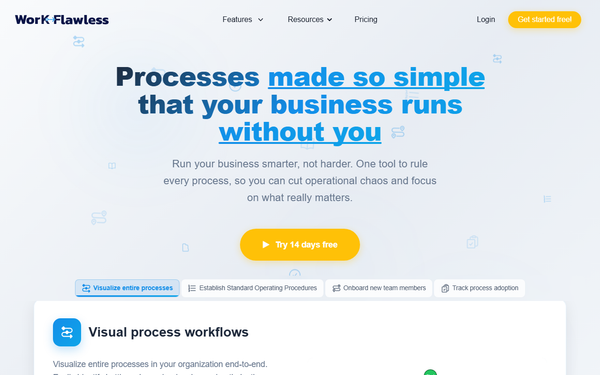
Core functionality revolves around three interconnected pillars: visual workflows (drag-and-drop flowcharts with decision points, branches, role assignments, and version control), interactive SOPs (step-by-step guides with embedded videos, images, documents, and AI-assisted creation), and Paths (custom sequences that combine workflows and SOPs into role-specific learning roadmaps). Additional capabilities include AI generation of entire workflows or SOPs from plain-language prompts in seconds, real-time collaborative editing, centralized knowledge search, task assignments with progress tracking and automated reminders, public sharing links, PDF exports, templates, and a Chrome browser extension for instant access.
Standout features that differentiate it include the tight integration of visual flowcharts with detailed SOPs (each step in a flowchart can link directly to multimedia instructions), automatic propagation of updates across all linked Paths and workflows, and built-in adoption analytics (completion rates, overdues, bulk reminders). The AI reduces documentation time by 80-90%, while Paths enable self-service onboarding that claims to cut manager effort by 70% and achieve 92% knowledge compliance in two weeks. Compared to competitors like Lucidchart (visual-only), SweetProcess or Trainual (SOP/training-focused), or Process Street (checklists), WorkFlawless stands out with its all-in-one visual + detailed + onboarding ecosystem plus compliance tracking.
Limitations include no free tier (only a 14-day trial), strict user and feature caps on lower plans (e.g., no workflows or Paths in Starter/Grow), absence of advanced automations or native integrations beyond the Chrome extension, and a relatively new platform status that means fewer third-party app connections than enterprise BPM tools. Storage or export limits are not heavily detailed.
User Experience
WorkFlawless emphasizes simplicity with a minimal learning curve—users report being productive immediately thanks to intuitive drag-and-drop interfaces, distraction-free editors, and AI that handles 90-95% of initial creation. The real-time collaborative editor feels responsive and visual, allowing teams to refine flows, add media, and assign owners without technical hurdles. Interface quality is clean and modern, with searchable knowledge bases and thematic section building for Paths that make organization effortless.
Documentation and support resources consist of blog articles with practical process guides, an introductory YouTube video demo, template library, and in-app help. Support starts with standard email on the Starter plan and escalates to priority response on higher tiers; the Chrome extension adds quick browser access. Overall, the platform earns praise in testimonials and early mentions for ease and speed, with virtually no reported steep onboarding for non-technical users.
Performance & Reliability
The platform performs efficiently with fast AI generation (seconds for complex diagrams), real-time editing without lag, and instant updates across linked content. Cloud hosting ensures accessibility, and features like version control and assignment tracking support reliable day-to-day operations. No widespread performance complaints, downtime reports, or major bugs appear in public forums or review aggregators as of March 2026—likely due to its focused, lightweight design.
Known issues are minimal; the tool is relatively new (Product Hunt launch and founder stories from 2025), resulting in sparse independent feedback rather than volume complaints. One Trustpilot review contributes to a 3.5/5 average, while G2 shows limited but positive notes on efficiency and collaboration. Early Reddit and LinkedIn mentions highlight time savings without reliability concerns.
Pricing & Value
WorkFlawless offers no free plan but provides a 14-day free trial (cancel anytime) and 14-day refund guarantee across all tiers. Plans are billed annually with monthly equivalents approximately as follows (exact figures and promotions can vary—verify on the official pricing page): Starter (~$24–29/month, 3 users, unlimited SOPs only), Grow (~$66–79/month, 10 users, unlimited workflows + SOPs), Scale (~$116–139/month, 30 users, unlimited Paths), and Unlimited (custom higher, unlimited everything). Higher plans unlock priority support, more teams/users, and full feature access; upgrades/downgrades are seamless.
Value proposition is strong for teams needing an integrated visual-SOP-onboarding solution: it replaces multiple tools (flowchart apps + SOP software + training platforms) at a competitive SMB price point, with AI and tracking delivering measurable time and consistency gains. Compared to alternatives like Trainual or Process Street, it offers better visual flowchart depth and automatic Path updates at similar or lower entry costs for growing teams. It shines for scaling businesses but may feel restrictive for very small teams or those requiring heavy custom integrations.
Practical Tutorial
Official step-by-step video tutorials are limited, but the site offers an intro demo on YouTube and blog guides. Below is a practical, original walkthrough for a common task—creating an AI-generated workflow, linking an SOP, and building an onboarding Path for a new marketing team member (e.g., “Content Approval Process”). This uses the platform’s core tools and can be completed in under 45 minutes.
- Sign up for the 14-day trial at workflawless.com and log in. Navigate to the dashboard and click “Create New” > “Workflow with AI.”
- In the AI prompt box, type a clear description: “Create a visual flowchart for our content approval process: writer submits draft → editor reviews → SEO check → marketing manager approves → publish or revise. Include decision branches, assign roles (Writer, Editor, SEO Specialist, Manager), and add time estimates.” Click Generate—the AI instantly builds a complete flowchart with steps, branches, and role tags (typically 90%+ accurate).
- Open the real-time editor: drag to rearrange steps, add decision diamonds, link roles, and insert comments. For each step, click “Add SOP” to create or link detailed instructions. Use the SOP AI generator with prompt: “Write a full SOP for editor review step including checklist, tools (Google Docs, Notion), approval criteria, and video upload option.” Embed images or screen recordings directly. Save with version history.
- Go to “Paths” > “Create New Path.” Search your knowledge base for the new “Content Approval Workflow” and related SOPs. Drag and drop them into thematic sections (e.g., “Week 1: Core Process,” “Week 2: Best Practices”). Add training notes or quizzes. Name it “Marketing New Hire – Content Approval Onboarding” and set auto-updates.
- Assign the Path: select the new hire’s email, set due dates, and enable progress tracking with reminders. Share via public link or team access. Monitor completion rates in the dashboard analytics.
This example mirrors real use cases from testimonials (e.g., SEO onboarding at Emirates Airlines). For visuals, watch the official intro video: https://www.youtube.com/watch?v=p4whe4hHWQg. Experiment in the trial to test AI accuracy for your processes.
Final Verdict
Overall rating: 4.3/5 – A polished, AI-enhanced platform that delivers on its promise of centralized operations but is still maturing with limited third-party reviews and integrations.
Who should use this tool: Growing SMBs, SaaS teams, and ops/HR leaders who want an all-in-one visual workflow + SOP + onboarding solution to reduce chaos, speed up new-hire productivity, and maintain consistency without piecing together multiple apps.
Who should avoid this tool: Solo users or tiny teams needing a free option, enterprises requiring deep automations/Zapier integrations, or organizations that prefer open-source diagramming tools without subscription caps.
One-sentence recommendation: Try the 14-day free trial if your business is scaling and you need visual processes, detailed SOPs, and effortless onboarding all in one intuitive platform—WorkFlawless makes operations feel truly flawless for growing teams.