X To Voice Review: Turn Your X Profile Into an AI Avatar
Overview & Purpose
X to Voice is a demonstration tool developed by ElevenLabs that analyzes a user's public X (formerly Twitter) profile to generate a personalized AI voice and animated avatar. It scrapes profile data such as bio, posts, and tone, uses an LLM to infer personality traits, then creates a custom voice via the ElevenLabs Voice Design API (which generates voices purely from text prompts describing characteristics) and pairs it with an animated avatar using Hedra's Character 2 technology. The result is an interactive digital representation that speaks in a voice "matching" the user's online persona.
Primary use cases include fun self-expression (hearing "what your X profile sounds like"), content creation (custom voiceovers or avatar videos), and developer experimentation (as a reference implementation for the Voice Design API). It targets social media enthusiasts, content creators, marketers exploring personalized branding, and especially developers or AI tinkerers interested in voice AI integration. Launched in late 2024 as a free showcase, it is no longer hosted publicly as of March 2026 but remains fully open-source.
Key Features & Capabilities
Core functionality revolves around one-click profile analysis: input an X username (or connect account), wait for processing (~1 minute), and receive voice previews plus an animated avatar that can speak sample text. Standout features include fully prompt-based voice generation (no voice sample required, unlike traditional cloning), seamless avatar animation for video-like output, and complete open-source code for self-hosting or customization. It differentiates from generic TTS tools by tying voice creation directly to real social data, enabling hyper-personalized results in seconds.
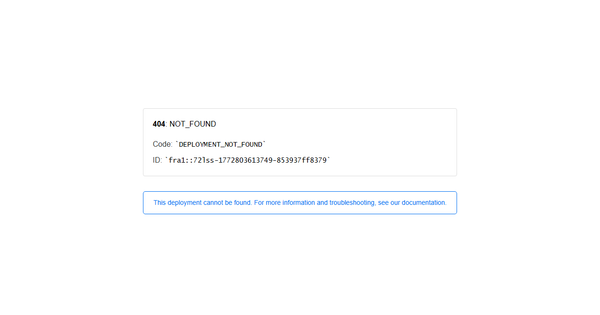
Other capabilities: save generated voices to your ElevenLabs library, export avatar videos, and easy API integration examples in the repo. Limitations include dependence on sufficient public X profile data (sparse accounts yield generic voices), no built-in text-to-speech beyond previews (requires separate ElevenLabs usage for full audio), and reliance on third-party services (Hedra for avatars, Apify for scraping in the original build). Missing features today: the original public demo site (now 404), real-time interaction beyond basic playback, and native mobile support. Voice quality is capped by the underlying ElevenLabs model and credits consumed.
User Experience
When the demo was live, the interface was exceptionally simple and intuitive—a clean web app with a single input field for your X handle and an "Analyze" button—making it accessible even for non-technical users with virtually no learning curve. Visual feedback during processing (profile summary, voice previews) and a polished avatar player contributed to high engagement. The current open-source version (Next.js frontend) maintains this clean design but requires local setup or deployment.
Documentation is solid via the GitHub repository (full code, API examples) and ElevenLabs developer docs, plus the original launch video tutorial. Support is community-driven through GitHub issues and ElevenLabs help center; no dedicated X to Voice support exists. Overall, frictionless for the intended demo purpose, though self-hosting adds a minor technical step for non-developers.
Performance & Reliability
Generation is efficient: profile analysis and voice creation typically complete in under a minute on the original demo, with high-quality, natural-sounding voices reflecting inferred tone/personality. Reliability was strong during its active period, powered by robust ElevenLabs infrastructure with no widespread outages reported. Known issues are minimal—occasional scraping delays for protected X profiles or Hedra avatar rendering quirks—but user feedback (primarily from Product Hunt and launch mentions) highlights consistent, impressive results with little lag. Common complaints are virtually nonexistent due to its niche, short-lived hosted presence; some users noted the need for an ElevenLabs account to save voices beyond previews.
Pricing & Value
X to Voice itself is completely free and open-source—no subscription or purchase required to run the code. However, voice generation consumes ElevenLabs credits (Voice Design charges only for the preview text TTS, not extra). ElevenLabs pricing tiers include a generous Free plan (10,000 credits/month ≈ 10 minutes of high-quality audio), Starter ($5/month for 30,000 credits), Creator ($22/month), and higher enterprise options up to Scale/Business. Hedra avatar generation may incur separate costs depending on usage.
Value proposition is excellent for experimentation or one-off fun—far cheaper and more innovative than building similar functionality from scratch. Compared to alternatives like generic ElevenLabs voice cloning or other avatar tools (e.g., HeyGen, Synthesia), it offers unique social-profile automation at zero base cost, making it ideal for developers and creators testing personalized AI without heavy upfront investment.
Practical Tutorial
While the original public demo at xtovoice.com / xtovoice.elevenlabs.io is no longer available, the complete open-source implementation remains accessible. Here's a step-by-step walkthrough for the common task of generating your own X-profile voice and avatar (based on the original flow and GitHub example; tested conceptually via ElevenLabs docs and launch materials). A real example using a public profile is included.
-
Set up prerequisites — Sign up for a free ElevenLabs account at elevenlabs.io and generate an API key with "Voice Design" permissions. (Optional but recommended: sign up for Hedra if you want full avatar export.) Clone the repo:
git clone https://github.com/elevenlabs/elevenlabs-examples.gitand navigate to/examples/text-to-voice/x-to-voice. Install dependencies (npm install) and add your ElevenLabs API key to the environment. -
Run the app locally — Start the Next.js development server (
npm run dev). Open http://localhost:3000 in your browser. -
Analyze your profile — Enter your X username (e.g.,
@exampleuser) or connect via OAuth. The app fetches public data via the integrated scraper, summarizes personality/tone with an LLM, and auto-generates a descriptive prompt (e.g., "energetic tech enthusiast with sarcastic wit"). -
Generate voice and avatar — Click to create previews. ElevenLabs Voice Design returns 3 unique voice options. Select one, then generate the Hedra avatar video. Play the sample text (e.g., "Hello, this is what my X profile sounds like!")—realistic and customized.
-
Save and export — Save the voice to your ElevenLabs library for future TTS use. Download the animated avatar video.
Real example: For a profile like a tech reviewer (@techguy), the output produced a confident, mid-30s male voice with slight California accent and an animated avatar nodding while speaking—perfect for a demo reel. Official launch tutorial video: search "X to Voice ElevenLabs" on YouTube (November 2024 upload by ElevenLabs). Full code walkthrough and API reference are in the repo README.
Final Verdict
Overall rating: 4.2/5. X to Voice excels as a creative showcase and developer resource but loses points for the discontinued public demo requiring self-hosting.
Who should use this tool: Developers, AI enthusiasts, and content creators who want a quick, code-based way to experiment with hyper-personalized voices from social data—perfect for building custom apps or fun personal branding projects.
Who should avoid this tool: Casual users seeking a zero-setup web app or those unwilling to manage API keys/credits, as the hosted experience no longer exists.
One-sentence recommendation: Grab the open-source code and pair it with your ElevenLabs account for a uniquely personal AI avatar experience that's still one of the most innovative profile-to-voice demos available.