Zed Review: The Ultra-Fast AI Code Editor for Modern Developers
Research as of March 11, 2026 — all information drawn from the official Zed website, documentation, pricing page, and recent user reviews on Medium, Reddit, and tech publications.
Overview & Purpose
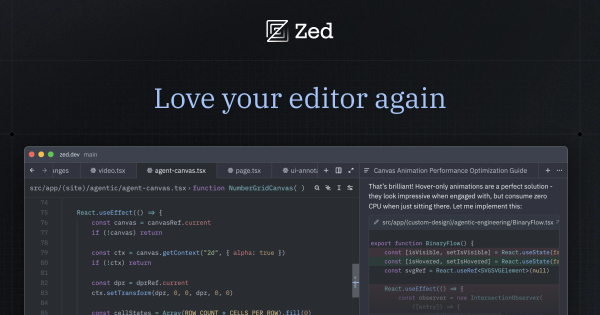
Zed is a minimal, high-performance code editor built from the ground up in Rust for speed, real-time collaboration with human teammates, and native AI assistance. It leverages multiple CPU cores and GPU acceleration to deliver near-zero latency editing, while deeply integrating large language models (LLMs) for intelligent code generation, transformation, analysis, and even agentic workflows where AI can read files, run commands, and propose changes.
Primary use cases include fast solo coding, live pair-programming or team sessions with shared cursors and voice chat, AI-powered refactoring or debugging, and remote development via Dev Containers. It excels in modern developer workflows where traditional editors feel sluggish.
The target audience is professional software developers, engineering teams at startups and large organizations, and educators—particularly those who value performance, Vim-style modal editing, and seamless human+AI collaboration over the broadest possible extension ecosystem. Notable users include creators of Elixir, React, and D3.js.
Key Features & Capabilities
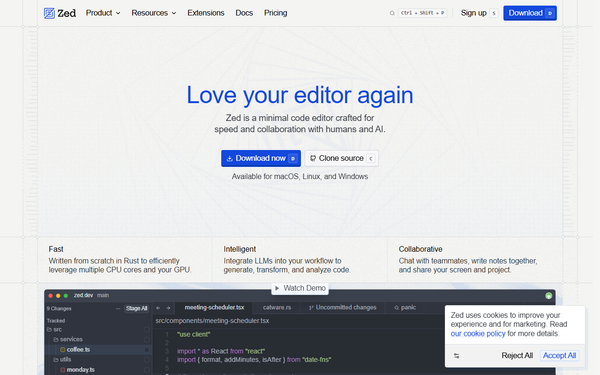
Core functionality revolves around lightning-fast text editing, full Language Server Protocol (LSP) and Debug Adapter Protocol (DAP) support, native Git integration, a built-in terminal with task runner, interactive REPL (Jupyter kernels), multibuffer editing (compose excerpts from multiple files into one live surface), and outline views with rainbow brackets.
Standout features that differentiate Zed from competitors like VS Code or Cursor include:
- Blazing performance — GPU-accelerated rendering and multi-core architecture yield sub-millisecond typing latency and instant boot times.
- Native AI integration — Inline Assistant (select code and prompt changes), Agent Panel (autonomous agents with tools), Edit Prediction (Zeta open model anticipates next edits on every keystroke), and Text Threads (conversational editing inside buffers). Supports any LLM via API keys or external agents without lock-in.
- Built-in collaboration — Real-time multiplayer editing (shared cursors and edits), persistent Channels for team projects, voice chat, note-sharing, and screen/project sharing—all without third-party plugins.
- Vim/Helix modal editing — First-class support with text objects and marks.
- Extensible ecosystem — Hundreds of extensions for themes, languages (Java, PHP, Svelte, etc.), and UI enhancements.
Limitations include a still-growing extension library (roughly 500+ vs. VS Code’s thousands), requiring manual setup for some language servers (e.g., Python’s basedpyright + Ruff), and occasional platform-specific quirks on Linux or Windows. Collaboration, while powerful, carries a security note: sharing a project grants read/write access to your local filesystem within that project folder.
User Experience
Zed has an extremely low learning curve for anyone coming from VS Code, Sublime, or Vim—most users report feeling productive within minutes thanks to familiar shortcuts, an intuitive command palette (Cmd/Ctrl+Shift+P), and thoughtful defaults. The interface is clean, minimal, and distraction-free, with subtle innovations like multibuffers and inlay hints that feel precise rather than overwhelming.
Documentation is excellent and developer-friendly, hosted at https://zed.dev/docs with clear sections on getting started, AI configuration, collaboration, and migration guides from VS Code, IntelliJ, and others. Community support via Discord and GitHub is active, and weekly Preview releases keep the tool evolving rapidly. Users consistently praise the “built with love” feel and discoverability of features.
Performance & Reliability
Performance is Zed’s killer feature: users universally describe it as “noticeably faster” than VS Code or Cursor, with instant file opens, buttery-smooth scrolling, and typing that feels instantaneous even on large codebases. Rust + GPU rendering eliminates the Electron bloat that plagues many alternatives.
Reliability is strong for daily use, with few major complaints in 2026 reviews. Occasional past issues with collaboration reliability (dropped connections or undo quirks) have largely been addressed, though some users still note minor bugs on non-macOS platforms or with very large projects. RAM usage remains efficient compared to Electron-based editors. Weekly updates and an open-source model ensure rapid fixes.
Pricing & Value
Zed follows a generous freemium model:
- Personal — $0 forever: full editor + 2,000 accepted edit predictions; unlimited use with your own API keys or external agents.
- Pro — Includes $5 monthly credit for Zed-hosted models (billed at provider price +10% thereafter); trial offers $20 credit for 14 days; set your own spend cap.
- Enterprise — Custom pricing with SSO, usage analytics, shared billing, premium support, and advanced security.
- Education — Pro features free for one year for students and educators.
Compared to Cursor or GitHub Copilot + VS Code, Zed delivers superior core performance and collaboration at lower or zero cost for most users. The value proposition is outstanding for performance-focused teams: you get a best-in-class editor for free and only pay for heavy AI usage.
Practical Tutorial
Refactoring Code with the Inline Assistant (Common AI-Powered Task)
This walkthrough uses a real example: refactoring a synchronous JavaScript fetch function into an async/await version with error handling. Official reference: https://zed.dev/docs/ai/inline-assistant.html and https://zed.dev/docs/getting-started.html.
- Download and install Zed from https://zed.dev (macOS, Linux, or Windows).
- Open a project folder (Cmd/Ctrl+O or
zed .from terminal). - Configure AI (one-time): Press Cmd/Ctrl+, to open Settings → search “AI” → add your Anthropic/OpenAI/Ollama API key (or use Zed-hosted models on Pro). No data is retained when using your own keys.
- Open or create a file, e.g.,
api.js:function getUserData(id) { return fetch(`/api/users/${id}`) .then(res => res.json()); } - Select the entire function (or place cursor inside it).
- Press Cmd+Enter (macOS) or Ctrl+Enter (Linux/Windows) to open the Inline Assistant.
- In the prompt field, type: “Refactor to use async/await with proper try/catch error handling and add JSDoc.”
- Press Enter or click Submit. Zed streams the edit directly into the buffer. Review the diff and accept (or iterate by typing follow-up instructions).
- (Optional) For broader changes, open the Agent Panel (Cmd+Shift+A) and ask the agent to “update all similar fetch calls in this project.”
The entire process takes seconds and works with multiple cursors or multibuffers for project-wide refactors. For collaboration practice, open the Collaboration Panel (Ctrl+Shift+C), sign in, create a Channel, and invite teammates—the same AI tools remain available during live sessions.
Final Verdict
Overall rating: 9.2/10
Zed is ideal for developers and teams who want the fastest possible editor with native AI agents and real-time collaboration baked in—especially if you already enjoy Vim or crave “speed of thought” coding. Avoid it if your workflow depends on thousands of highly specialized VS Code extensions or you need rock-solid enterprise features without contacting sales.
One-sentence recommendation: Switch to Zed today if you’re tired of sluggish editors—its combination of raw performance, intelligent AI, and human collaboration will genuinely make you love coding again.