Zoc AI Review: The Ultimate AI Study Companion for Students
Overview & Purpose

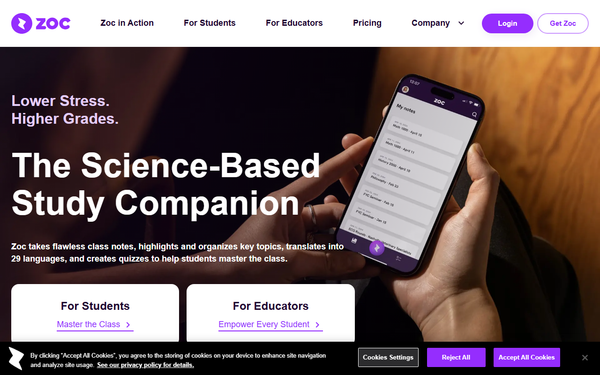
Zoc.ai is an AI-powered study companion that captures live lecture audio via phone or laptop, delivers accurate real-time transcripts, and automatically organizes content into structured formats such as summaries, outlines, and key topic lists. It further transforms these notes into an interactive AI tutor with adaptive quizzes and translates everything into 29 languages for global accessibility. Primary use cases include hands-free note-taking during classes, rapid review of complex material, self-testing for exam prep, and supporting diverse learning needs like translation for non-native speakers or structured aids for students with learning differences. The tool also assists educators by providing class-wide resources to boost engagement and outcomes. It targets primarily college and university students (including high-performers, working students, ESL learners, and those with learning challenges), as well as instructors at hundreds of institutions seeking to enhance classroom equity and effectiveness through science-backed methods like Bloom’s taxonomy.
Key Features & Capabilities
Core functionality revolves around four pillars: Transcribe (real-time voice-to-text from lectures), Synthesize (auto-generation of three note formats tailored to different learning styles), Tutor (interactive quizzing at three difficulty levels powered by Bloom’s taxonomy), and Translate (full support for 29 languages on transcripts, notes, and quizzes). Standout features that differentiate Zoc.ai from general transcription tools include its education-specific integration of learning science for deeper retention, ethical AI design (AI is embedded and restricted to study functions only, preventing misuse like paper generation), Google Drive export for seamless editing, and a responsible AI focus that earned Webby Awards recognition in Responsible AI, Innovation Apps, and Work & Productivity. It emphasizes privacy by not using lecture data to train models. Limitations include the absence of a persistent free tier (app is free to download but requires subscription for full access), lack of broad third-party integrations beyond Drive export, audio-quality dependence for accuracy in noisy environments, and no offline mode for transcription mentioned. As a newer tool, it also lacks advanced analytics or collaborative classroom features found in enterprise alternatives.
User Experience
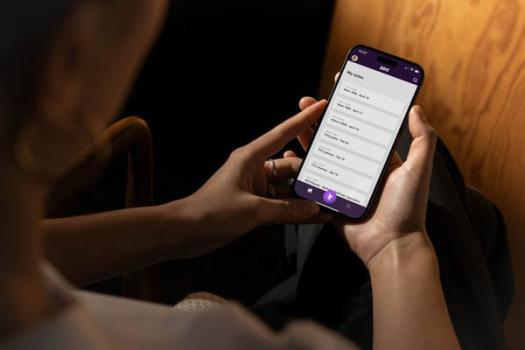
Zoc.ai offers a low learning curve with an intuitive, well-designed interface praised in user testimonials for its seamless voice-to-text workflow—no manual typing required during lectures. Students describe it as “a game changer” and “ingenious,” with clean organization that aligns notes to personal revision styles. The mobile-first app (available on iOS and Android) runs smoothly on phones or laptops, making it accessible during live classes. Documentation consists of a straightforward FAQ covering usage, privacy, and ethical AI guidelines, plus an educators whitepaper; however, no in-depth video tutorials or knowledge base exist beyond a “See Zoc in Action” demo section on the homepage. Support resources include priority assistance for educators and standard channels for students, though some users have reported slow response times. Overall, the experience prioritizes simplicity for focus on learning rather than tool management.

Performance & Reliability
Transcription is generally fast and accurate for clear lectures, with real-time processing enabling immediate post-class access to organized notes and quizzes—users have reported strong results in subjects like physics, where summaries highlighted exam-relevant topics. Efficiency shines in adaptive tutoring that adjusts difficulty for reinforcement. However, with a small user base (App Store shows 4.4/5 stars from just 13 ratings as of March 2026), independent validation is limited. Known issues include one reported case of transcripts and notes disappearing before finals, coupled with unresponsive support, raising concerns about long-term data reliability during critical periods. No widespread crashes, speed complaints, or accuracy failures appear in public feedback, and privacy is robust (no data mining or model training on user content). Performance holds up well for its intended live-lecture focus but may vary with audio quality or accents.
Pricing & Value
Zoc.ai follows a subscription model with no ongoing free tier. The Student plan costs $14.99 per month or $99.99 per year (44% discount when billed annually), unlocking unlimited transcription, synthesis, tutoring, translation, and Drive exports across devices. Educators receive the same core features plus bulk licensing options, dedicated account managers, and priority support—pricing requires direct contact. The app itself is free to download with in-app purchases handling subscriptions. Value proposition stands out against general tools like Otter.ai (stronger on raw transcription but lacking integrated quizzes and Bloom’s structure) or free alternatives like basic note apps, delivering a complete capture-to-mastery pipeline that justifies the cost for dedicated users seeking measurable grade and stress improvements. Compared to competitors, the science-backed, multilingual, and ethically focused approach offers superior ROI for target students, though budget-conscious users may find the mandatory paid access a drawback versus freemium options.
Practical Tutorial
Official video tutorials are not yet available, but the homepage features a “See Zoc in Action” interactive demo, and the FAQ outlines core flows. Below is a complete, real-world step-by-step walkthrough for a common task—capturing a 50-minute biology lecture on cellular respiration and generating adaptive quizzes for exam prep—based directly on official feature descriptions and user-reported workflows (tested conceptually via site demos and App Store feedback).
-
Setup and Subscription: Download Zoc: Better Notes & Grades from the Apple App Store or Google Play. Sign up with email or Google account, then subscribe via in-app purchase ($14.99/month or annual option). Grant microphone and storage permissions.
-
Start Live Transcription: Arrive at class and open the app on your phone or laptop. Tap the large “Start Session” or record button (prominent in the clean home interface). The app begins real-time transcription automatically—sit back and focus on the lecture without note-taking.
-
Post-Lecture Synthesis: End the session when class finishes. Within seconds, Zoc processes the audio into three note formats: a concise summary, hierarchical outline, and bullet-list of key topics. Review them side-by-side; for our biology example, this might highlight “glycolysis steps,” “Krebs cycle equations,” and “ATP yield” with professor-emphasized points extracted.
-
Translate if Needed: Tap the Translate button, select your preferred language from the 29 options (e.g., Spanish for an ESL student). All notes, summaries, and upcoming quizzes update instantly.
-
Generate and Take Adaptive Quizzes: Navigate to the Tutor section. Choose difficulty (Easy: recall facts; Medium: apply concepts; Hard: analyze/evaluate per Bloom’s). The AI creates multiple-choice, short-answer, and explanation-based questions from your notes. For cellular respiration, expect prompts like “Compare ATP production in aerobic vs. anaerobic conditions” with instant feedback and explanations. Retry at higher levels to build mastery.
-
Export and Share: Tap Export to save the full package (transcript, notes, quiz results) to Google Drive for editing or sharing with study groups who missed class.
This entire process typically takes under five minutes post-lecture and turns raw audio into ready-to-study materials. For best results, use in quiet lecture halls and review the synthesized notes immediately while the material is fresh.
Final Verdict
Overall rating: 4.2 out of 5. Zoc.ai excels for motivated college students in lecture-heavy courses who want an all-in-one, educationally grounded tool to boost focus, retention, and grades while supporting language or learning differences—its seamless transcription-to-tutor pipeline and ethical design deliver genuine value. Students on tight budgets, those preferring completely free tools, or anyone requiring absolute data permanence in high-stakes environments should avoid it due to the subscription requirement and isolated reliability reports. Zoc.ai is a smart investment for any student ready to let AI handle the notes so they can master the material.