CRÉDIT AGRICOLE FINANCEMENTS

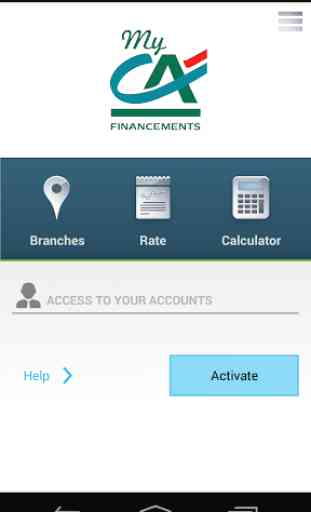
Thanks to its new My CA Financements mobile application, Crédit Agricole Financements now lets you manage your accounts using your smartphone wherever you are. Compatible with the Android operating systems, the application gives you access to functions that make your life easier
- it's completely secure and only takes a couple of clicks. These are the application’s main functions, broken down into the two public and private browsing zones:
Details of public functions:
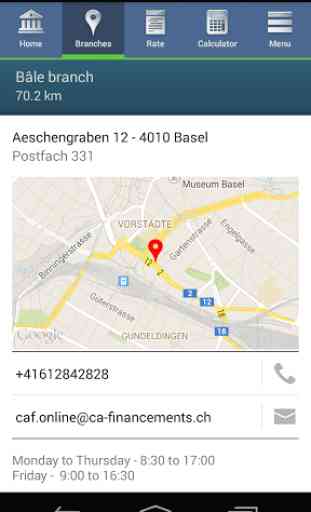
- Finding branches and ATMs
- Checking mortgage rates and rates for savers
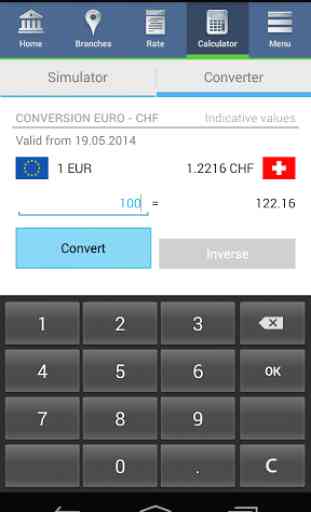
- Currency conversion between the euro and the Swiss franc
Details of private functions:
- Overview of your account balances, entries and loan instalments
- Making payments to payees already recorded in your e-banking details
- Stock market: checking market trends and daily values
- Integrated messaging to help you interact with your advisor
Conditions of use:
- You must have a phone with the Android 4 operating system or higher.
- You need to have accepted the ‘Conditions of use for e-banking and My CA Financements’ via your Crédit Agricole Financements e-banking facility.
- You need to have accepted the ‘Conditions of use for the mobile application’.
- You must have a suitable 3G or Wi-Fi connection.
Connecting for the first time: You will need a computer, your smartphone and your e-banking access codes. Follow the instructions on the website www.ca-financements.ch.
Protecting your phone Crédit Agricole Financements attaches tremendous importance to the security of your personal information and bank details. The My CA Financements mobile application is designed to keep your data as secure as possible when you are out and about. Crédit Agricole Financements (Suisse) S.A. does advise you to adopt a few additional security measures, however:
- Protect your phone with a security password in order to restrict access to your personal information and applications.
- Avoid connecting to unsecured Wi-Fi when out and about (such as in stations and public spaces).
- Do not download applications from unknown sources.
Even if you are not a Crédit Agricole customer, you can still download the application in order to look for a branch or check today’s exchange rate, for example.
Legal notices: Crédit Agricole Financements (Suisse) S.A. cannot be held liable for any expenses incurred during downloading or use of the application in respect of the mobile operator. Using the services of trusted third parties in order to download, run or connect to the application (GooglePlay) constitutes agreement to the existence of a commercial relationship with Crédit Agricole Financements (Suisse) S.A. For these reasons, Crédit Agricole Financements can no longer guarantee banking secrecy if your banking relationship is divulged to a third party or if a device is lost or stolen.
- it's completely secure and only takes a couple of clicks. These are the application’s main functions, broken down into the two public and private browsing zones:
Details of public functions:
- Finding branches and ATMs
- Checking mortgage rates and rates for savers
- Currency conversion between the euro and the Swiss franc
Details of private functions:
- Overview of your account balances, entries and loan instalments
- Making payments to payees already recorded in your e-banking details
- Stock market: checking market trends and daily values
- Integrated messaging to help you interact with your advisor
Conditions of use:
- You must have a phone with the Android 4 operating system or higher.
- You need to have accepted the ‘Conditions of use for e-banking and My CA Financements’ via your Crédit Agricole Financements e-banking facility.
- You need to have accepted the ‘Conditions of use for the mobile application’.
- You must have a suitable 3G or Wi-Fi connection.
Connecting for the first time: You will need a computer, your smartphone and your e-banking access codes. Follow the instructions on the website www.ca-financements.ch.
Protecting your phone Crédit Agricole Financements attaches tremendous importance to the security of your personal information and bank details. The My CA Financements mobile application is designed to keep your data as secure as possible when you are out and about. Crédit Agricole Financements (Suisse) S.A. does advise you to adopt a few additional security measures, however:
- Protect your phone with a security password in order to restrict access to your personal information and applications.
- Avoid connecting to unsecured Wi-Fi when out and about (such as in stations and public spaces).
- Do not download applications from unknown sources.
Even if you are not a Crédit Agricole customer, you can still download the application in order to look for a branch or check today’s exchange rate, for example.
Legal notices: Crédit Agricole Financements (Suisse) S.A. cannot be held liable for any expenses incurred during downloading or use of the application in respect of the mobile operator. Using the services of trusted third parties in order to download, run or connect to the application (GooglePlay) constitutes agreement to the existence of a commercial relationship with Crédit Agricole Financements (Suisse) S.A. For these reasons, Crédit Agricole Financements can no longer guarantee banking secrecy if your banking relationship is divulged to a third party or if a device is lost or stolen.
Category : Finance

Related searches
Reviews (8)
Bri. H.
Oct 11, 2018
I could not scan code bar...so not much more to say. I get peer closed connection, unknown error. I guess they will have to write a new version and test that one....
Man. H.
Jan 30, 2020
Unknown error, works only with older Android version. Strange that a Swiss bank could not invest in a more professional application.
Iva.
Oct 17, 2020
Since today I am unable to login both on the app and online. Unreliable bank.
Nat. V.
Mar 11, 2019
cannot scan bar code + not compatible with all phones
Ext. N.
Sep 7, 2020
What a massive waste of time. Go with any other bank.
Ser.
Aug 3, 2017
The QR scan never works, shows 403 error and impossible to activate. Using a Samsung S8+. It used to work fine on my Samsung S6
Joe. G.
Jan 17, 2016
Impossible to active the app, no matter how many attempts are made.
Unable to activate. I get an error 403 after scanning the QR code received. And there is no option to enter the details manually. looks like these errors have been around and reported for months and you have still not fixed it. quiet shameful on the part of your IT services. I gave 1 star because I cannot go lower.