TvDroidX Plus

All entertainment in a single app
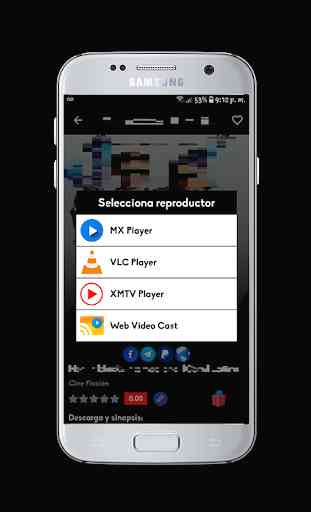
* External players:
VLC Media Player
MX Player
XMTV Player
Web Video Cast
You can transmit the content through the external players to your:
• ChromeCast.
• Roku.
• DLNA receivers.
• Amazon Fire TV and Fire TV Stick.
• Smart TV: LG Netcast and WebOS, Samsung, Sony and others. *.
• PlayStation 4 - using your web browser.
• Most web browsers using http://cast2tv.app (PS4, Smart TV and other decoders).
We recommend using VLC as an external player:
If you have problems such as: The movie stops, the image is not visible, the audio fails, or you just want to be able to pause, stop or forward the content, you just have to go to the App's configuration and activate the option of "External Player" "and select VLC.
* External players:
VLC Media Player
MX Player
XMTV Player
Web Video Cast
You can transmit the content through the external players to your:
• ChromeCast.
• Roku.
• DLNA receivers.
• Amazon Fire TV and Fire TV Stick.
• Smart TV: LG Netcast and WebOS, Samsung, Sony and others. *.
• PlayStation 4 - using your web browser.
• Most web browsers using http://cast2tv.app (PS4, Smart TV and other decoders).
We recommend using VLC as an external player:
If you have problems such as: The movie stops, the image is not visible, the audio fails, or you just want to be able to pause, stop or forward the content, you just have to go to the App's configuration and activate the option of "External Player" "and select VLC.
Category : Entertainment

Related searches
Reviews (3)
Lui. A.
Oct 1, 2019
The app doesn't work on nvidia shield TV. It doesn't open
Col. B.
Mar 15, 2020
Can't watch anything ads ads, thought live tv on it
It doesn't work, I downloaded but it doesn't open at all. It opens with a black page and the logo but go not where